Git commands
How git clean -n shows what would go, without deleting a thing
git clean -n: the preview before the delete
How to use this page
- slider / ▶Drag the slider, or press play, to watch the command happen. Before and After jump to either end.
- ← → · spaceStep through a multi-step command; space toggles Before / After.
- APlay or pause the loop (the page opens playing). Any manual input takes over.
- hoverA commit shows its message, author, date and parents, with its history highlighted.
- clickCopies the commit sha.
- ctrl + wheelZoom around the cursor (pinch on a trackpad). Double-click resets the view.
- EscStop playback, reset the view, close this menu.
- shareThe Share button copies a link to this graph, copies it as an image, downloads PNG/SVG/page, or posts it. #before, #after or #step=N in the link pins the state.
git-sim visually simulates any Git command in your own repos - from your terminal, IDE, or AI.
Table of Contents
- Introduction
- What is git clean -n?
- Watch it happen
- Before and after
- Why -n works when git clean alone doesn't
- Previewing the other forms
- Is it safe?
- Try it on your repository
- Common questions
- Summary
- Next steps
- Related commands
Introduction
If you've read my page on git clean, you know that the files it deletes have no copy anywhere in Git. That makes git clean -n the most useful flag the command has. It runs the same logic as the real thing, prints what would be removed, and stops there.
In this article, we'll:
- Watch
git clean -nreport an untracked file without touching it - Look at why
-nworks even though plaingit cleanrefuses to run - Cover previewing the bigger variants (
-d,-x,-X) before you run them for real
What is git clean -n?
git clean -n (long form --dry-run) is git clean in preview mode. It works out which untracked files the command would delete, prints one "Would remove" line for each, and exits. Your working directory, staging area and history are all left exactly as they were.
It combines with every other clean flag (the full list is in the git clean documentation). -n swaps "delete" for "print" and the rest of the command is unchanged, so git clean -nd previews git clean -fd, git clean -nx previews git clean -fx, and so on.
Watch it happen
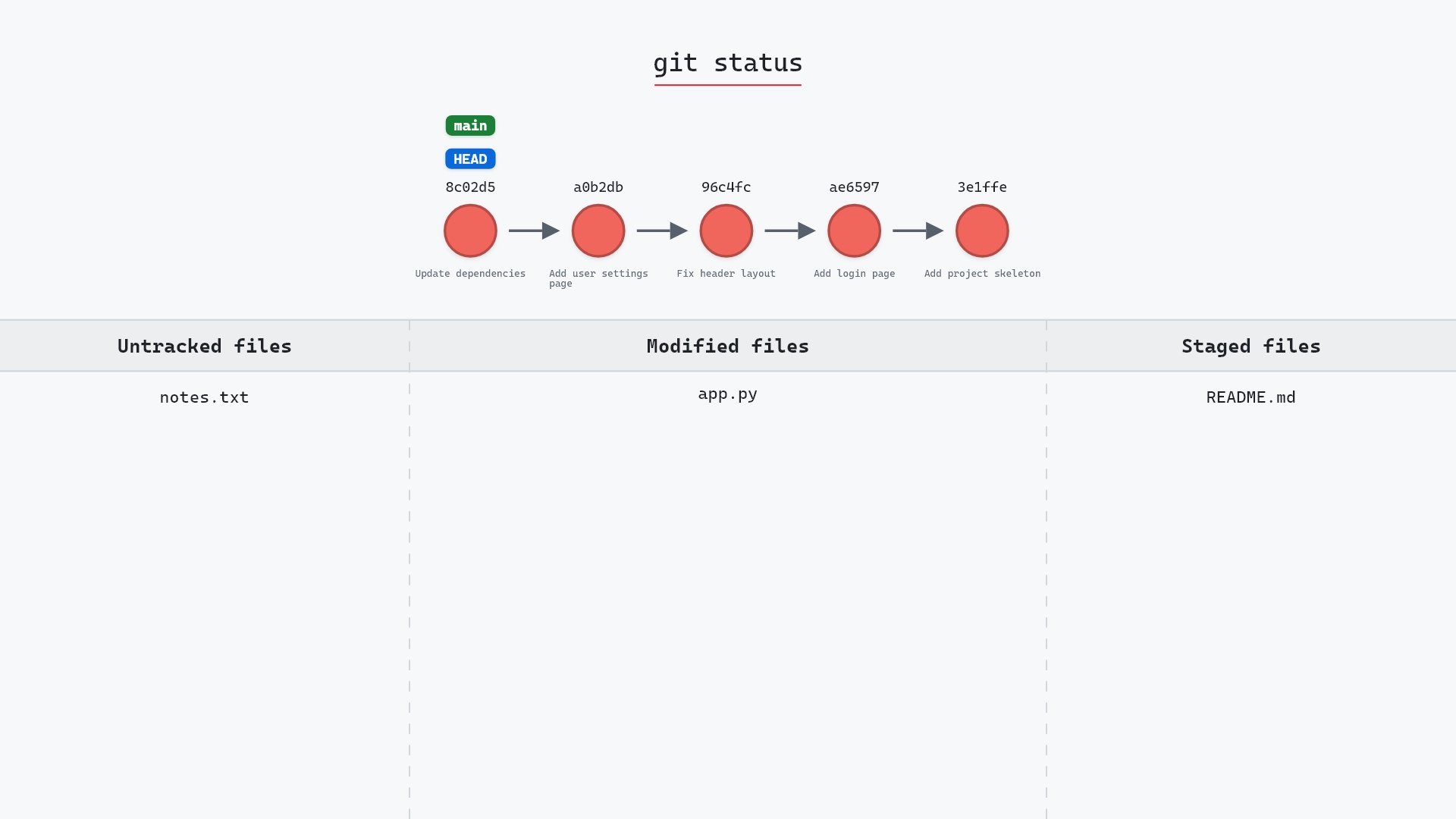
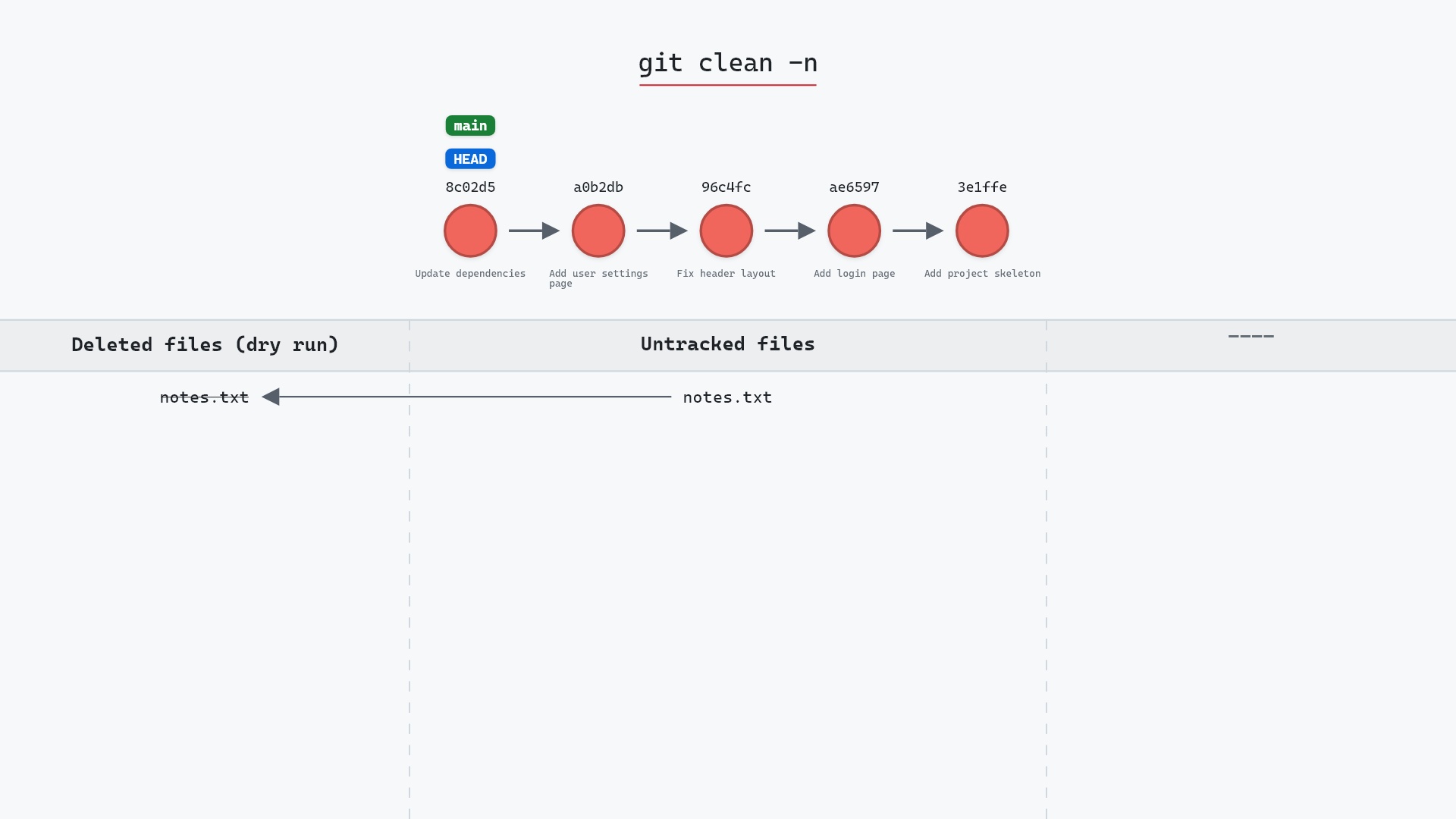
Our sample repo has an untracked file next to tracked changes: on main at 8c02d5b, "Update dependencies", README.md is staged, app.py is modified, and notes.txt is untracked. Here's git clean -n:
- Before:
notes.txtis the only untracked file. - Git lists
notes.txtas a file it would remove: "Would remove notes.txt". - It's a dry run, so the file is still on disk, and no commit or branch changes.
The staged README.md and modified app.py don't appear at all. clean only ever considers untracked files, so tracked ones aren't candidates.
Before and after
git status --short before:
M  README.md
 M app.py
?? notes.txt
and after:
M  README.md
 M app.py
?? notes.txt
They match, line for line. Git's output is the preview itself:
The raw git output, if you want to read along in text
git log --oneline --graph --all
before
* 1117a34 (feature) Add search tests
* e5869f0 Fix typo in search box
* fc19889 Add search box
| * 8c02d5b (HEAD -> main) Update dependencies
| * a0b2db3 Add user settings page
|/
* 96c4fc2 Fix header layout
* ae65976 Add login page
* 3e1ffe4 Add project skeleton
* 4114b2c Initial commit
after
* 1117a34 (feature) Add search tests
* e5869f0 Fix typo in search box
* fc19889 Add search box
| * 8c02d5b (HEAD -> main) Update dependencies
| * a0b2db3 Add user settings page
|/
* 96c4fc2 Fix header layout
* ae65976 Add login page
* 3e1ffe4 Add project skeleton
* 4114b2c Initial commit
what git printed
Would remove notes.txtWhy -n works when git clean alone doesn't
Run a bare git clean and Git refuses with a fatal error that names clean.requireForce and says it is "refusing to clean". The clean.requireForce setting, on by default, makes you state your intent: -f to delete, or -n to look. Since a dry run can't lose anything, Git doesn't ask for -f with it.
You can set clean.requireForce to false with git config, and then a bare git clean deletes immediately. I'd leave it on, since a mistyped git clean would otherwise delete files that no Git command can bring back.
Previewing the other forms
-n is most valuable in front of the flags that reach further than -f alone:
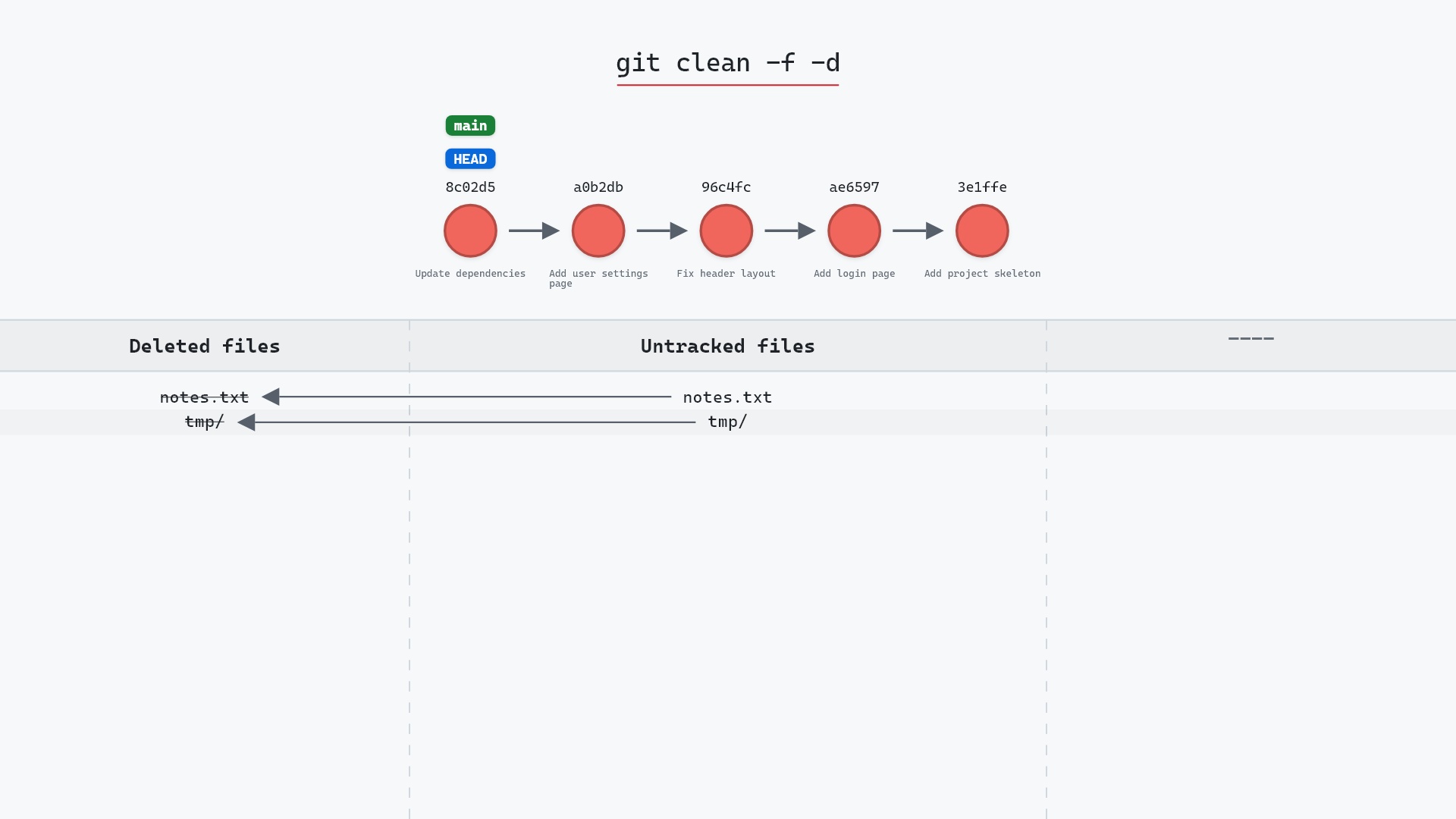
git clean -ndpreviews untracked directories too. Without-d, an untracked folder liketmp/isn't listed, and isn't deleted. See git clean -fd.git clean -nxpreviews ignored files as well, such as build output,node_modules/and.env. This is the one to read carefully.git clean -nXpreviews only ignored files, keeping your other untracked ones.git clean -n -- '*.log'narrows the preview to a pathspec.git clean -n -e notes.txtexcludes a pattern on top of.gitignore.
If the preview includes something you want to keep, git clean -i walks through the list interactively and lets you pick.
git clean -nd, read the list, then press the up arrow and change the n to an f. That way the command I run is exactly the one I previewed, flags and all, and I can't accidentally preview -d and then run -dx.
Is it safe?
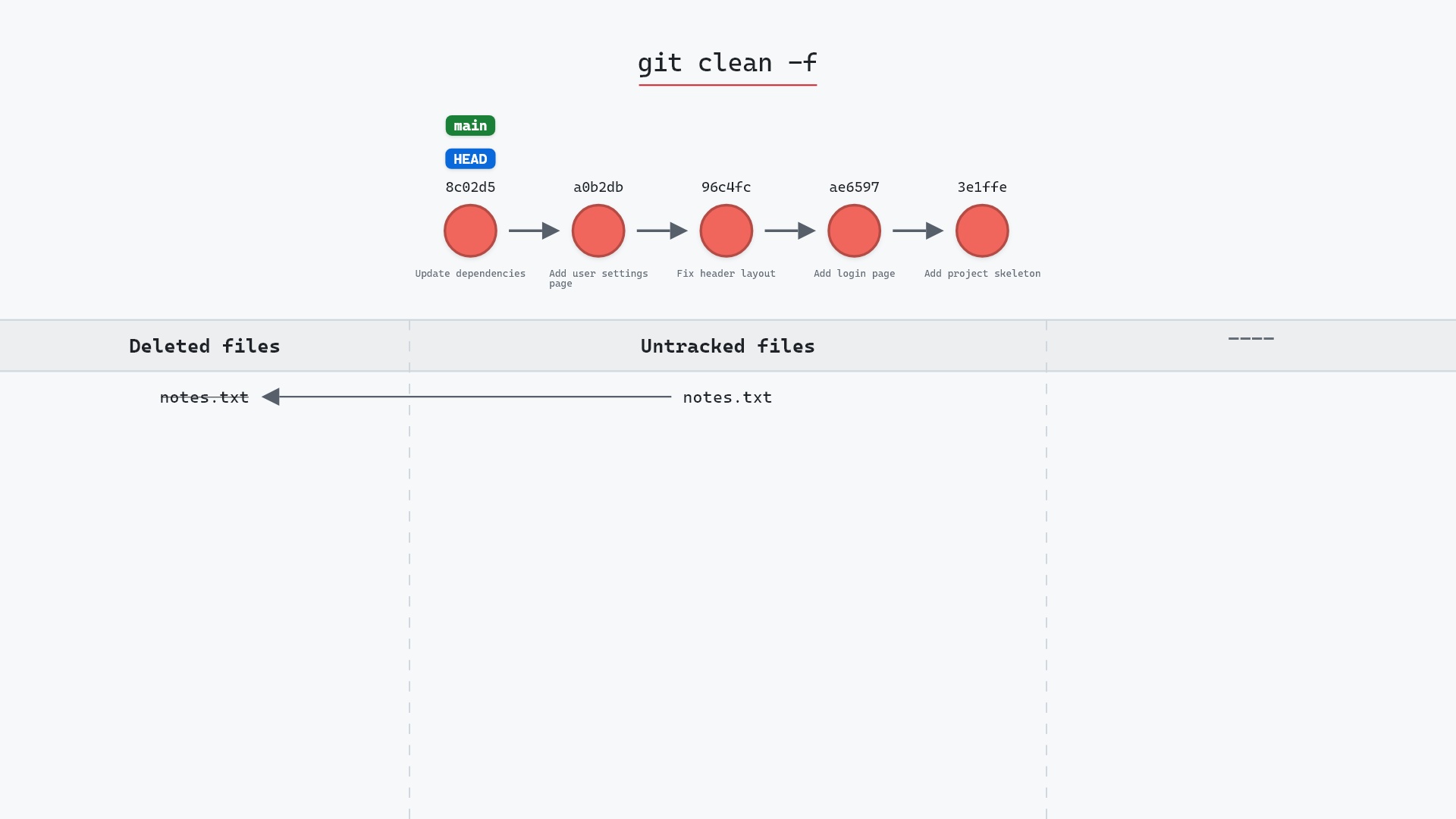
Completely. A dry run reads your working directory and prints a list. Nothing is deleted, staged or committed, so there's nothing to undo. The deletion you're previewing is another matter, and here it is on the same repository with -f:
Try it on your repository
pip install git-sim
git-sim clean -n
git-sim draws the same list as -n, with your commit graph for context. Swap in -f and it marks each file as not recoverable, still without deleting anything.
Common questions
What does git clean -n do?
It lists the untracked files git clean would delete, as "Would remove" lines, and deletes nothing. --dry-run is the long form.
Does git clean -n need -f?
No. clean.requireForce asks for either -f or -n, and a dry run can't delete anything, so -n on its own is enough.
Why doesn't git clean -n list my untracked folder?
Because clean skips untracked directories unless you add -d. Run git clean -nd to include them.
How do I see which ignored files git clean would remove?
git clean -nX lists only ignored files, and git clean -nx lists ignored and untracked files together.
Summary
In this article, we watched git clean -n report notes.txt as a file it would remove while leaving it, and the tracked changes next to it, exactly where they were. We also covered why a dry run doesn't need -f and how to preview the broader flags before you run them.
Next steps
git clean is the real deletion, and git clean -fd is the variant most worth previewing first.
Related commands
- git clean, the deletion this previews
- git clean -fd, which also removes untracked folders
- git status, the other way to see what's untracked
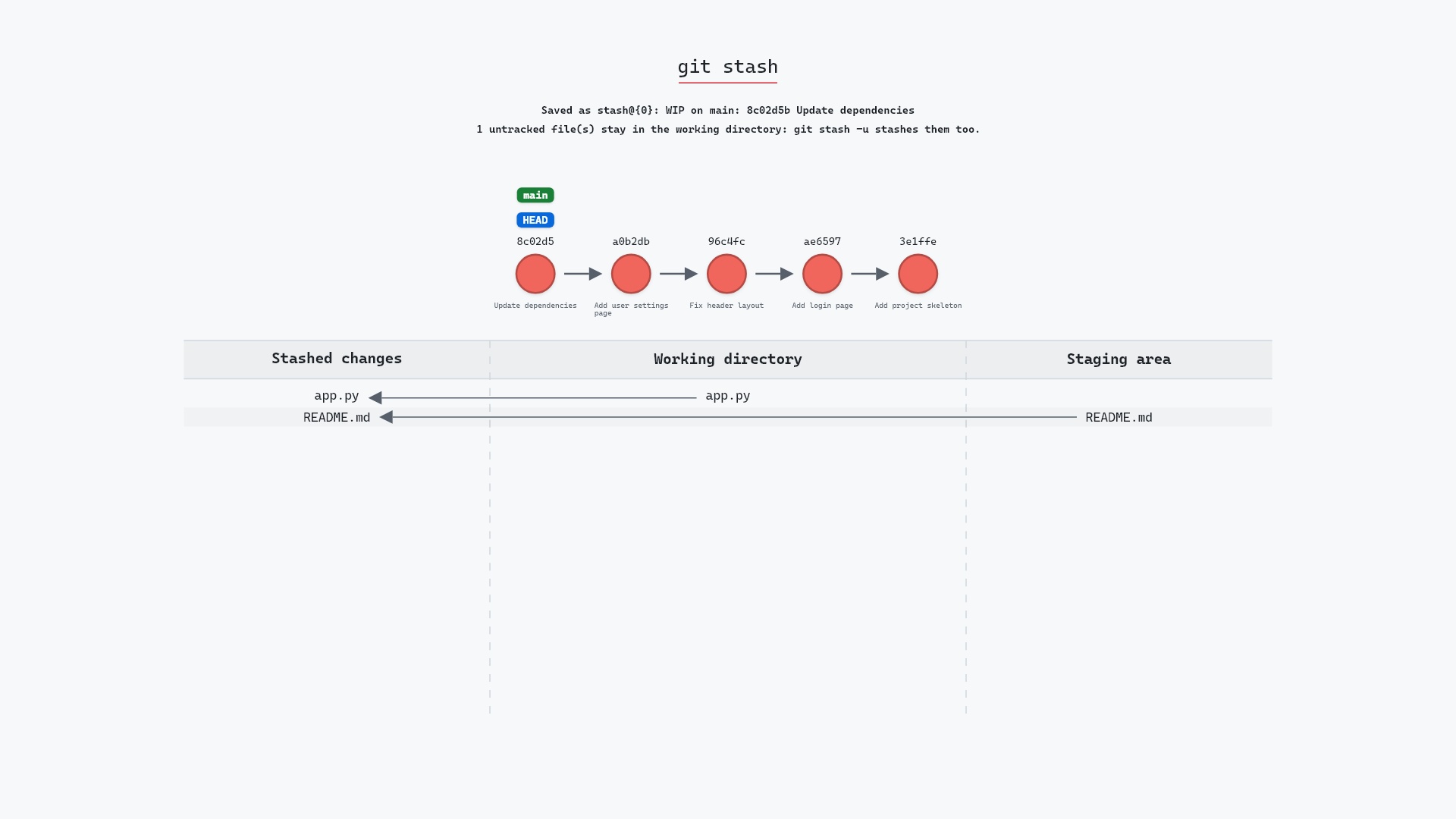
- git stash -u, to set untracked files aside instead
- git restore, for discarding edits to tracked files
- git add, for untracked files you meant to keep