Git commands
What git clone copies, and which branches you actually get
git clone: a full copy, history and all
How to use this page
- slider / ▶Drag the slider, or press play, to watch the command happen. Before and After jump to either end.
- ← → · spaceStep through a multi-step command; space toggles Before / After.
- APlay or pause the loop (the page opens playing). Any manual input takes over.
- hoverA commit shows its message, author, date and parents, with its history highlighted.
- clickCopies the commit sha.
- ctrl + wheelZoom around the cursor (pinch on a trackpad). Double-click resets the view.
- EscStop playback, reset the view, close this menu.
- shareThe Share button copies a link to this graph, copies it as an image, downloads PNG/SVG/page, or posts it. #before, #after or #step=N in the link pins the state.
git-sim visually simulates any Git command in your own repos - from your terminal, IDE, or AI.
Table of Contents
- Introduction
- What is git clone?
- Watch it happen
- Before and after
- Which branches do you get?
- SSH or HTTPS?
- Is it safe?
- Useful forms
- Clone or fork?
- How to undo it
- Try it on your repository
- Common questions
- Summary
- Next steps
- Related commands
Introduction
Most Git work doesn't start with an empty folder. It starts with a repository that already exists on GitHub, on a company server or in another folder on your machine, and a copy of it that you can work in. git clone makes that copy, including every commit, and wires it up so you can fetch and push later.
In this article, we'll:
- Watch
git clonecopy a small repository into a new folder - Look at what a fresh clone contains, and which branches you get locally
- Cover SSH and HTTPS addresses and the options for smaller or more specific clones
What is git clone?
git clone <repository> [<directory>] creates a new directory, initializes a repository in it, adds a remote named origin pointing at the source, fetches every branch and its history as remote-tracking branches (origin/main, origin/feature and so on), and then creates and checks out one local branch: the one the source repository has as its default (its HEAD). That local branch is set to track its origin counterpart, so git pull and git push work without arguments.
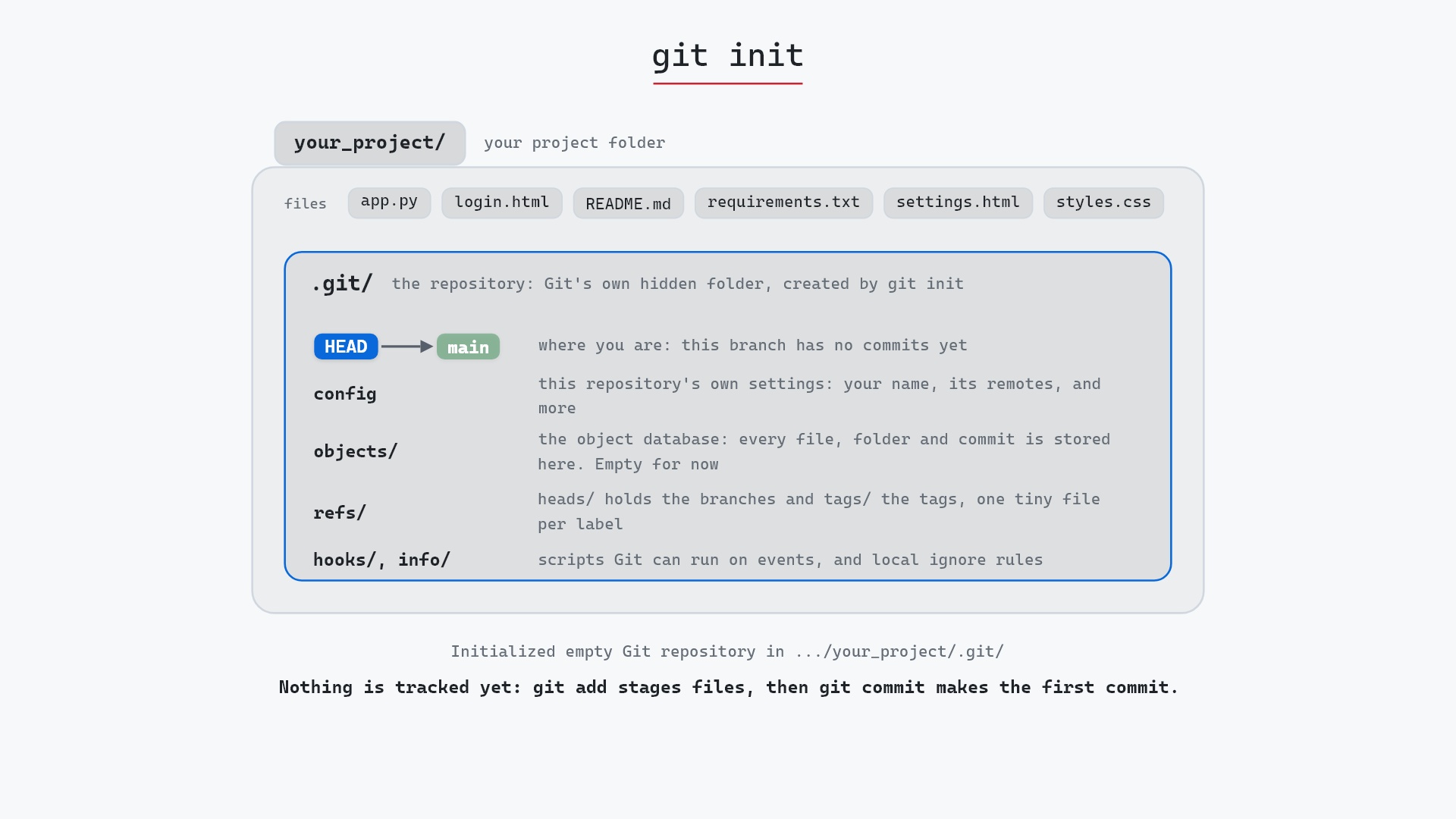
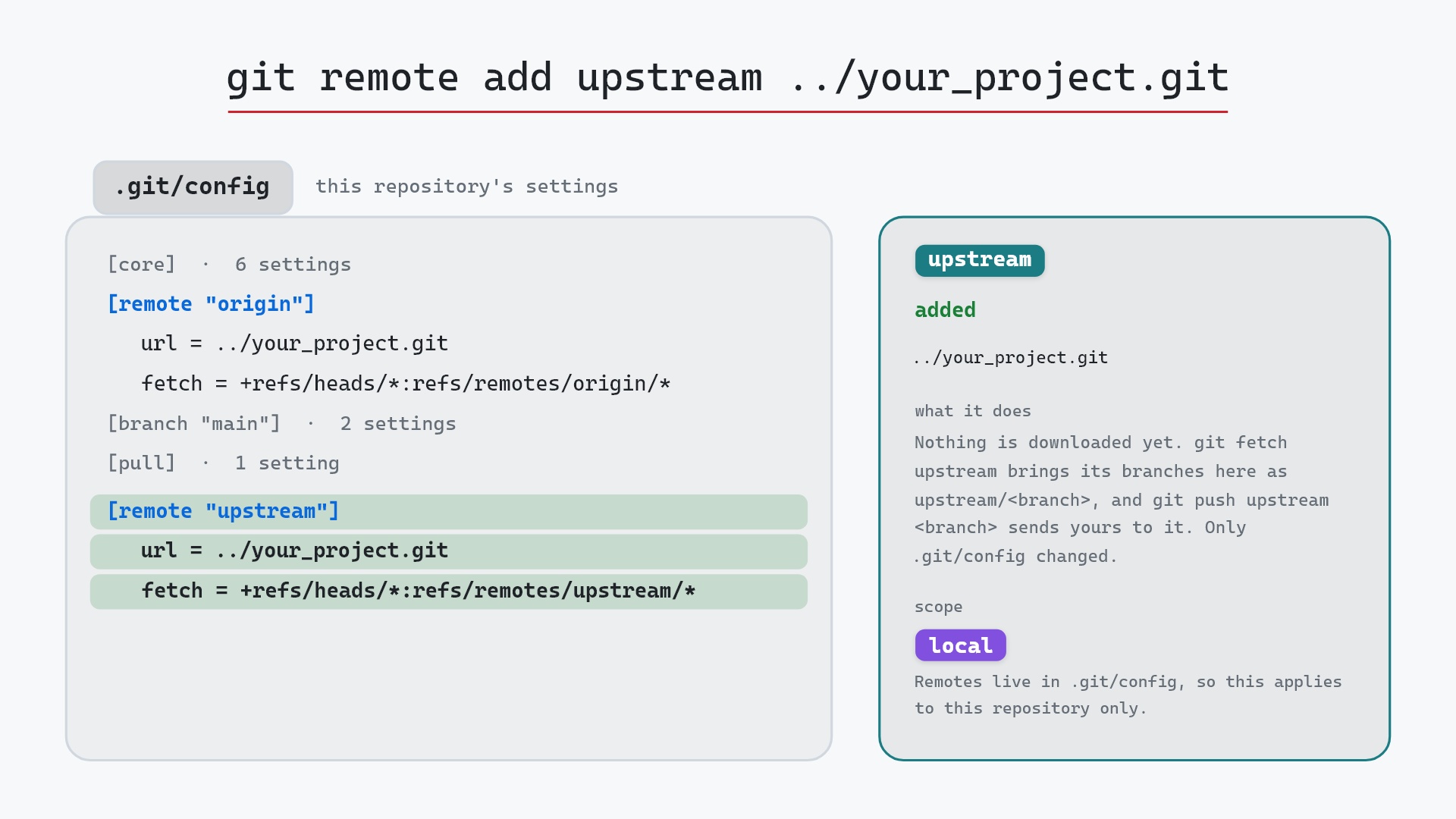
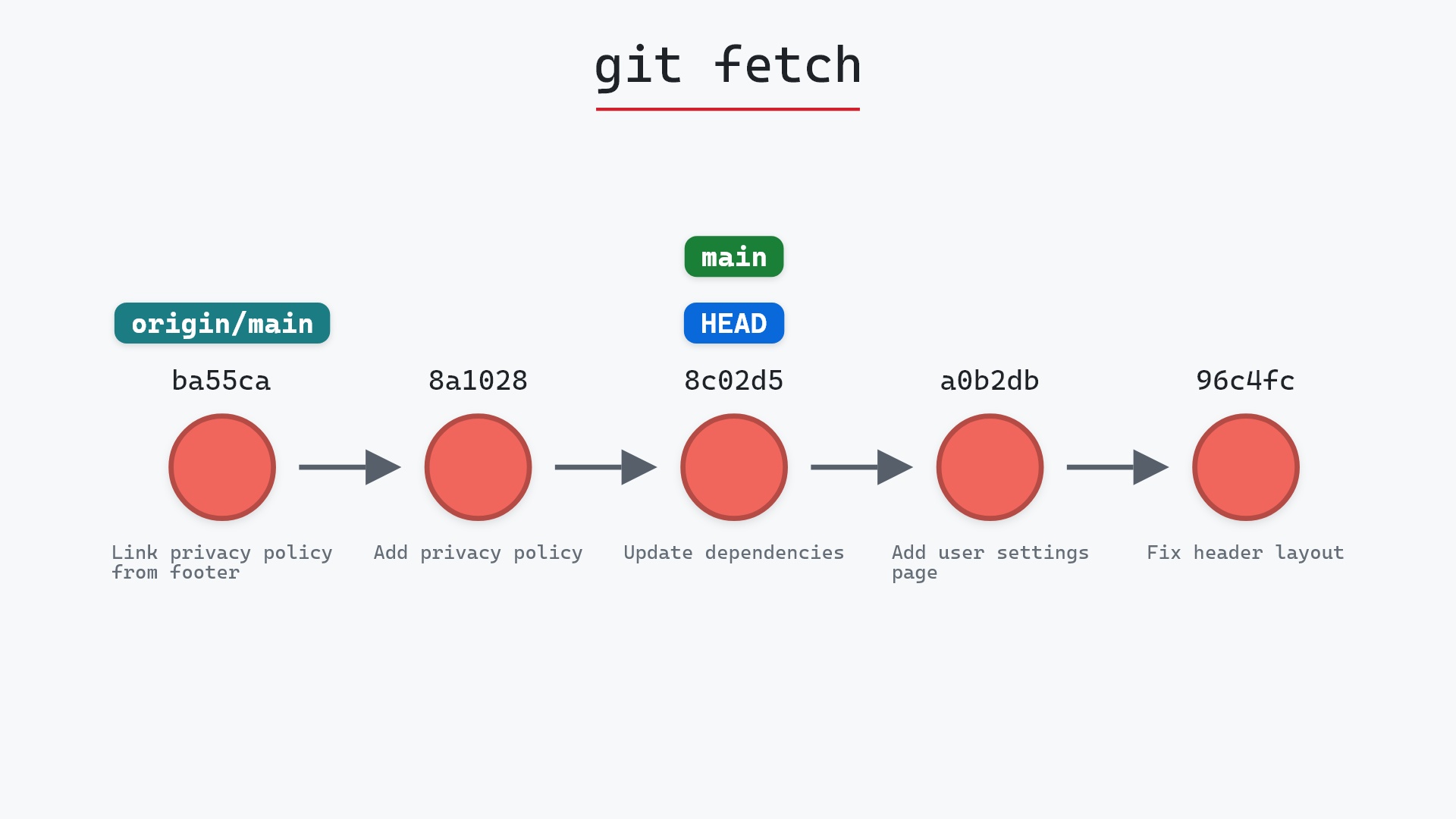
Put another way, clone is roughly git init, git remote add origin <url>, git fetch and git checkout main in one command.
Watch it happen
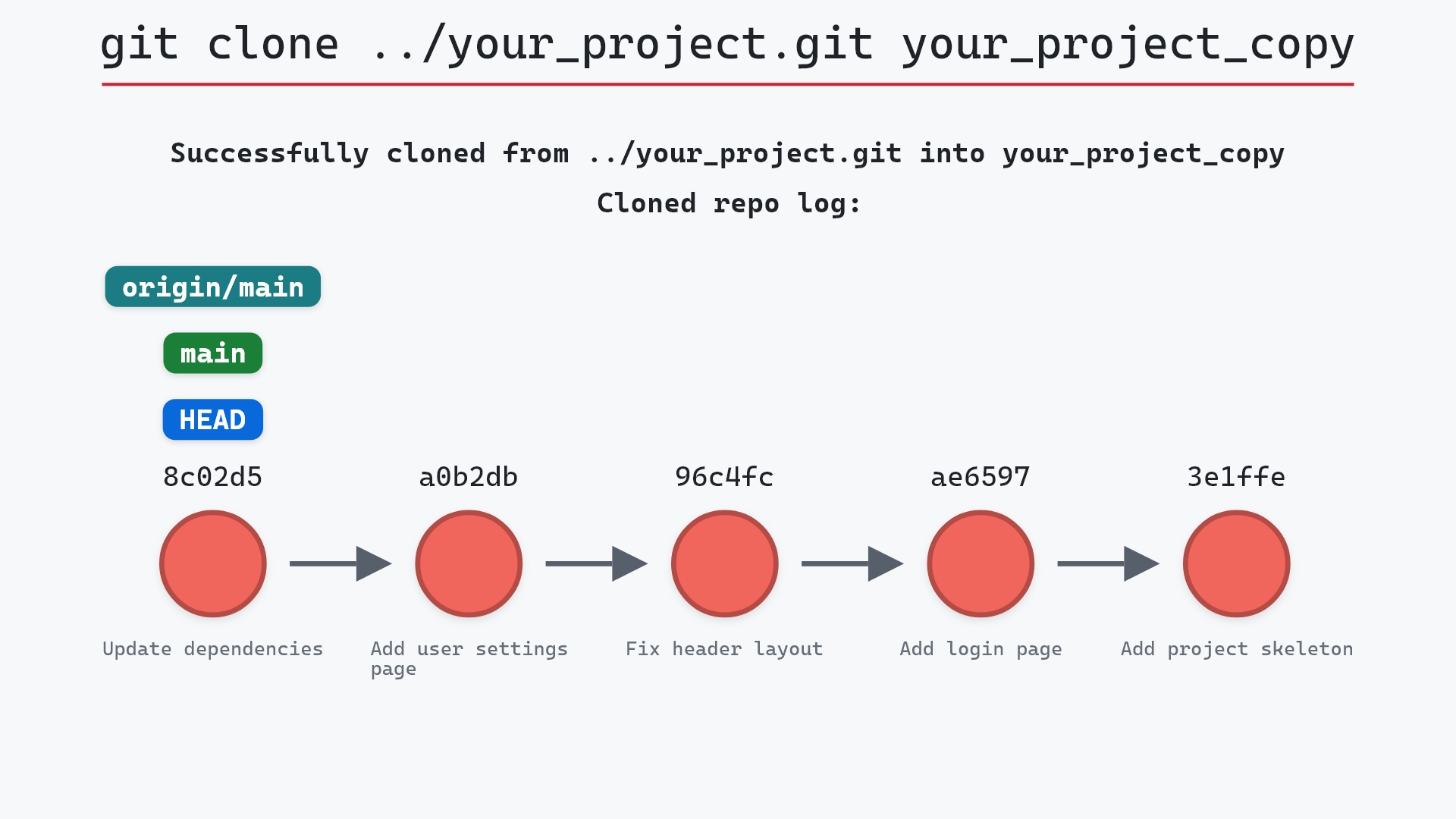
Our sample is a remote repository to copy into a new folder: a bare repository at ../your_project.git. Here's git clone ../your_project.git your_project_copy. There's only one frame to it, because a clone arrives all at once:
- Before: there is no
your_project_copyyet, only the repository at../your_project.git. - Git creates
your_project_copy, initializes a repository in it, adds a remote namedoriginpointing at../your_project.git, fetches every branch with its history, and checks outmain, the source's default branch.HEAD,mainandorigin/mainall point at8c02d5b"Update dependencies", so the new repository starts exactly in sync with the source:git statusinsideyour_project_copyreportsYour branch is up to date with 'origin/main'. (git-sim draws the five most recent commits by default, so the root commit4114b2c"Initial commit" is in the clone but not drawn.)
Before and after
We ran the clone from inside another copy of the project, so these two graphs are of that repository, not the new one:
They're identical. Cloning reads from the source and writes only into the new folder, so the repository you run it from (if any) doesn't change. The only trace is in git status, which now lists ?? your_project_copy/ as an untracked folder, because we put the clone inside a working tree. In real life you'd clone somewhere outside any repository, and status wouldn't notice anything.
The raw git output, if you want to read along in text
git log --oneline --graph --all
before
* 1117a34 (origin/feature, feature) Add search tests
* e5869f0 Fix typo in search box
* fc19889 Add search box
| * 8c02d5b (HEAD -> main, origin/main, origin/HEAD) Update dependencies
| * a0b2db3 Add user settings page
|/
* 96c4fc2 Fix header layout
* ae65976 Add login page
* 3e1ffe4 Add project skeleton
* 4114b2c Initial commit
after
* 1117a34 (origin/feature, feature) Add search tests
* e5869f0 Fix typo in search box
* fc19889 Add search box
| * 8c02d5b (HEAD -> main, origin/main, origin/HEAD) Update dependencies
| * a0b2db3 Add user settings page
|/
* 96c4fc2 Fix header layout
* ae65976 Add login page
* 3e1ffe4 Add project skeleton
* 4114b2c Initial commit
Which branches do you get?
All of them, but only one as a local branch. The source has two branches, main and feature. After the clone, git branch shows just one:
$ git branch
* main
and git branch -a shows the rest as remote-tracking branches:
$ git branch -a
* main
  remotes/origin/HEAD -> origin/main
  remotes/origin/feature
  remotes/origin/main
Every commit on feature (fc19889, e5869f0 and 1117a34) is already in your object database. To work on it, switch to it by name:
$ git switch feature
branch 'feature' set up to track 'origin/feature'.
Switched to a new branch 'feature'
Git sees there's no local feature, finds exactly one remote-tracking branch with that name, and creates a local branch from it with tracking set up. (git checkout feature does the same.) If two remotes both have a feature branch, the guess is ambiguous and you have to be explicit: git switch -c feature --track origin/feature.
SSH or HTTPS?
The same repository usually has two addresses, and clone accepts either:
git clone https://github.com/user/some-repo.git
git clone git@github.com:user/some-repo.git
Both are encrypted. The difference is how you prove who you are. HTTPS uses a username plus a token or password, which a credential helper (such as Git Credential Manager on Windows or the macOS keychain) stores so you aren't asked every time. GitHub stopped accepting account passwords for Git over HTTPS in 2021, so there it means a personal access token or a browser sign-in through the credential manager. SSH uses a key pair: you add your public key to the server once, and Git authenticates with the private key after that.
A local path works too, as in our sample. git clone ../your_project.git your_project_copy or git clone C:\projects\cool-repo C:\beta\cool-repo-beta copies a repository on the same machine, and Git hard-links the object files instead of copying them when it can, so local clones are fast (the --local and --no-hardlinks entries in the git clone documentation cover this).
Is it safe?
Safe git-sim pre-flight
'clone' creates a new clone; nothing is discarded.
clone only creates things. It refuses to clone into a directory that already exists and isn't empty, so it can't overwrite files by accident.
Useful forms
git clone <url> <directory>picks the folder name. Without it, Git uses the repository's name minus.git.git clone -b <branch> <url>checks out<branch>instead of the default branch. Every other branch still comes down as a remote-tracking branch.-balso takes a tag, which leaves you in detached HEAD on that tag.git clone -b <branch> --single-branch <url>fetches only that branch's history, and later fetches stay limited to it.git clone --depth 1 <url>makes a shallow clone with only the most recent commit. It implies--single-branchunless you add--no-single-branch. Handy for CI and for huge repositories you only want to build.git fetch --unshallowfills in the rest later.git clone --filter=blob:none <url>makes a partial clone: all the commits, but file contents are downloaded only when a checkout needs them. Often a better choice than--depthif you'll still want history.git clone --recurse-submodules <url>also initializes and clones any submodules. Without it you get empty submodule folders until you rungit submodule update --init --recursive.git clone --no-tags <url>skips tags, and keeps later fetches from bringing them in.git clone -o upstream <url>names the remote something other thanorigin.git clone --bare <url>and--mirrormake a repository with no working directory, for hosting or backups.
Clone or fork?
A fork isn't a Git command. It's a feature of hosting services like GitHub and GitLab: a server-side copy of someone else's repository under your account, so you have somewhere you're allowed to push. You then clone your fork to work on it locally.
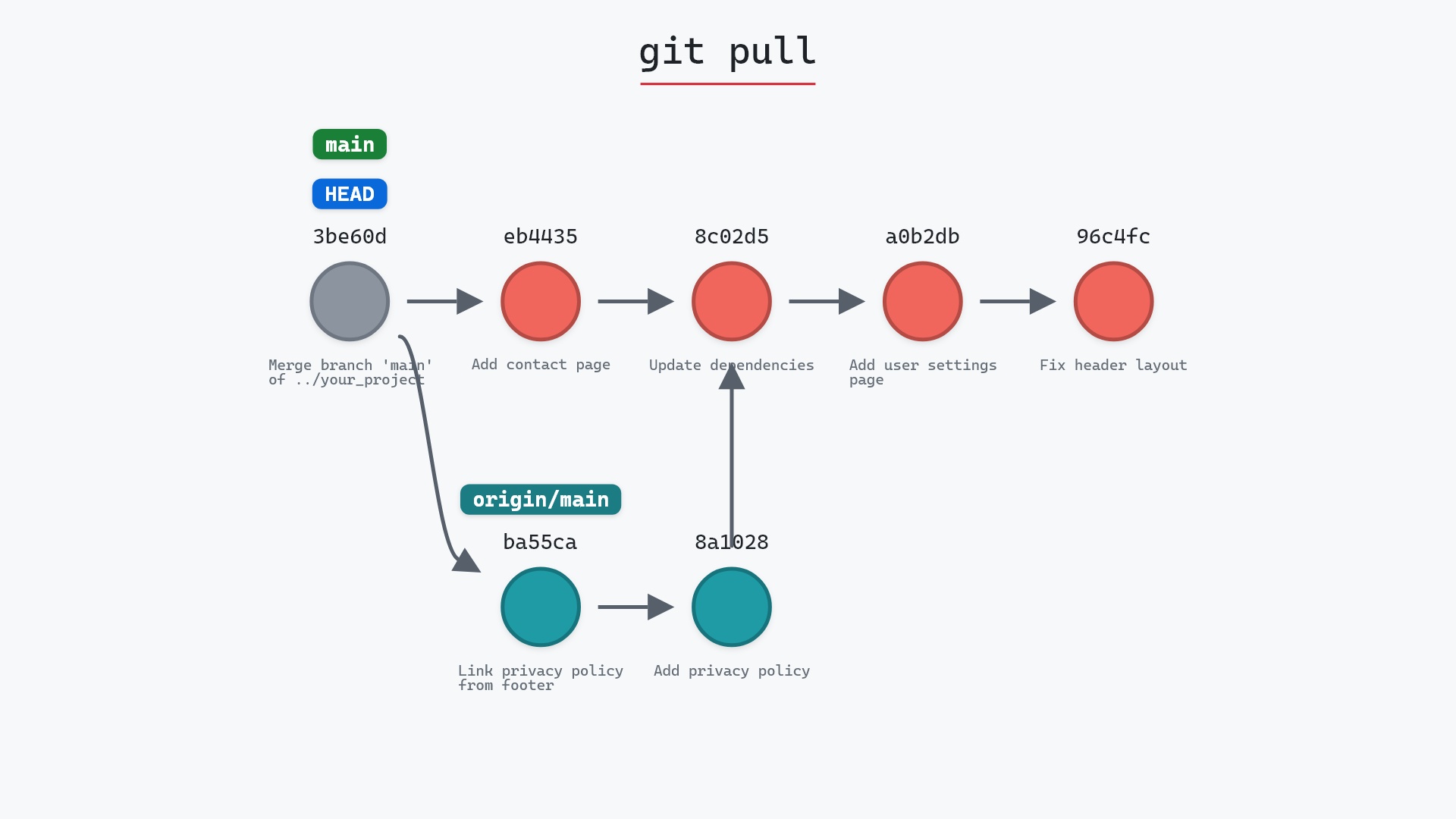
A clone doesn't stay in sync on its own either. It remembers where it came from through origin and the remote-tracking branches, and it catches up only when you run git fetch or git pull. When you work from a fork, it's common to add the original repository as a second remote called upstream with git remote add, so you can fetch its new commits too.
How to undo it
Delete the new folder. Nothing outside it was changed.
rm -rf your_project_copy
Try it on your repository
pip install git-sim
git-sim clone ../your_project.git your_project_copy
git-sim clones into a temporary folder instead of the one you name, draws the clone's recent commits and branch labels, and then deletes the temporary copy.
Common questions
Does git clone download all branches?
Yes. Every branch's commits are downloaded and appear as remote-tracking branches like origin/feature. Only the default branch gets a local branch, and git switch <name> creates the others on demand.
How do I clone a specific branch?
git clone -b <branch> <url> checks that branch out. Add --single-branch if you don't want the other branches' history at all.
What is a shallow clone?
A clone made with --depth <n>, which downloads only the last n commits of history. It's faster and smaller, but commands that need older history (like git log past the cutoff or git blame on old lines) can't see it until you run git fetch --unshallow.
What is the difference between git clone and git init?
git init creates a new, empty repository. git clone copies an existing one, history included, and sets up origin so you can fetch from and push to it.
Summary
In this article, we watched git clone copy ../your_project.git into your_project_copy with main and origin/main together on 8c02d5b, saw that every branch arrives but only the default one becomes a local branch, and covered SSH and HTTPS addresses, shallow and single-branch clones, and how a clone relates to a fork.
Next steps
Inside a fresh clone, git fetch and git pull keep you up to date, and git push -u publishes a branch you create. To start a repository from nothing instead, see git init.
Related commands
- git init, to create a repository from scratch
- git remote add, to connect a clone to a second repository
- git fetch, to download new commits later
- git pull, to fetch and merge in one step
- git push -u, to publish a new branch from your clone
- git switch, to check out the other branches