Git commands
How --force-with-lease refuses to overwrite work you have not seen
git push --force-with-lease: the force push with a seatbelt
How to use this page
- slider / ▶Drag the slider, or press play, to watch the command happen. Before and After jump to either end.
- ← → · spaceStep through a multi-step command; space toggles Before / After.
- APlay or pause the loop (the page opens playing). Any manual input takes over.
- hoverA commit shows its message, author, date and parents, with its history highlighted.
- clickCopies the commit sha.
- ctrl + wheelZoom around the cursor (pinch on a trackpad). Double-click resets the view.
- EscStop playback, reset the view, close this menu.
- shareThe Share button copies a link to this graph, copies it as an image, downloads PNG/SVG/page, or posts it. #before, #after or #step=N in the link pins the state.
git-sim visually simulates any Git command in your own repos - from your terminal, IDE, or AI.
Table of Contents
- Introduction
- What is git push --force-with-lease?
- Watch it happen
- What happened
- The habit that breaks it
- Is it safe?
- How to undo it
- Try it on your repository
- Common questions
- Summary
- Next steps
- Related commands
Introduction
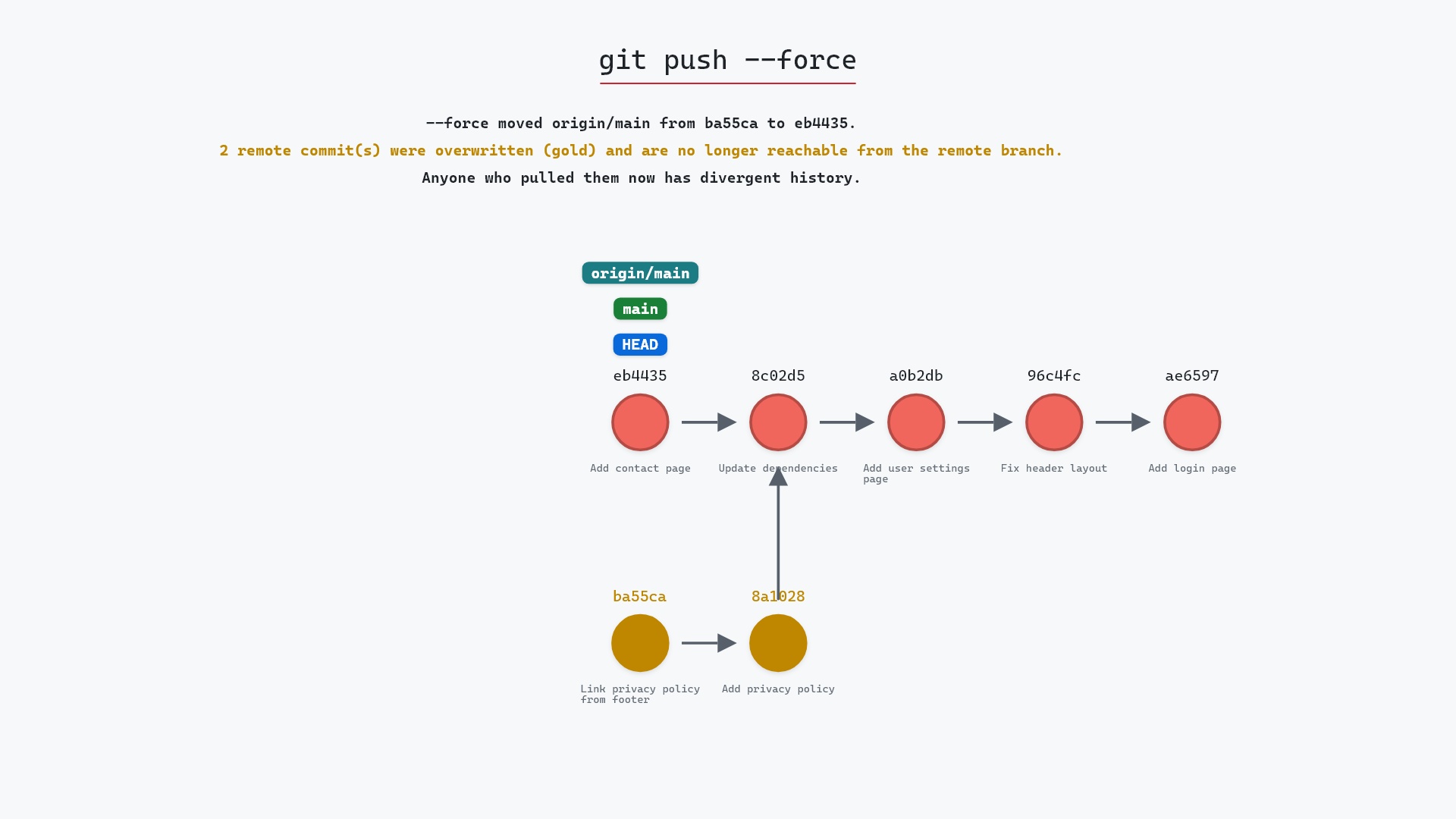
--force-with-lease is a force push with one condition attached: the remote branch must still be where your clone last saw it. If a teammate has pushed since your last fetch, the condition fails and nothing happens. It's the same scenario as the plain force push page, with a different ending.
In this article, we'll:
- Watch
git push --force-with-leaseget rejected because the remote moved - Understand the "lease" and what it compares
- Cover the fetch habit that can quietly defeat it
What is git push --force-with-lease?
git push --force-with-lease asks the remote to move its branch to your tip, but only if the remote's current tip equals what your origin/main says it is. If it does, the push proceeds like --force. If the remote has moved, the push is rejected with "stale info", your clone is unchanged, and you get to look at what arrived before deciding anything.
Watch it happen
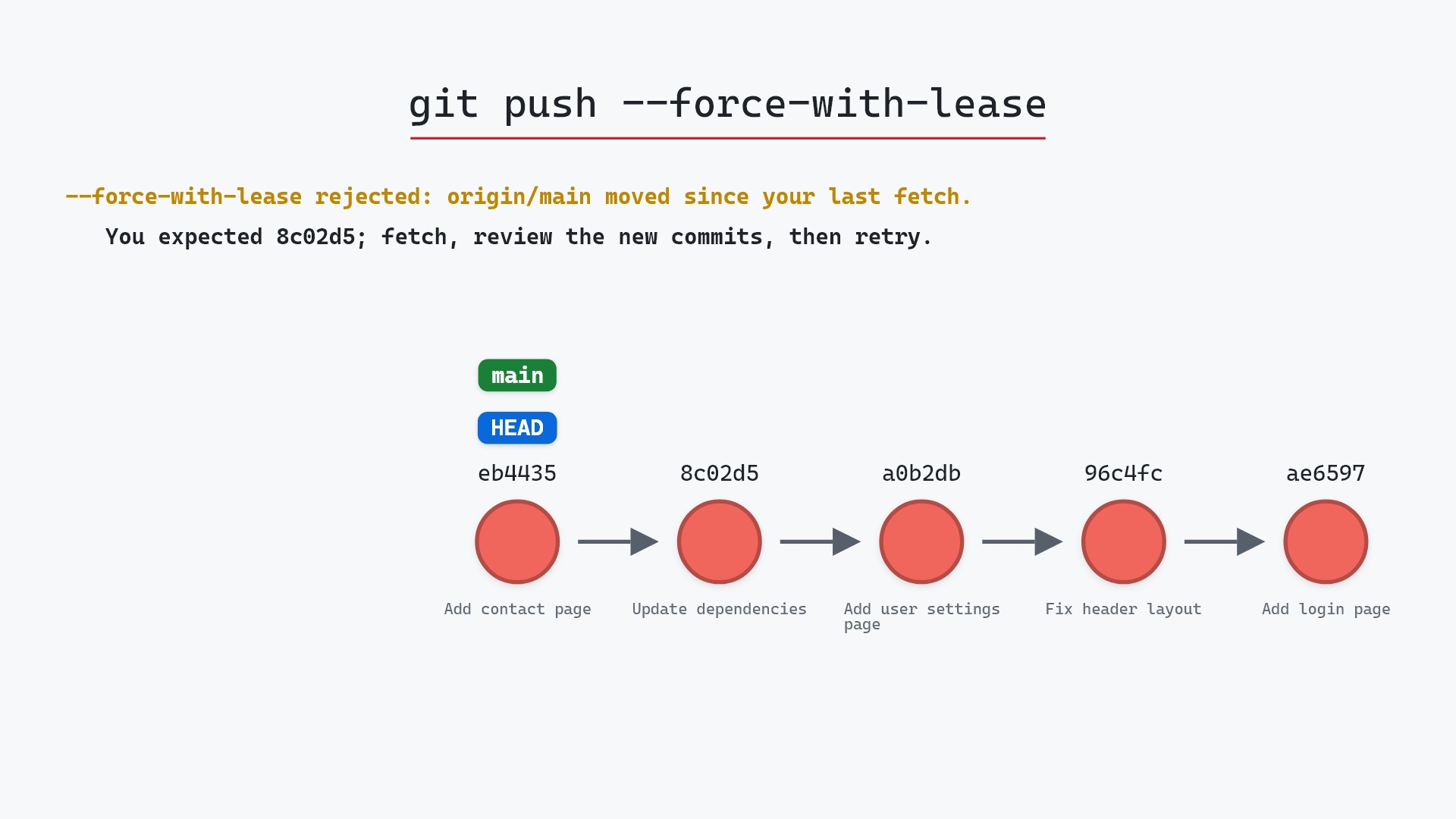
Our sample repo has one local commit to publish, while a teammate has pushed to origin since the last fetch. Here's git push --force-with-lease:
- Before:
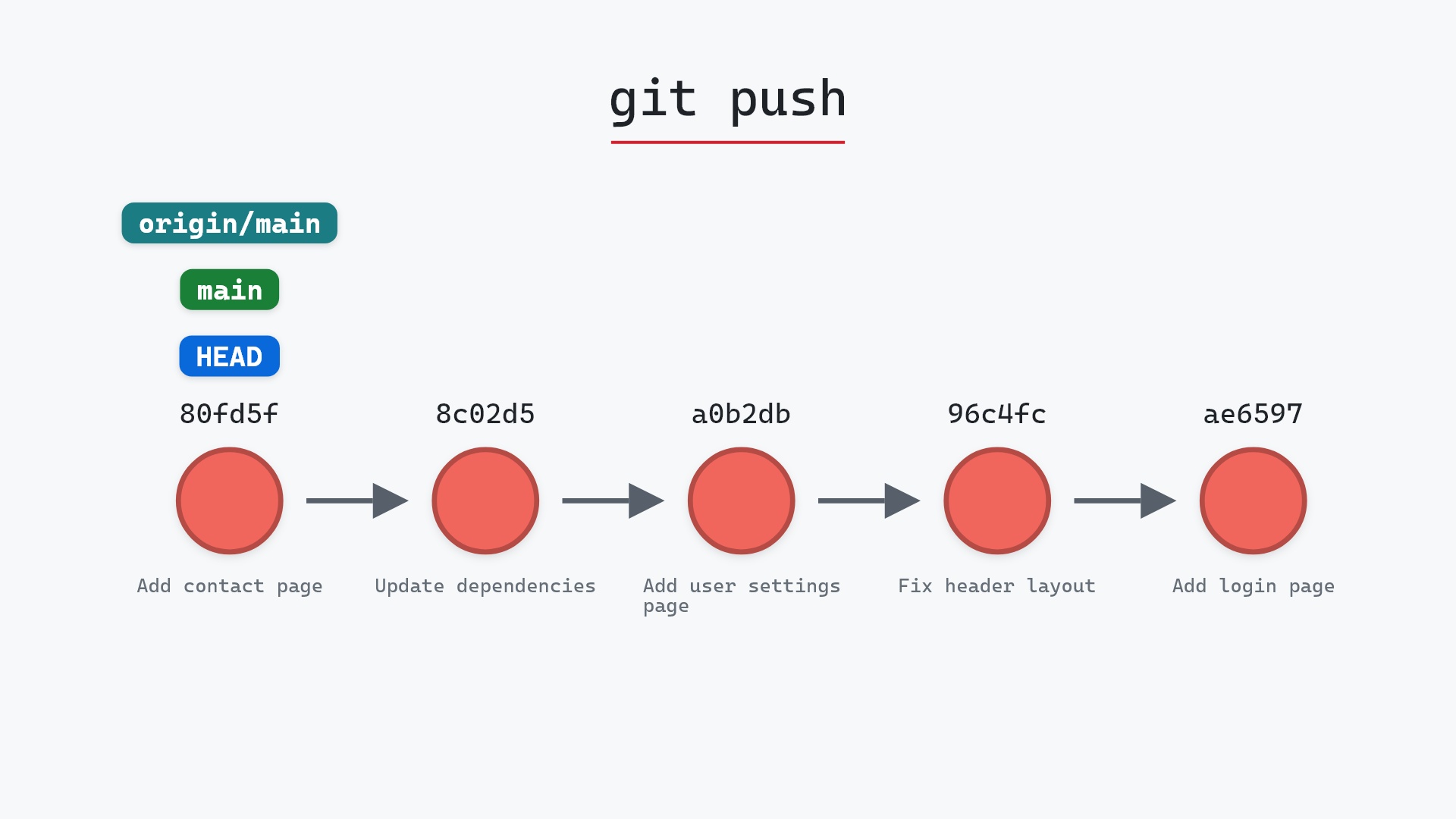
mainandHEADpoint at your local commit, one ahead of where your clone last saworigin/main. The remote'smainhas moved since, but your remote-tracking branch doesn't know it yet. - Git rejects the push, because the remote's
mainno longer matchesorigin/mainfrom your last fetch. No ref moves and no commit is created. - Everything stays exactly as it was, locally and on the remote, which is the point of the flag.
What happened
Nothing, which is the point. Here is the repository, unchanged:
Git's output names the reason:
The raw git output, if you want to read along in text
git log --oneline --graph --all
before
* eb4435d (HEAD -> main) Add contact page
* 8c02d5b (origin/main, origin/HEAD) Update dependencies
* a0b2db3 Add user settings page
| * 1117a34 (origin/feature, feature) Add search tests
| * e5869f0 Fix typo in search box
| * fc19889 Add search box
|/
* 96c4fc2 Fix header layout
* ae65976 Add login page
* 3e1ffe4 Add project skeleton
* 4114b2c Initial commit
after
* eb4435d (HEAD -> main) Add contact page
* 8c02d5b (origin/main, origin/HEAD) Update dependencies
* a0b2db3 Add user settings page
| * 1117a34 (origin/feature, feature) Add search tests
| * e5869f0 Fix typo in search box
| * fc19889 Add search box
|/
* 96c4fc2 Fix header layout
* ae65976 Add login page
* 3e1ffe4 Add project skeleton
* 4114b2c Initial commit
what git printed
To ../your_project.git
 ! [rejected]        main -> main (stale info)
error: failed to push some refs to '../your_project.git'
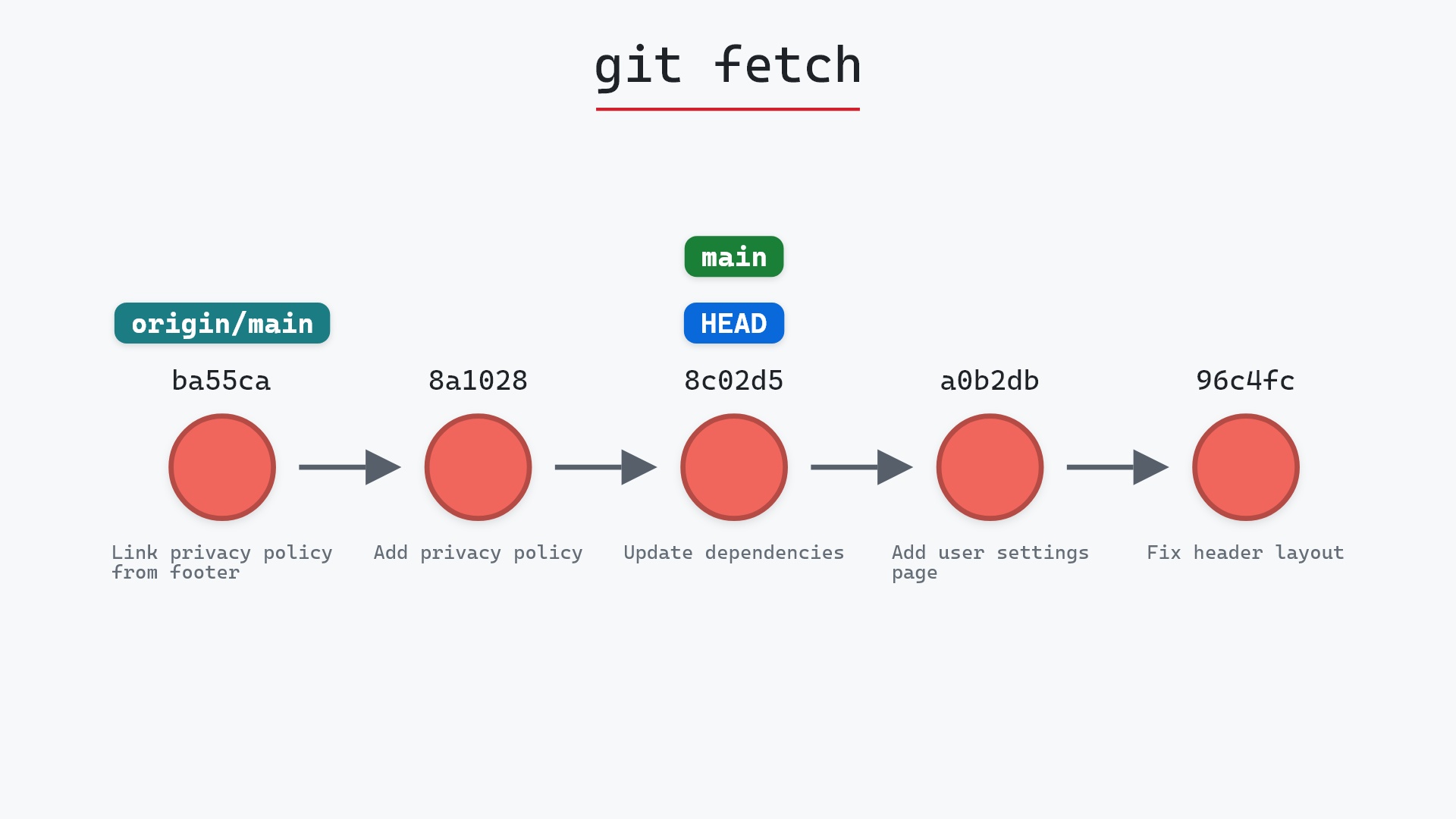
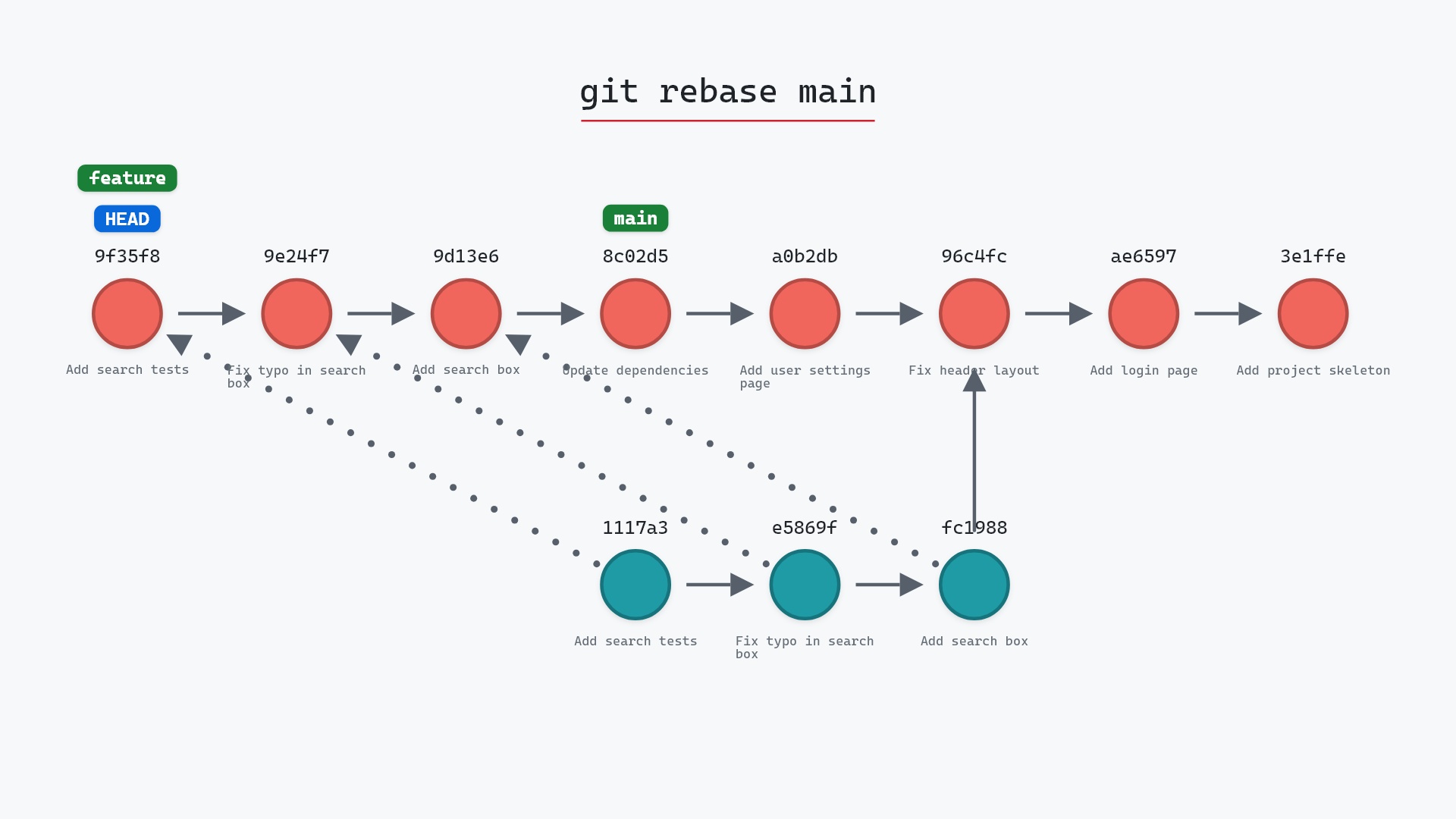
"stale info" means your idea of the remote is out of date. Run git fetch, look at what the teammate pushed with git log main..origin/main, rebase onto it, and push again with the same flag. The second attempt will pass, because now your origin/main matches the remote.
The habit that breaks it
The lease compares against your origin/main, which is updated by every fetch and pull. If you fetch, notice nothing, then rebase and force-push a minute later, the flag can only protect you against pushes that happened in that minute. More subtly, some editors and tools fetch in the background, refreshing origin/main without you looking at it. The flag is only as good as your last look at the remote. The discipline is to check git log main..origin/main after fetching, not just fetch.
git config --global alias.pf "push --force-with-lease" and haven't typed the long form in years. The alias is short enough that there's no temptation to fall back to plain --force, which is the real value: a safety check you actually use beats a better one you don't.
Is it safe?
Caution git-sim pre-flight
Force-push to origin/main; no remote-only commits as of last fetch, but remote may have moved since.
The pre-flight can only speak to what your clone last fetched, and it says so. The flag itself adds the check that plain --force lacks: it will not move the remote past commits your clone hasn't seen.
How to undo it
There's nothing to undo when it's rejected. When it succeeds, it has the same effect as --force, and the same recovery: whoever has the old tip, in their clone or their reflog, can push it back.
Try it on your repository
pip install git-sim
git-sim push --force-with-lease
git-sim fetches into a temporary clone first, so it shows whether the lease would hold and, if not, which commits the remote has that you don't.
Common questions
What does git push --force-with-lease do?
A force push that succeeds only if the remote branch still points where your remote-tracking branch says it does. Otherwise it's rejected with "stale info". The git push documentation covers the longer forms that let you name the expected commit yourself.
What is the difference between --force and --force-with-lease?
--force moves the remote branch unconditionally. --force-with-lease first checks that the remote hasn't moved since your last fetch, and refuses if it has.
Why did --force-with-lease get rejected?
Someone pushed to the branch after your last fetch. Fetch, review their commits, rebase onto them, and push again.
Can --force-with-lease still overwrite someone's work?
Yes, if you fetched (or a tool fetched for you) after they pushed and you didn't notice. Check git log main..origin/main after fetching.
Summary
In this article, we watched git push --force-with-lease refuse to overwrite two commits a teammate had pushed, looked at what the lease compares, and covered the fetch habit that keeps the check meaningful.
Next steps
git push --force shows what happens without the check. git fetch is the command that keeps the lease honest.
Related commands
- git push --force, the version without the check
- git push, the normal push
- git fetch, what refreshes the lease
- git rebase, the usual reason to force push
- git commit --amend, the other usual reason
- git reflog, recovery if a force push does go wrong