Git commands
Why every rebased commit gets a new hash
git rebase: your commits, replayed
How to use this page
- slider / ▶Drag the slider, or press play, to watch the command happen. Before and After jump to either end.
- ← → · spaceStep through a multi-step command; space toggles Before / After.
- APlay or pause the loop (the page opens playing). Any manual input takes over.
- hoverA commit shows its message, author, date and parents, with its history highlighted.
- clickCopies the commit sha.
- ctrl + wheelZoom around the cursor (pinch on a trackpad). Double-click resets the view.
- EscStop playback, reset the view, close this menu.
- shareThe Share button copies a link to this graph, copies it as an image, downloads PNG/SVG/page, or posts it. #before, #after or #step=N in the link pins the state.
git-sim visually simulates any Git command in your own repos - from your terminal, IDE, or AI.
Table of Contents
- Introduction
- What is git rebase?
- Watch it happen
- Before and after
- The one rule
- Is it safe?
- How to undo it
- Try it on your repository
- Common questions
- Summary
- Next steps
- Related commands
Introduction
Of all the everyday Git commands, rebase is the one people are most often told to be afraid of. The fear is half right. Rebase does rewrite history, and there are situations where that causes real trouble. But what it does is simple once you watch it: it replays commits, one at a time, onto a new starting point.
In this article, we'll:
- Watch
git rebase mainreplay three commits, one by one - See why each replayed commit has a different hash from the original
- Cover the rule for when rebasing is safe, and how to get the original commits back
What is git rebase?
git rebase <upstream> takes the commits on your current branch that <upstream> doesn't have, and re-applies each one, in order, on top of <upstream>'s tip. Each re-applied commit is a new commit: same change, same message, same author, but a different parent, and so a different hash. When it's done, your branch points at the last new commit, and the originals are no longer on the branch.
The result reads as if you had started your branch from where <upstream> is now.
Watch it happen
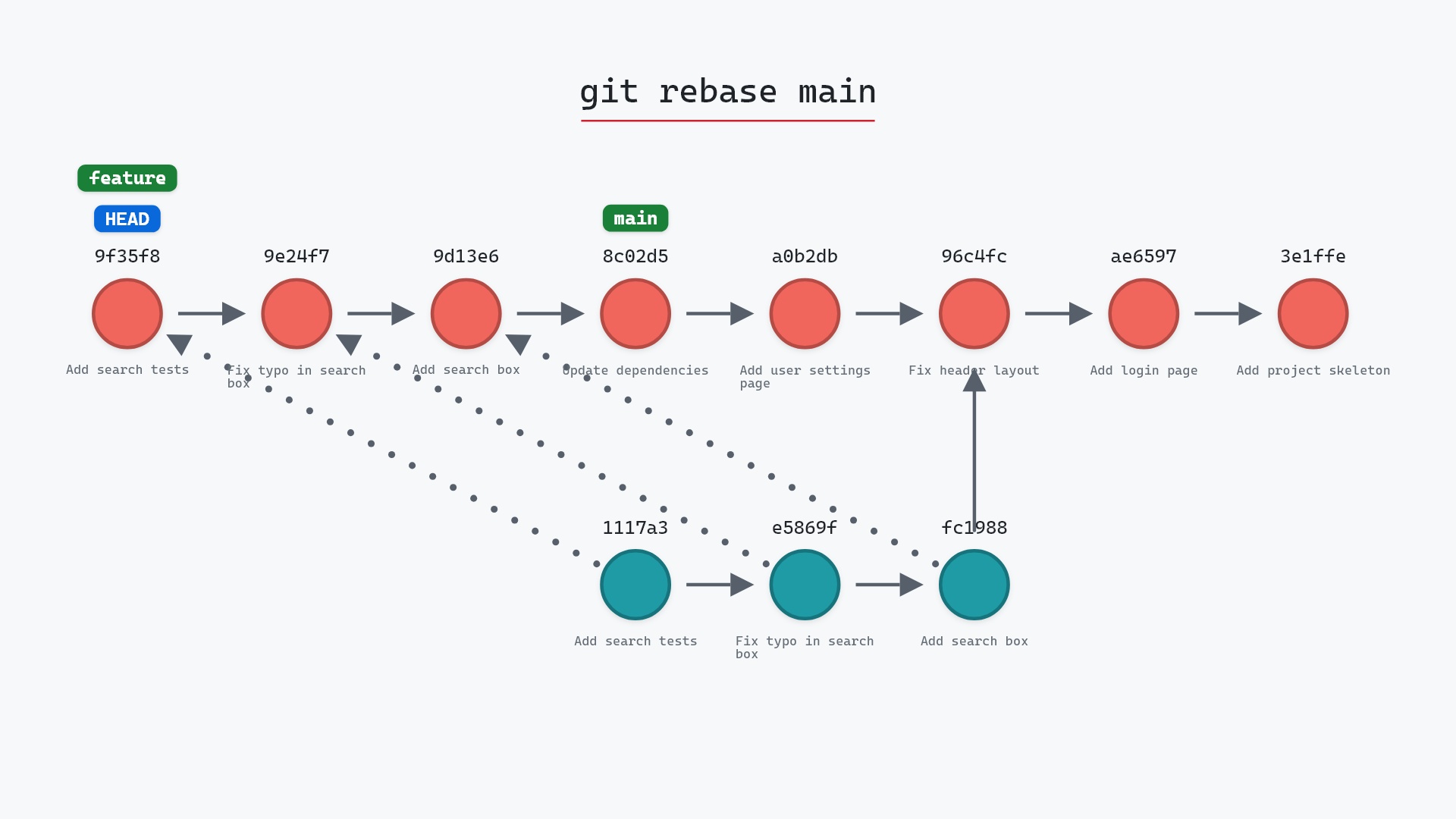
Our sample repo has feature checked out; main has gained two commits since the split. Here's git rebase main with feature checked out, one commit at a time:
- Before:
HEADis attached tofeatureat1117a34, whose three commits branch off96c4fc2.mainis two commits further along at8c02d5b. - Git replays "Add search box" onto
8c02d5b, the tip ofmain, as a new commit with the same changes and message but a new id. - "Fix typo in search box" is replayed on top of that as another new commit.
- "Add search tests" is replayed on top of that.
featuremoves to the last new commit, andHEADmoves with it. The three original commits are now reachable only from the reflog.
Before and after
Before, feature and main diverge at 96c4fc2. After, feature is a straight line of three commits sitting on top of main's tip. Git reports the replay as it goes:
The raw git output, if you want to read along in text
git log --oneline --graph --all
before
* 1117a34 (HEAD -> feature) Add search tests
* e5869f0 Fix typo in search box
* fc19889 Add search box
| * 8c02d5b (main) Update dependencies
| * a0b2db3 Add user settings page
|/
* 96c4fc2 Fix header layout
* ae65976 Add login page
* 3e1ffe4 Add project skeleton
* 4114b2c Initial commit
after
* 8e95904 (HEAD -> feature) Add search tests
* 6c2bb67 Fix typo in search box
* 5ae3154 Add search box
* 8c02d5b (main) Update dependencies
* a0b2db3 Add user settings page
* 96c4fc2 Fix header layout
* ae65976 Add login page
* 3e1ffe4 Add project skeleton
* 4114b2c Initial commit
what git printed
Rebasing (1/3)
Rebasing (2/3)
Rebasing (3/3)
Successfully rebased and updated refs/heads/feature.
Look at the hashes in the after log. 1117a34, e5869f0 and fc19889 are gone from feature, replaced by three new ones. A commit's hash covers its parent, and every one of these has a new parent.
The one rule
Rebase rewrites your branch. If nobody else has the old commits, that's fine. If the branch has been pushed and someone has pulled it, they now have commits that your branch no longer contains, and the next time you both push there will be a mess to untangle. Pro Git's chapter on rebasing walks through one.
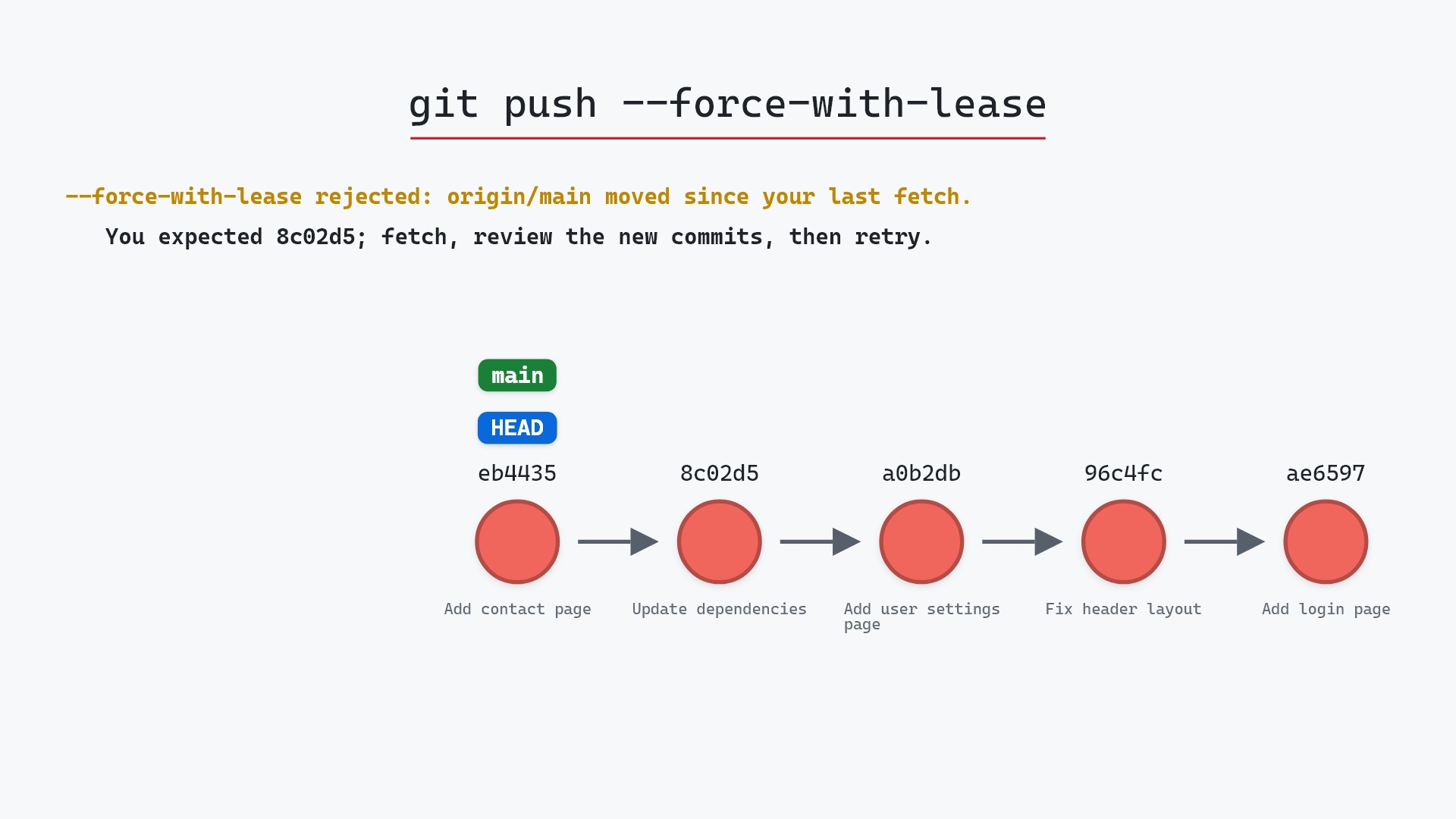
So: rebase branches that are yours alone, freely. Merge branches that other people have. When you do need to push a rebased branch, git push --force-with-lease at least refuses to overwrite work you haven't seen.
main constantly, usually right before opening a pull request, so the diff is against current code and the history reads cleanly. The one time I rebased a branch a colleague was also committing to, we spent a morning sorting out duplicate commits. That was enough to make the rule stick.
Is it safe?
Caution git-sim pre-flight
Replays 3 commit(s) from feature onto main — every replayed commit gets a NEW hash.
The way back
Original commits stay in the reflog: git reset --hard 1117a34
The originals are not deleted. They're unreachable from feature, but they stay in the object database and the reflog knows them, so a rebase you regret can be undone for weeks. What can't be recovered is other people's confidence, if the branch was shared.
How to undo it
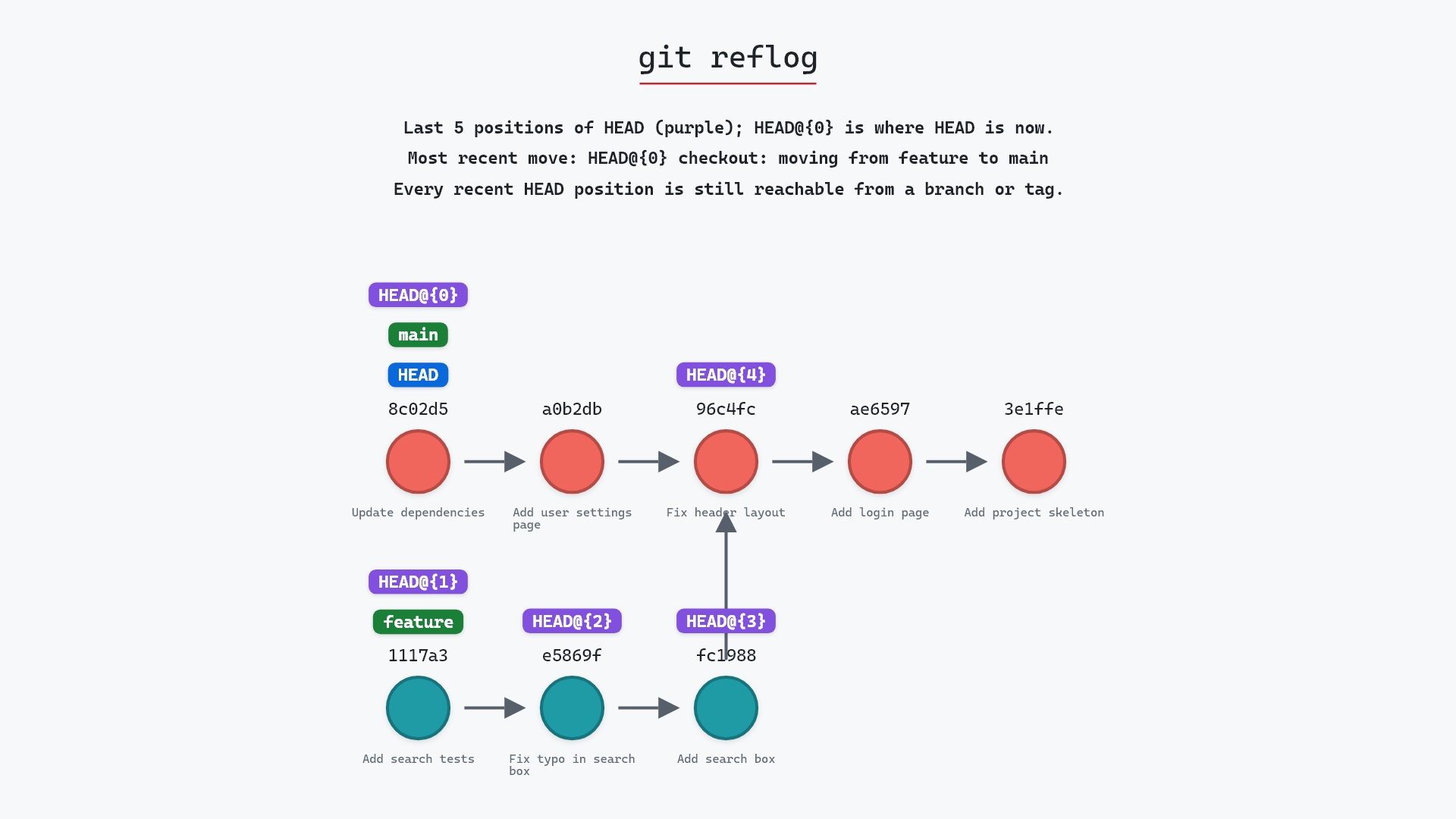
The reflog has the pre-rebase tip:
git reflog
8e95904 HEAD@{0}: rebase (finish): returning to refs/heads/feature
...
1117a34 HEAD@{5}: checkout: moving from main to feature
git reset --hard 1117a34
puts feature back on the original three commits. ORIG_HEAD points there too, right after a rebase.
Try it on your repository
pip install git-sim
git-sim rebase main
git-sim replays the commits on your own graph, one by one, and tells you whether any of them will conflict, before anything is rewritten.
Common questions
What does git rebase do?
It re-applies your branch's commits, one at a time, on top of another branch's tip, creating new commits with new hashes. Your branch then points at the last new commit. The git rebase documentation covers the options this page skips, such as --autosquash and --rebase-merges.
Why does git rebase change commit hashes?
A commit's hash covers its parent. Each replayed commit has a different parent than the original, so its hash is different even though the change and message are the same.
When should I not rebase?
When the branch has been pushed and others have based work on it. Rewriting shared history leaves them with commits your branch no longer has.
How do I undo a git rebase?
git reflog shows the branch tip from before the rebase, and git reset --hard <that-sha> restores it. git reset --hard ORIG_HEAD does the same immediately after a rebase.
Summary
In this article, we watched git rebase replay three commits onto main one at a time, saw the originals drop off the branch and every new commit get a new hash, and covered the one rule about shared branches.
Next steps
git rebase -i lets you edit the commits as they're replayed. git merge is the alternative that never rewrites anything.
Related commands
- git merge, the alternative that keeps history intact
- git rebase -i, to squash and reorder while replaying
- git cherry-pick, a rebase of one commit
- git reflog, to undo a rebase
- git push --force-with-lease, to push a rebased branch
- git pull, which can rebase instead of merging
- git rebase --continue, to carry on after resolving a conflict
- git rebase --abort, to go back to where you were before the rebase
- git rebase --skip, to drop the commit that conflicts