Git commands
How interactive rebase squashes, reorders and drops commits
git rebase -i: editing history with a to-do list
How to use this page
- slider / ▶Drag the slider, or press play, to watch the command happen. Before and After jump to either end.
- ← → · spaceStep through a multi-step command; space toggles Before / After.
- APlay or pause the loop (the page opens playing). Any manual input takes over.
- hoverA commit shows its message, author, date and parents, with its history highlighted.
- clickCopies the commit sha.
- ctrl + wheelZoom around the cursor (pinch on a trackpad). Double-click resets the view.
- EscStop playback, reset the view, close this menu.
- shareThe Share button copies a link to this graph, copies it as an image, downloads PNG/SVG/page, or posts it. #before, #after or #step=N in the link pins the state.
git-sim visually simulates any Git command in your own repos - from your terminal, IDE, or AI.
Table of Contents
- Introduction
- What is git rebase -i?
- The to-do list
- Watch it happen
- Is it safe?
- How to undo it
- Try it on your repository
- Common questions
- Summary
- Next steps
- Related commands
Introduction
git rebase -i is how you tidy a branch before anyone else sees it: fold the "fix typo" commit into the commit it fixes, reword a message, drop an experiment. It's a plain rebase with one extra step, where Git opens an editor containing a to-do list and does whatever you leave in it.
In this article, we'll:
- Look at the to-do list Git generates and the verbs it accepts
- Watch a rebase that squashes one commit into the one before it
- Cover the same caution that applies to any rebase
What is git rebase -i?
git rebase -i <upstream> finds the commits on your branch since <upstream> and opens an editor with one line per commit, oldest first, each starting with pick. You edit the verbs and the order, save, and Git replays the commits according to the list. Every replayed commit is new, with a new hash, exactly as in a plain rebase.
The to-do list
For our sample repo, git rebase -i main opens:
pick fc19889 Add search box
squash e5869f0 Fix typo in search box
pick 1117a34 Add search tests
We've already changed the second line from pick to squash. The verbs you'll use most (the git rebase documentation lists a few more, such as exec and break):
pickkeeps the commit as is.rewordkeeps the change and opens the editor for a new message.editstops after applying the commit so you can amend it.squashfolds the commit into the previous one and lets you edit the combined message.fixupissquashbut keeps the previous commit's message and discards this one's.drop(or deleting the line) leaves the commit out.
Reordering lines reorders the commits.
Watch it happen
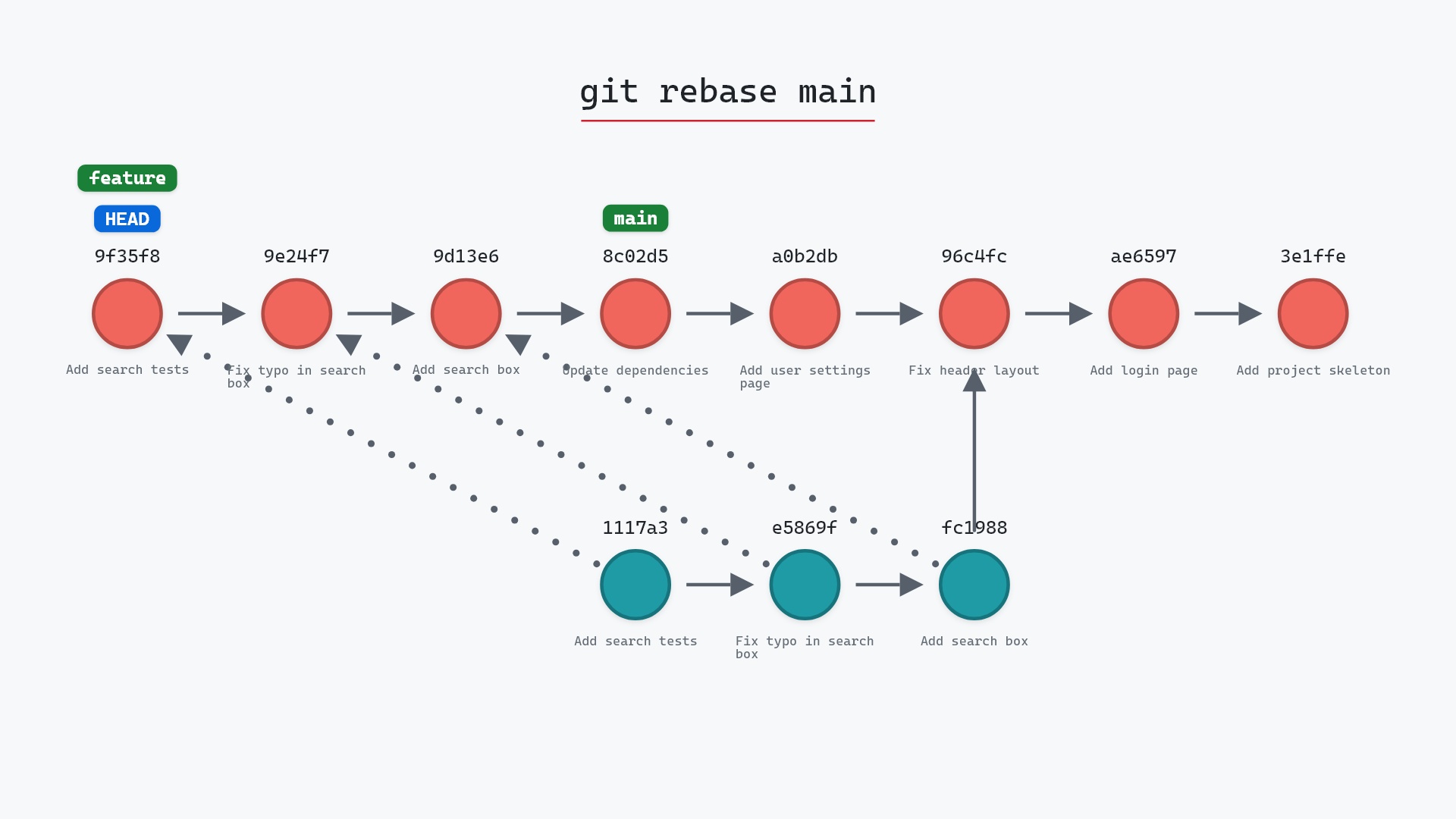
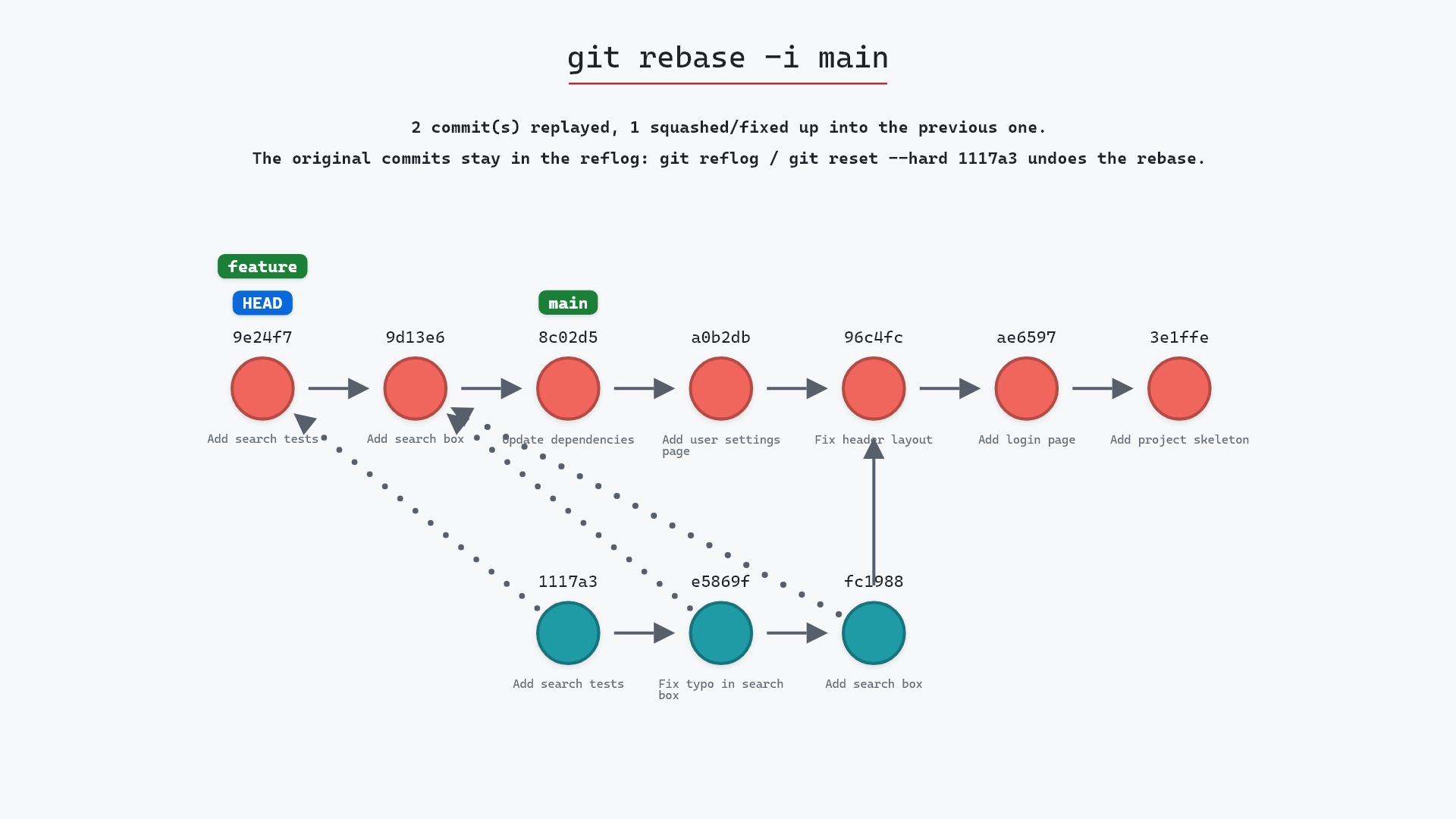
Our sample repo has feature checked out, with a todo list that squashes the typo fix into the commit before it. Here's the replay git-sim draws for that to-do list:
- Before:
HEADis attached tofeatureat1117a34, three commits branched off96c4fc2.mainhas moved on to8c02d5b. - "Add search box" is picked, and Git replays it onto
mainas a new commit. - "Fix typo in search box" is squashed into it. Its changes go into that same new commit, and no separate commit is created.
- "Add search tests" is picked and replayed on top.
featuremoves to the last new commit, and the three originals are no longer reachable from a branch. The branch now has two commits where it had three.
Is it safe?
Caution git-sim pre-flight
Replays 3 commit(s) from feature onto main — every replayed commit gets a NEW hash.
The way back
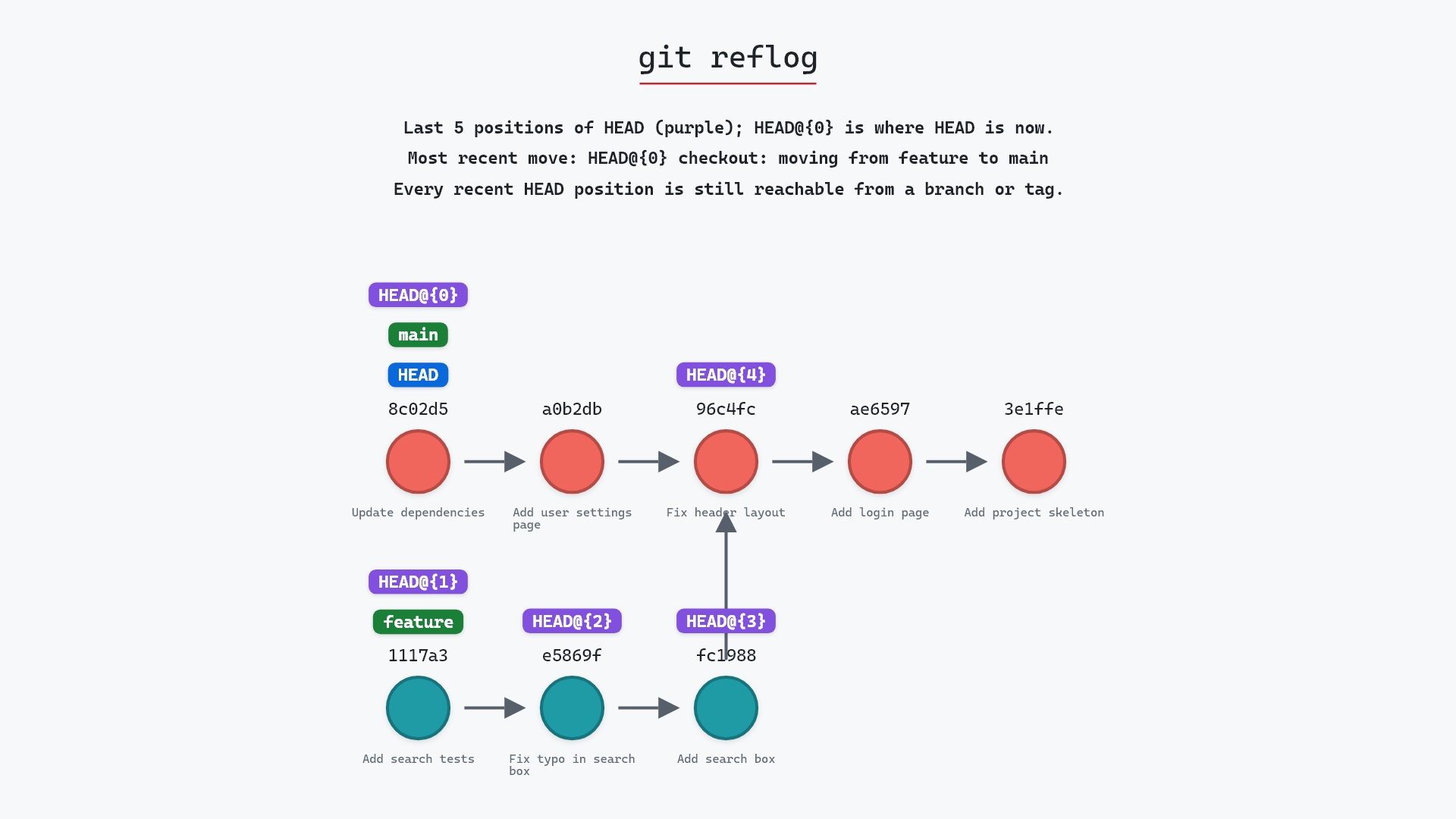
Original commits stay in the reflog: git reset --hard 1117a34
The originals stay in the reflog, so the rebase itself can be undone. The risk is the same as for plain rebase: if the branch has been pushed and others have it, rewriting it causes trouble for them. Interactive rebase is for branches that are still yours.
git rebase -i main before opening a pull request to fold them into a few commits a reviewer can follow. The --autosquash option, paired with git commit --fixup <sha> while working, does most of that list-editing for me now.
How to undo it
git reflog
git reset --hard <sha-before-the-rebase>
or git reset --hard ORIG_HEAD right afterwards. If you're partway through and want out, git rebase --abort returns the branch to where it started.
Try it on your repository
pip install git-sim
git-sim rebase -i main --todo todo.txt
git-sim takes the to-do list as a file and replays it on your own graph, so you can see the resulting history before running the real rebase.
Common questions
What does git rebase -i do?
It lets you edit the list of commits to be replayed: reorder them, squash several into one, reword messages, or drop commits. Then it replays them as new commits.
What is the difference between squash and fixup?
Both fold a commit into the previous one. squash lets you edit the combined message, while fixup discards the folded commit's message and keeps the previous one's.
How do I squash the last three commits?
git rebase -i HEAD~3, then change the second and third lines from pick to squash (or fixup), save, and edit the combined message. Pro Git's Rewriting History chapter walks through the same squash.
How do I abort an interactive rebase?
git rebase --abort while it's in progress. After it finishes, git reset --hard ORIG_HEAD or a reflog entry restores the original branch.
Summary
In this article, we looked at the to-do list git rebase -i generates and the verbs it accepts, watched a replay that squashed two commits into one, and covered how to undo it.
Next steps
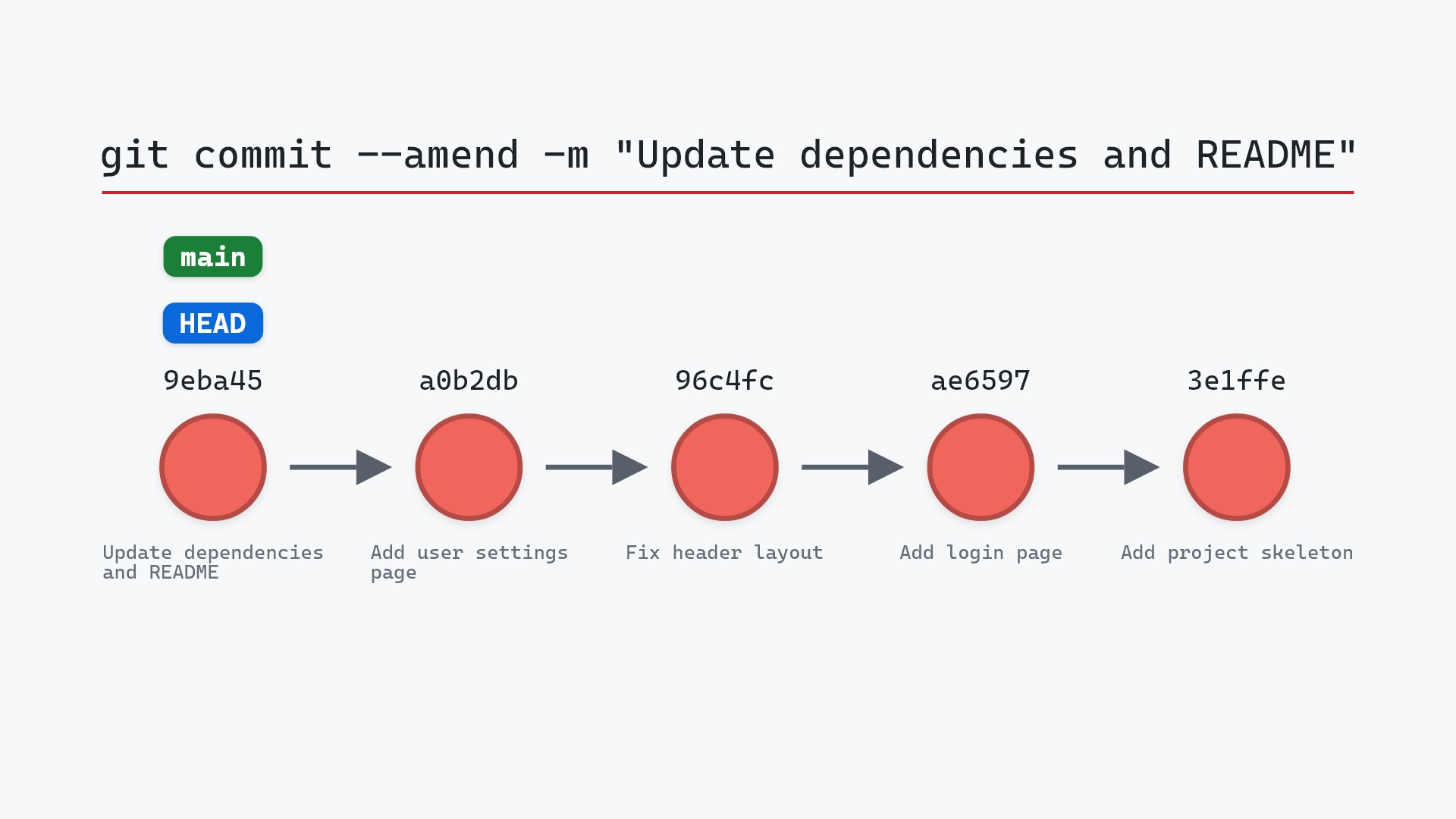
git rebase explains the replay itself. git commit --amend is the shortcut when only the last commit needs fixing.
Related commands
- git rebase, the plain replay
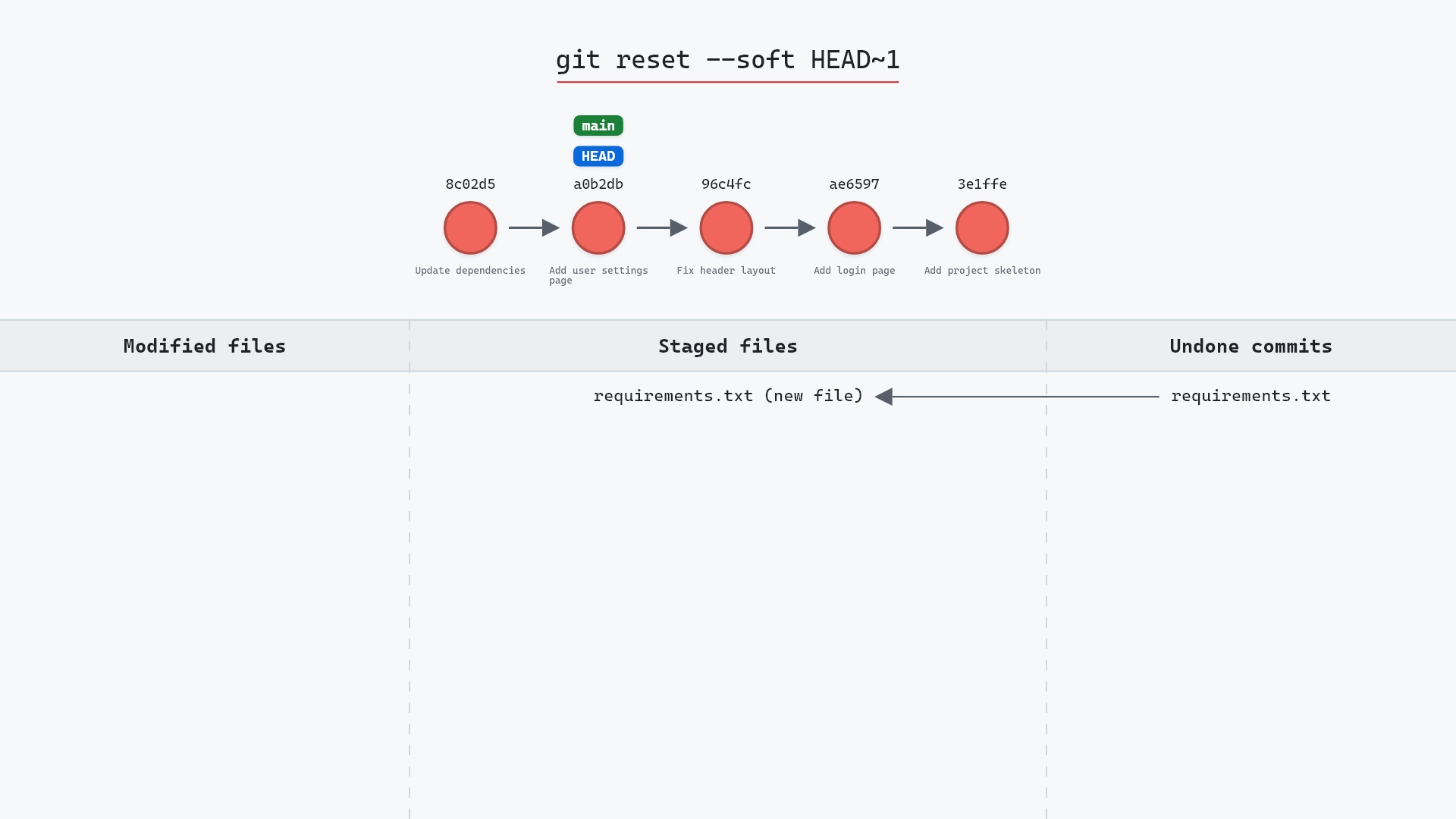
- git reset --soft, another way to combine recent commits
- git commit --amend, to fix just the last commit
- git reflog, to undo a rebase
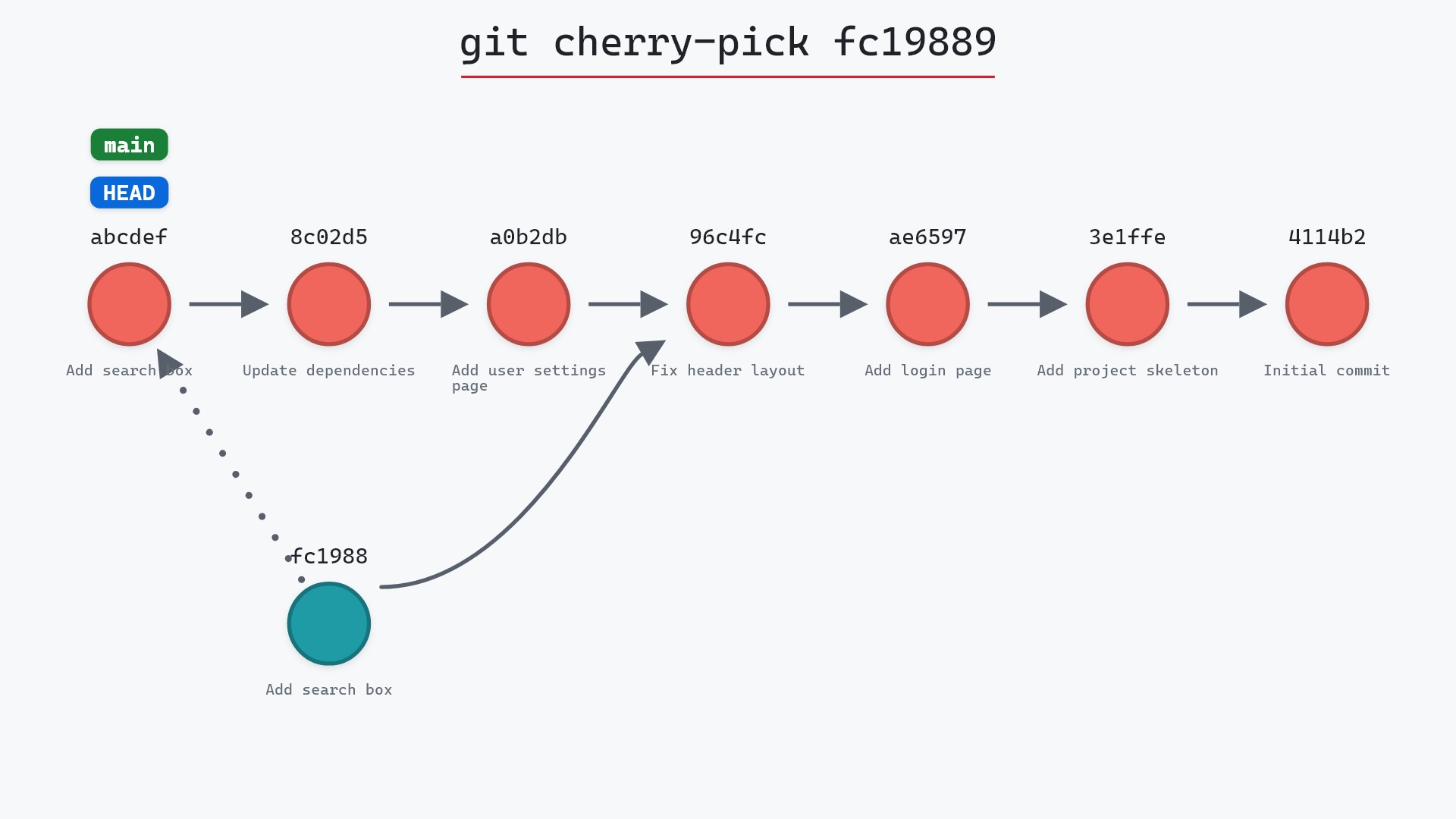
- git cherry-pick, to apply one commit's change by hand
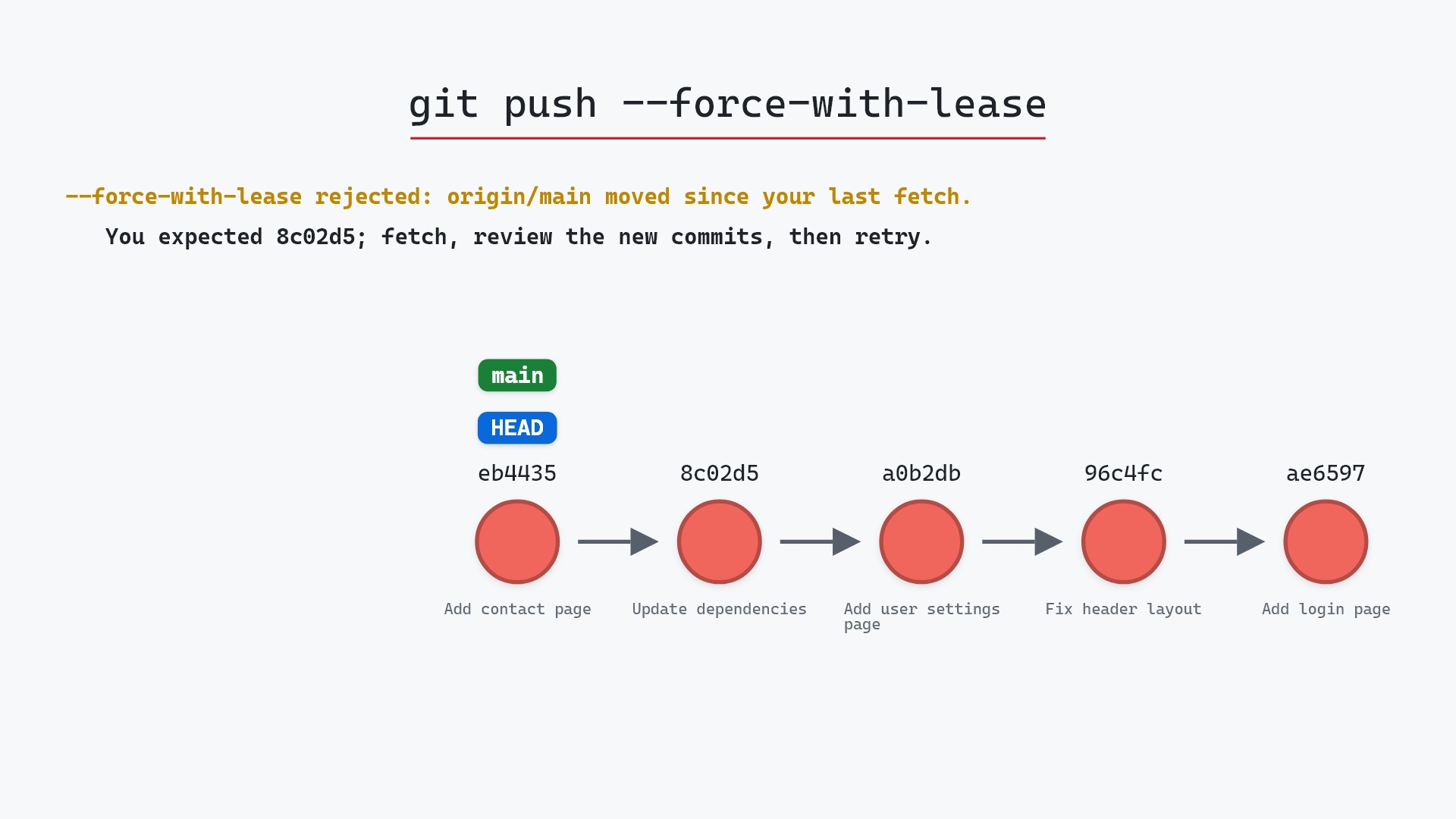
- git push --force-with-lease, to push a rewritten branch