Git commands
Every place HEAD has been, and how to get back there
git reflog: Git's black box recorder
How to use this page
- slider / ▶Drag the slider, or press play, to watch the command happen. Before and After jump to either end.
- ← → · spaceStep through a multi-step command; space toggles Before / After.
- APlay or pause the loop (the page opens playing). Any manual input takes over.
- hoverA commit shows its message, author, date and parents, with its history highlighted.
- clickCopies the commit sha.
- ctrl + wheelZoom around the cursor (pinch on a trackpad). Double-click resets the view.
- EscStop playback, reset the view, close this menu.
- shareThe Share button copies a link to this graph, copies it as an image, downloads PNG/SVG/page, or posts it. #before, #after or #step=N in the link pins the state.
git-sim visually simulates any Git command in your own repos - from your terminal, IDE, or AI.
Table of Contents
- Introduction
- What is the reflog?
- Watch it happen
- Reading the entries
- Recovering with it
- Is it safe?
- How long entries last
- Try it on your repository
- Common questions
- Summary
- Next steps
- Related commands
Introduction
Almost every "I lost my work in Git" story ends the same way: git reflog, find the hash, reset to it. The reflog is the reason Git is more forgiving than it looks. It records every position HEAD has had on your machine, including positions no branch points at anymore, and keeps those entries for months.
In this article, we'll:
- Read a reflog entry by entry and match each line to what happened
- Watch git-sim draw those positions on the commit graph
- Use the reflog to recover after a reset, a rebase or a deleted branch
What is the reflog?
Every time HEAD moves, whether by a commit, a checkout, a reset, a merge or a rebase, Git appends a line to .git/logs/HEAD recording the old and new hashes and what caused the move. Each branch has its own log under .git/logs/refs/heads/ too. git reflog prints HEAD's log, newest first, with entries named HEAD@{0}, HEAD@{1} and so on.
It's local. Clones don't share it, and it isn't pushed.
Watch it happen
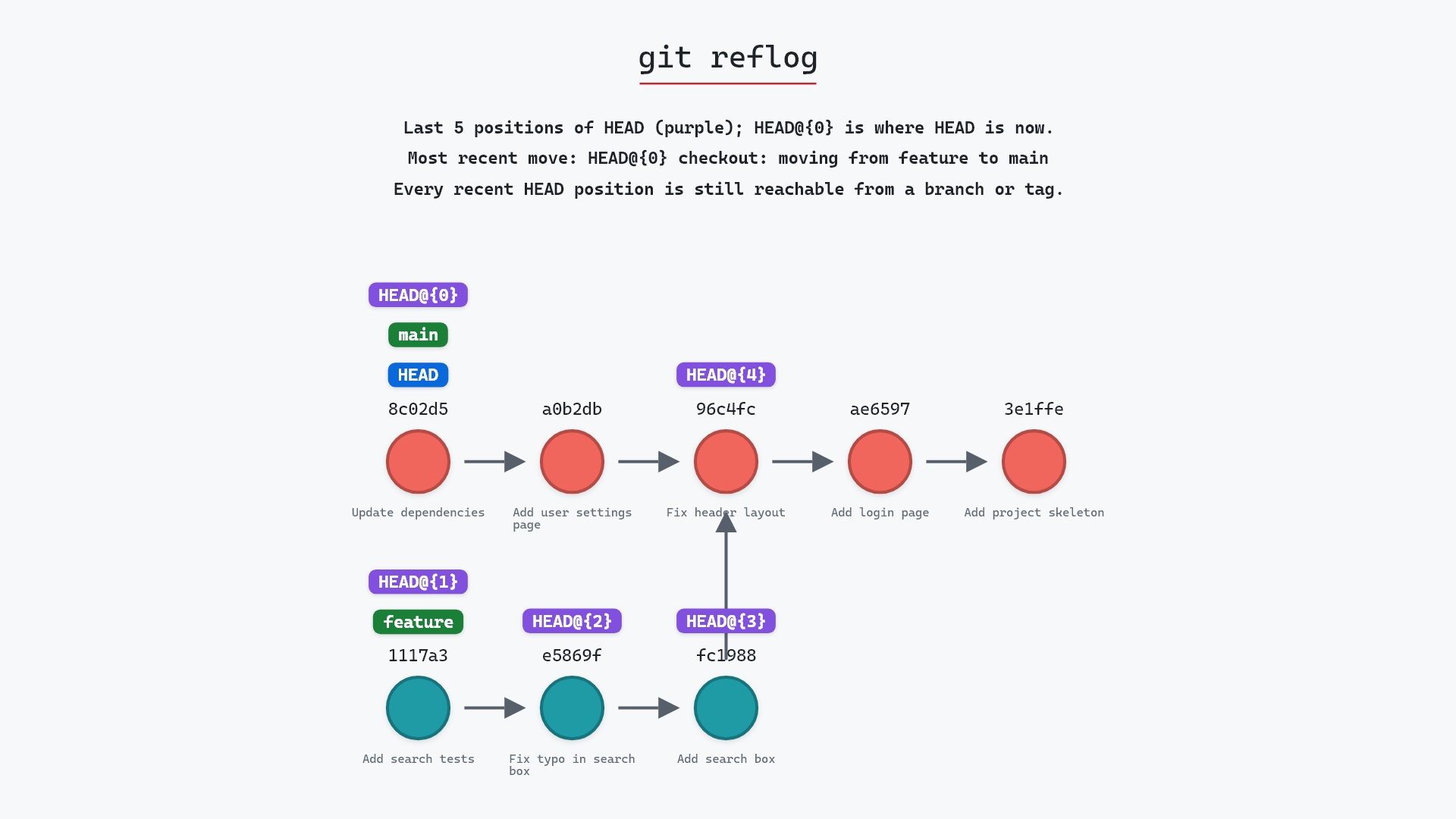
Our sample repo has the record of where HEAD has pointed. Here's git reflog on it:
- Before: the graph marks the last five positions
HEADhas had.HEAD@{0}is8c02d5b, whereHEADandmainare now.HEAD@{1}throughHEAD@{3}are the three commits made onfeature, newest first, andHEAD@{4}is96c4fc2, whereHEADwas whenfeaturewas checked out. (HEAD@{5}, the "Update dependencies" commit onmain, is one entry further back.) git reflogreports the most recent move,HEAD@{0}: a checkout fromfeaturetomain. Every one of those positions is still reachable from a branch, so nothing here needs rescuing.
Reading the entries
Here's the text version, which is what git reflog prints:
The raw git output, if you want to read along in text
git log --oneline --graph --all
before
* 1117a34 (feature) Add search tests
* e5869f0 Fix typo in search box
* fc19889 Add search box
| * 8c02d5b (HEAD -> main) Update dependencies
| * a0b2db3 Add user settings page
|/
* 96c4fc2 Fix header layout
* ae65976 Add login page
* 3e1ffe4 Add project skeleton
* 4114b2c Initial commit
after
* 1117a34 (feature) Add search tests
* e5869f0 Fix typo in search box
* fc19889 Add search box
| * 8c02d5b (HEAD -> main) Update dependencies
| * a0b2db3 Add user settings page
|/
* 96c4fc2 Fix header layout
* ae65976 Add login page
* 3e1ffe4 Add project skeleton
* 4114b2c Initial commit
what git printed
8c02d5b HEAD@{0}: checkout: moving from feature to main
1117a34 HEAD@{1}: commit: Add search tests
e5869f0 HEAD@{2}: commit: Fix typo in search box
fc19889 HEAD@{3}: commit: Add search box
96c4fc2 HEAD@{4}: checkout: moving from main to feature
8c02d5b HEAD@{5}: commit: Update dependencies
Each line reads: the commit HEAD ended up on, the entry name, and the action that put it there. Read bottom to top for the story: commit "Update dependencies" on main, check out feature, make three commits, check out main again. Nothing here is lost yet, which git-sim notes. The rest of this page is about what you'd do if it were.
Recovering with it
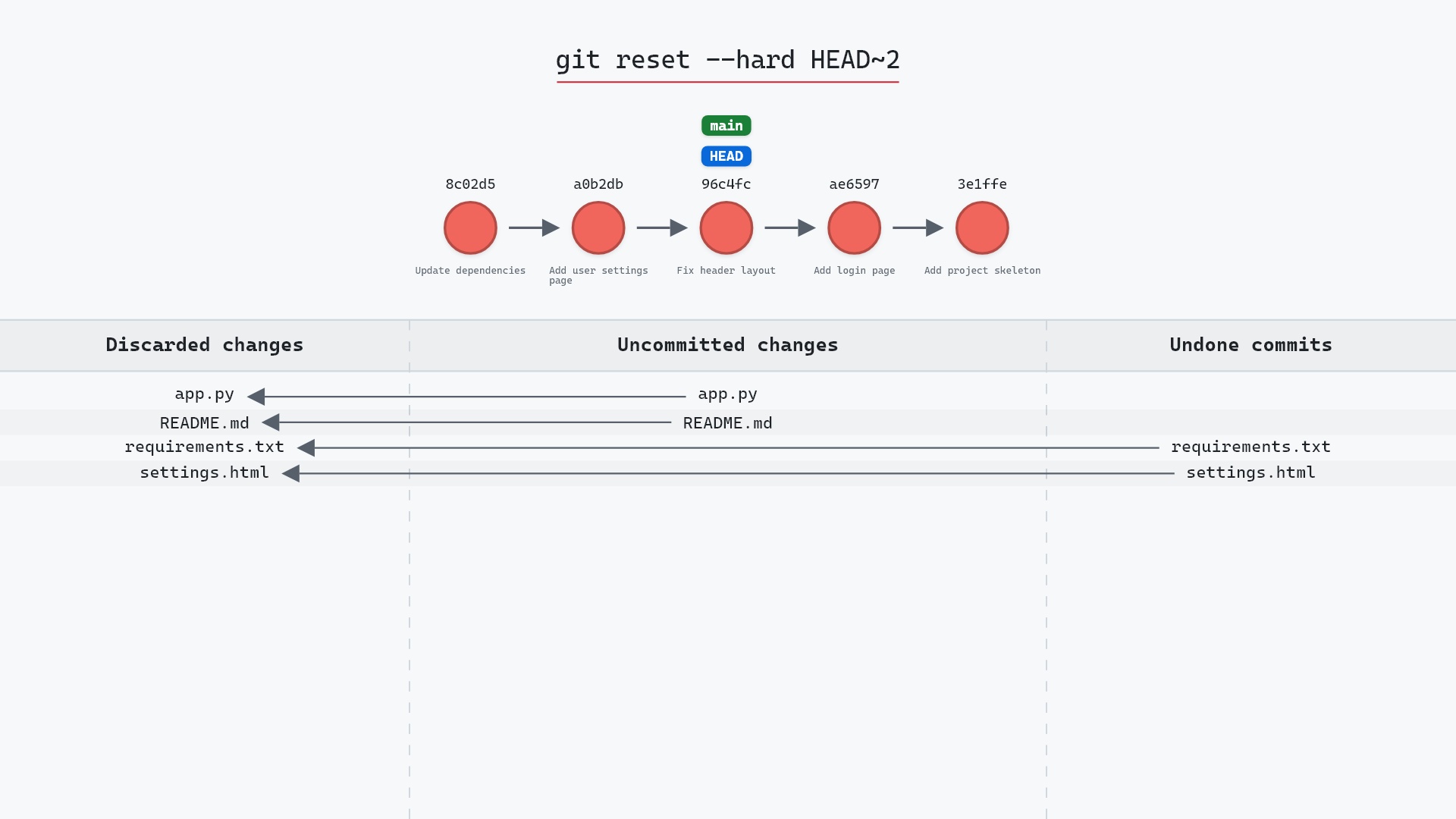
After git reset --hard HEAD~2 on main, the top of the reflog reads:
96c4fc2 HEAD@{0}: reset: moving to HEAD~2
8c02d5b HEAD@{1}: commit: Update dependencies
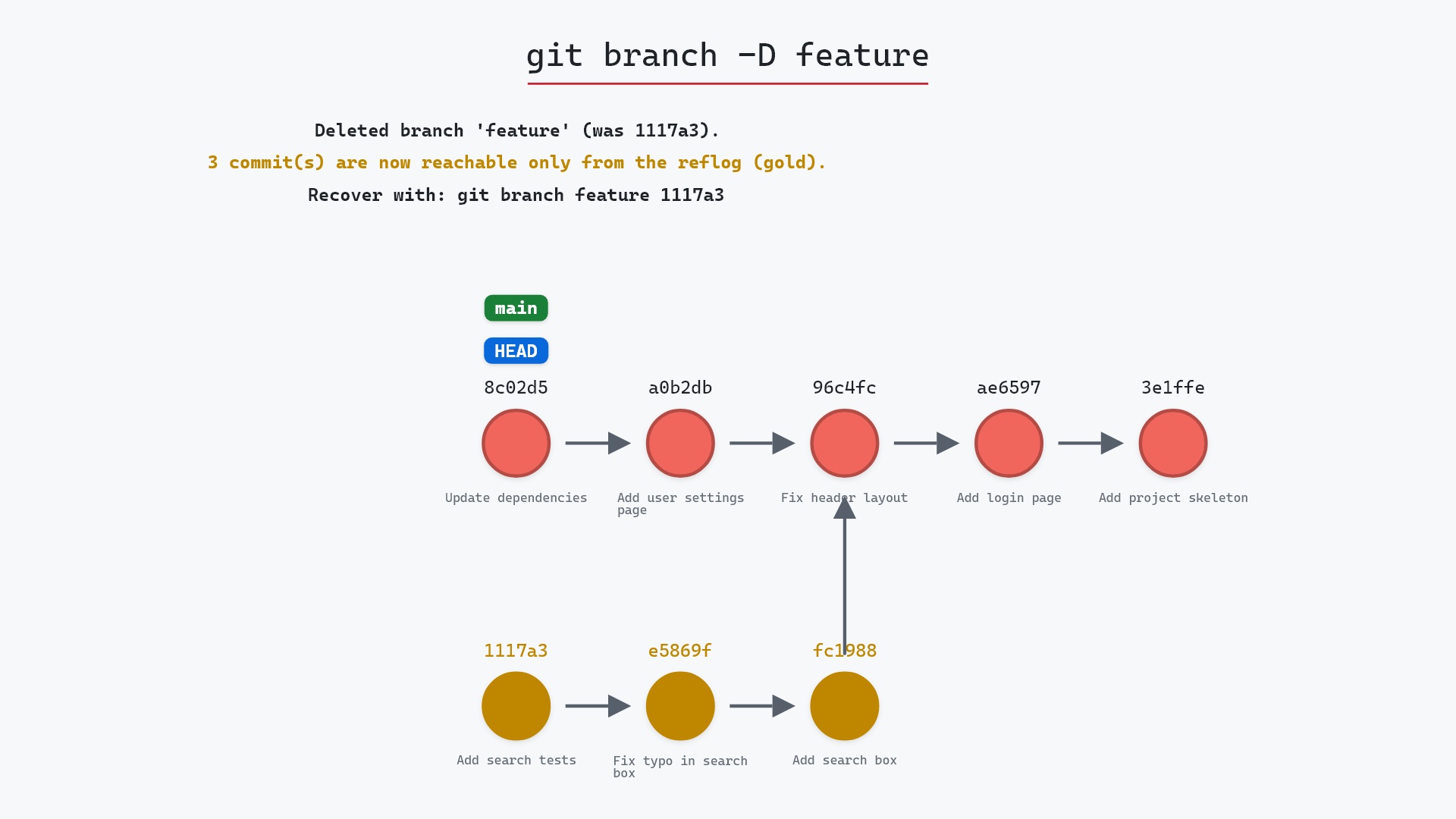
HEAD@{1} is where you were. git reset --hard HEAD@{1} (or git reset --hard 8c02d5b) puts main back. The same move works after a bad rebase, an amend you regret, or a branch deleted with -D: find the line before the mistake, and reset or git branch rescue <hash> to it.
Here's the rescue itself, on a version of our sample repo where main was reset back to 96c4fc2 by mistake. git reset --hard HEAD@{1} moves main and HEAD back to 8c02d5b "Update dependencies", a0b2db3 "Add user settings page" is part of main's history again, and Git prints HEAD is now at 8c02d5b Update dependencies:
Is it safe?
Safe git-sim pre-flight
Shows the reflog; nothing at risk.
Reading the reflog changes nothing. The entries it shows are what make reset --hard, rebase and branch -D recoverable, for as long as they last.
How long entries last
By default, entries for commits still reachable from a branch are kept for 90 days, and entries for unreachable commits for 30 days. After that garbage collection with git gc may remove them and the commits they were protecting. In practice you have weeks, not minutes.
Try it on your repository
pip install git-sim
git-sim reflog
git-sim draws the last few HEAD positions as labels on your own graph, and points out any that are no longer reachable from a branch, which are the ones you'd want to rescue.
Common questions
What is git reflog?
A local log of every position HEAD (and each branch) has pointed at, with the action that moved it. git reflog prints HEAD's log. The git reflog documentation covers its expire and delete subcommands too.
How do I recover a commit after git reset --hard?
git reflog, find the entry from before the reset, and git reset --hard <that-sha> or git branch rescue <that-sha>. Pro Git's section on data recovery walks through the same rescue.
How long does the reflog keep entries?
90 days for reachable commits, 30 for unreachable, by default. git gc prunes expired entries.
Is the reflog shared with the remote?
No. It's per clone and never pushed. A fresh clone has an empty reflog.
Summary
In this article, we read a reflog entry by entry, watched git-sim place each position on the graph, and used the reflog to recover from a hard reset.
Next steps
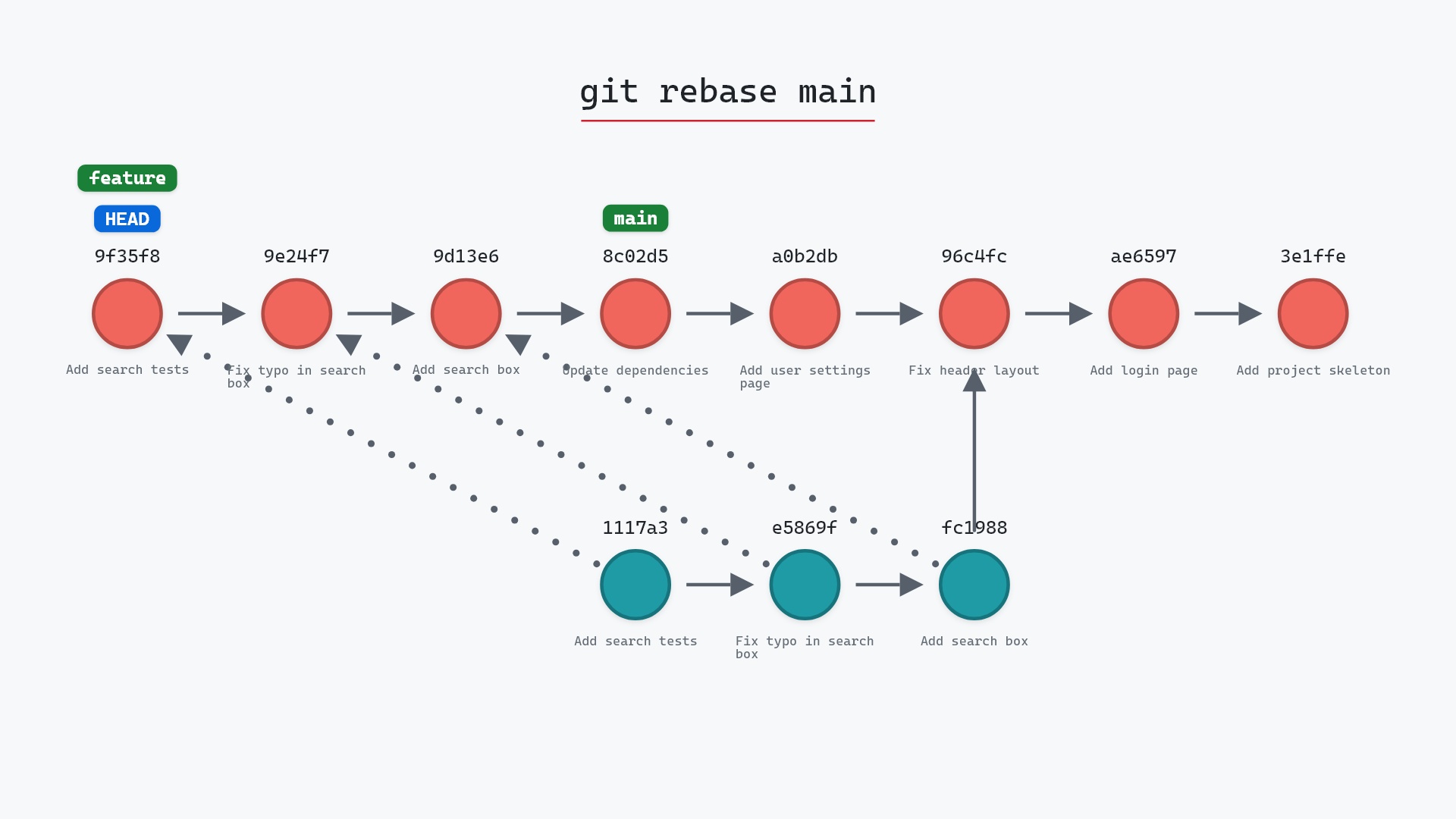
git reset --hard and git rebase are the two commands this page exists to undo.
Related commands
- git reset --hard, the mistake reflog fixes most
- git rebase, also undone through the reflog
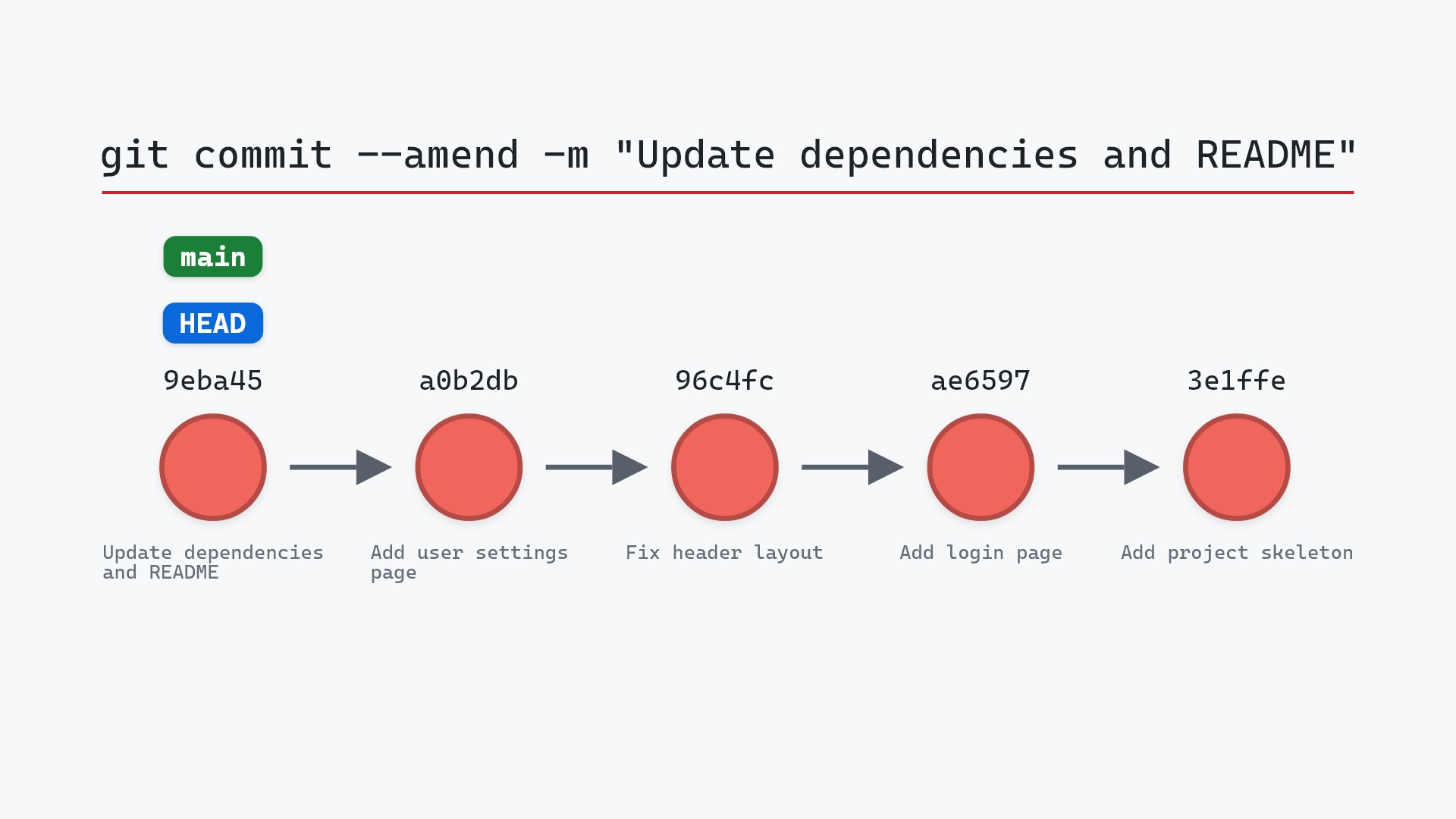
- git commit --amend, leaves the original here
- git branch -D, the deleted branch's tip is here
- git checkout, every switch writes an entry
- git log, history by parent links instead of by time