Git commands
What git branch -D throws away (and how the reflog saves you)
git branch -D: deleting a branch Git would rather keep
How to use this page
- slider / ▶Drag the slider, or press play, to watch the command happen. Before and After jump to either end.
- ← → · spaceStep through a multi-step command; space toggles Before / After.
- APlay or pause the loop (the page opens playing). Any manual input takes over.
- hoverA commit shows its message, author, date and parents, with its history highlighted.
- clickCopies the commit sha.
- ctrl + wheelZoom around the cursor (pinch on a trackpad). Double-click resets the view.
- EscStop playback, reset the view, close this menu.
- shareThe Share button copies a link to this graph, copies it as an image, downloads PNG/SVG/page, or posts it. #before, #after or #step=N in the link pins the state.
git-sim visually simulates any Git command in your own repos - from your terminal, IDE, or AI.
Table of Contents
- Introduction
- What is git branch -D?
- Watch it happen
- Before and after
- Is it safe?
- How to undo it
- Try it on your repository
- Common questions
- Summary
- Next steps
- Related commands
Introduction
git branch -D is what you type when -d says no and you disagree. Sometimes that's right: the branch was an experiment and the commits on it can go. Sometimes it's a mistake you notice a day later. This page is about what the command actually removes, which is less than most people fear, and how to get it back.
In this article, we'll:
- Watch
git branch -D featuredelete a branch with three unmerged commits - See what happens to those commits on the graph
- Recover the branch from the reflog
What is git branch -D?
git branch -D <name> deletes the branch's ref file without checking whether its commits are reachable from anywhere else. It's --delete --force, spelled out in the git branch documentation. The commit objects are not deleted. They stay in .git/objects, and for a while the reflog remembers them, but no branch points at them anymore, so git log won't show them and eventually git gc will remove them.
Watch it happen
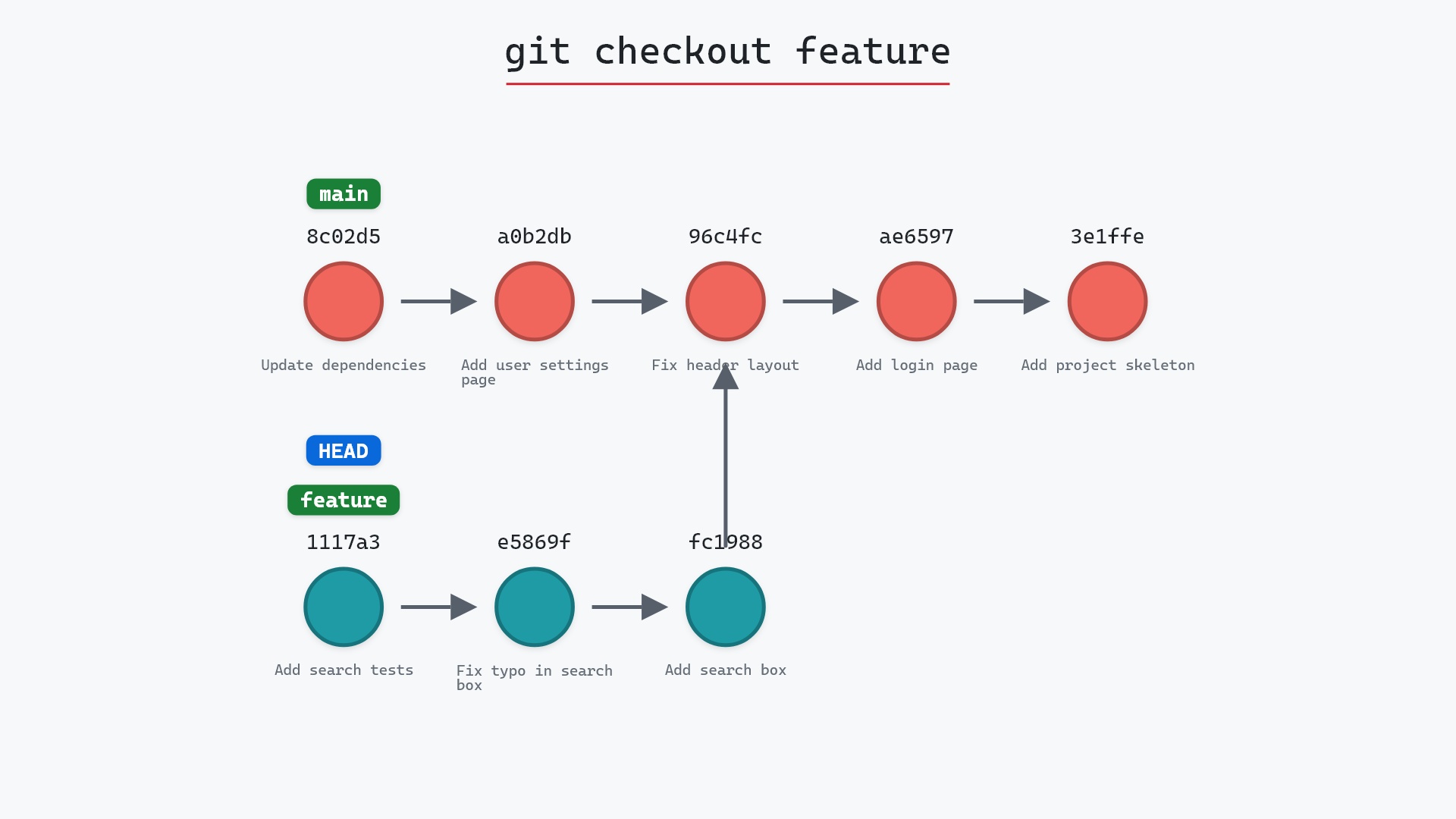
Our sample repo has a feature branch with three commits that are not on main. Here's git branch -D feature:
- Before:
featurepoints at1117a34, the tip of three commits that branched off96c4fc2.HEADis attached tomainat8c02d5b. - Git deletes the
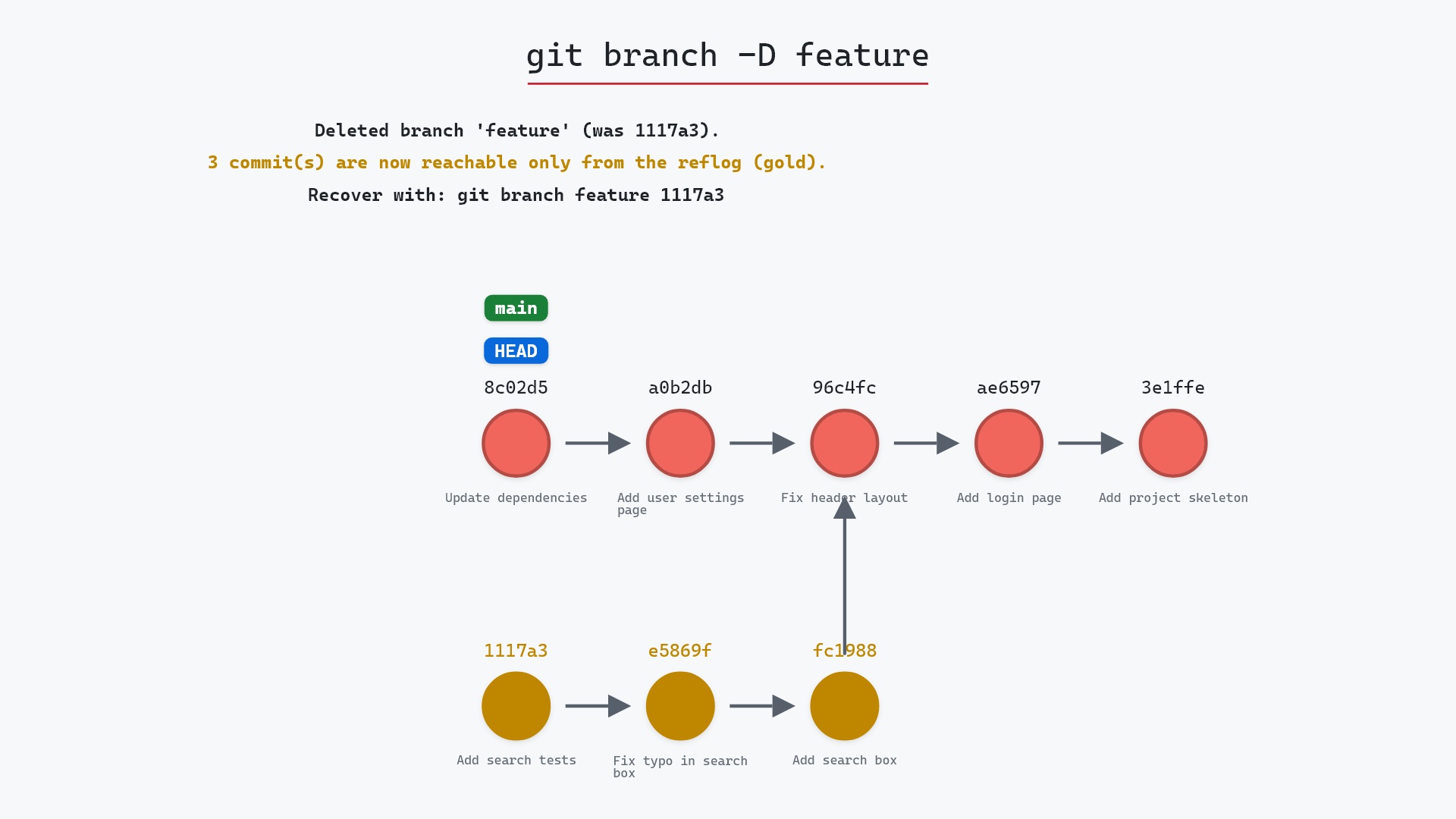
featureref. No branch points at those three commits anymore. - "Add search box", "Fix typo in search box" and "Add search tests" are now unreachable from any branch. Until garbage collection prunes them,
git branch feature 1117a34brings them back. mainand every commit on it are unchanged.
Before and after
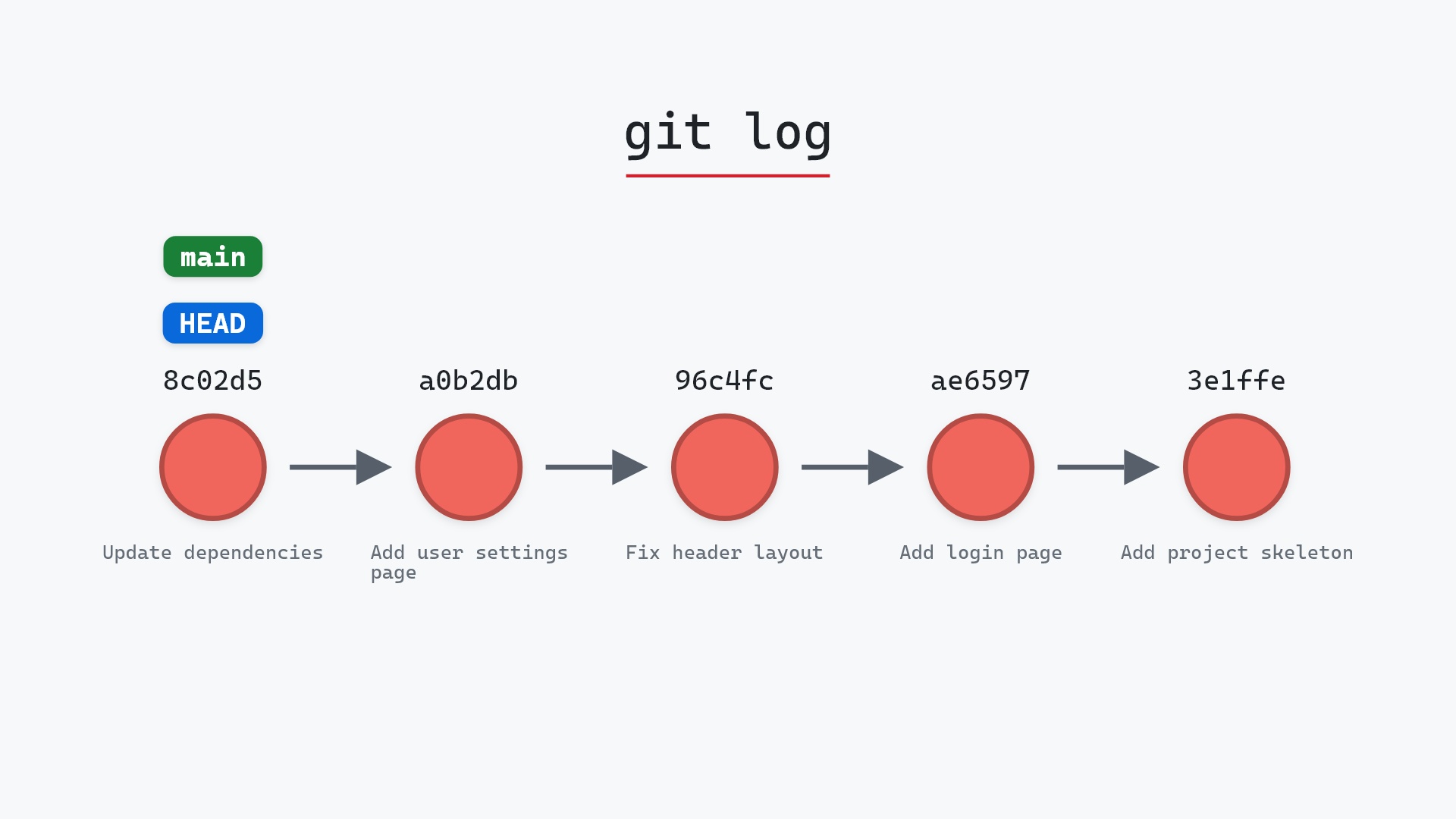
The three feature commits are gone from the graph, because git-sim, like git log --all, only draws what a ref can reach. They are still in the repository. Git's output tells you where the branch was:
The raw git output, if you want to read along in text
git log --oneline --graph --all
before
* 1117a34 (feature) Add search tests
* e5869f0 Fix typo in search box
* fc19889 Add search box
| * 8c02d5b (HEAD -> main) Update dependencies
| * a0b2db3 Add user settings page
|/
* 96c4fc2 Fix header layout
* ae65976 Add login page
* 3e1ffe4 Add project skeleton
* 4114b2c Initial commit
after
* 8c02d5b (HEAD -> main) Update dependencies
* a0b2db3 Add user settings page
* 96c4fc2 Fix header layout
* ae65976 Add login page
* 3e1ffe4 Add project skeleton
* 4114b2c Initial commit
what git printed
Deleted branch feature (was 1117a34).Is it safe?
Destructive git-sim pre-flight
Force-deletes branch 'feature' abandoning 3 commit(s) not merged into HEAD:
What you would lose
- branch pointer 'feature'
The way back
Until gc runs: git branch feature 1117a34
git-sim's report lists the three commits that would be abandoned and gives the recovery command. The thing you lose immediately is the branch name. The commits become unreachable, which Git treats as garbage, but garbage collection is lazy and the reflog keeps a reference for a while, so in practice you have weeks.
-D for cleanup anymore. If -d refuses, I stop and look at what's on the branch with git log main..feature, and nine times out of ten there's a commit I'd forgotten about. The tenth time, when the work really is junk, I still take the extra second to type the hash into a note before deleting.
How to undo it
Git printed the hash when it deleted the branch:
Deleted branch feature (was 1117a34).
Recreate the branch at that commit:
git branch feature 1117a34
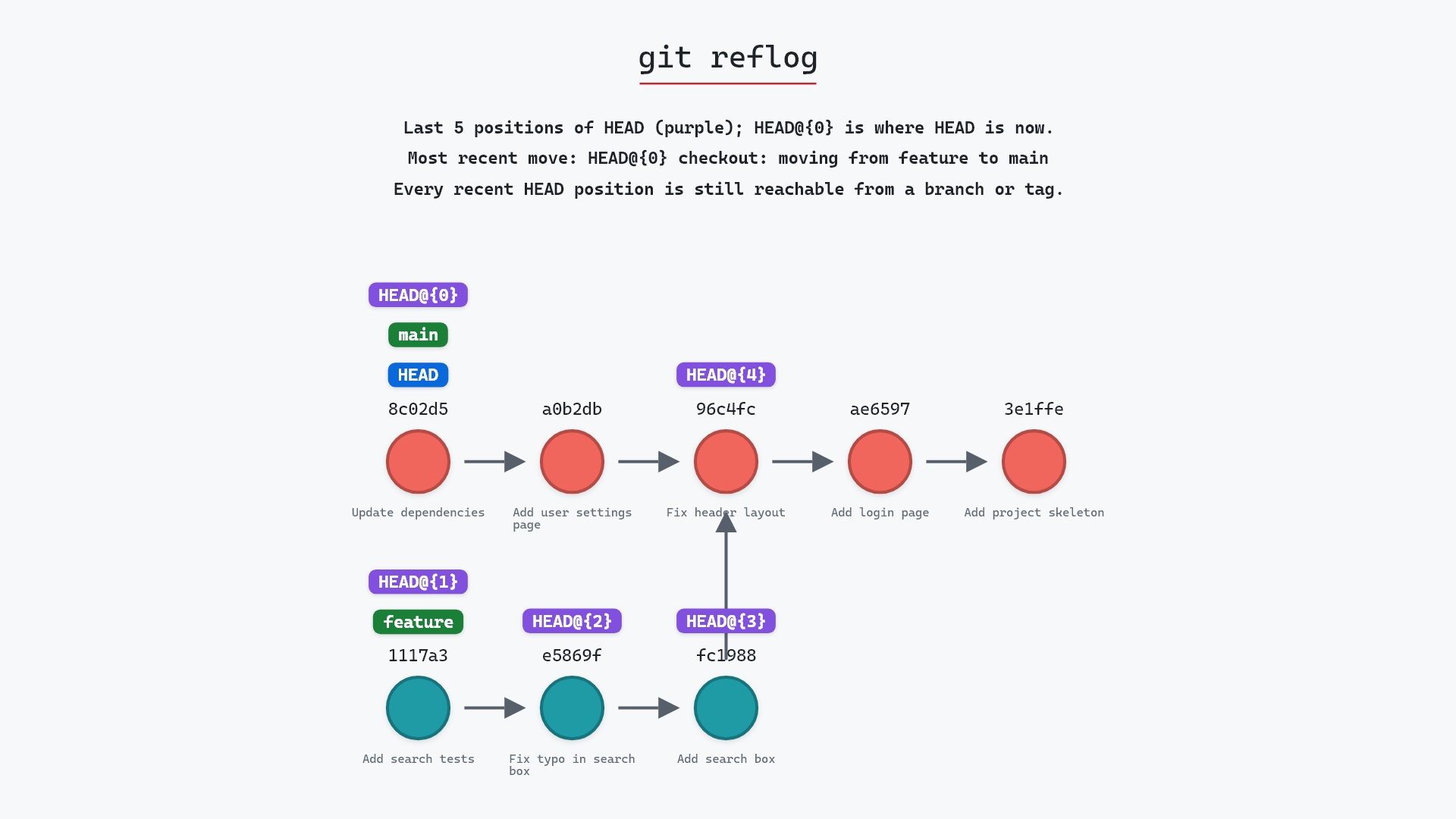
All three commits are back on the graph, because 1117a34 reaches the other two through its parent links. If you've lost the hash, the reflog has it:
git reflog | grep feature
This works until git gc prunes the unreachable objects, which by default happens to reflog-expired entries after about 30 days.
Try it on your repository
pip install git-sim
git-sim branch -D feature
git-sim lists every commit that only this branch reaches before you delete it, so you can see exactly what would be abandoned.
Common questions
What is the difference between git branch -d and git branch -D?
-d refuses to delete a branch with unmerged commits. -D deletes it regardless. Neither removes commit objects. -D just makes them unreachable.
Are commits deleted when I force-delete a branch?
Not immediately. They become unreachable and stay in .git/objects until garbage collection runs, typically weeks later. Until then git branch <name> <sha> restores them.
How do I recover a branch after git branch -D?
git branch <name> <sha> using the hash Git printed at deletion, or found with git reflog.
How long do I have to recover a deleted branch?
Unreachable commits referenced by the reflog are kept for 30 days by default (gc.reflogExpireUnreachable). In practice, until you run git gc or Git runs it for you.
Summary
In this article, we watched git branch -D remove a branch with three unmerged commits, saw those commits leave the graph while staying in the repository, and used the printed hash to bring the branch back.
Next steps
git branch -d is the version with the check, which is the one to use by default. git reflog explains the safety net this page relies on.
Related commands
- git branch -d, the checked delete
- git branch, what a branch is
- git reflog, where the deleted branch's commit is remembered
- git merge, to keep the work instead of discarding it
- git checkout, to look at the branch before deciding
- git log,
git log main..featureshows what you'd lose