Git commands
How to stash untracked files in Git with git stash -u
git stash -u: stashing the new files too
How to use this page
- slider / ▶Drag the slider, or press play, to watch the command happen. Before and After jump to either end.
- ← → · spaceStep through a multi-step command; space toggles Before / After.
- APlay or pause the loop (the page opens playing). Any manual input takes over.
- hoverA commit shows its message, author, date and parents, with its history highlighted.
- clickCopies the commit sha.
- ctrl + wheelZoom around the cursor (pinch on a trackpad). Double-click resets the view.
- EscStop playback, reset the view, close this menu.
- shareThe Share button copies a link to this graph, copies it as an image, downloads PNG/SVG/page, or posts it. #before, #after or #step=N in the link pins the state.
git-sim visually simulates any Git command in your own repos - from your terminal, IDE, or AI.
Table of Contents
- Introduction
- What is git stash -u?
- Watch it happen
- Before and after
- Is it safe?
- How to undo it
- Useful forms
- Try it on your repository
- Common questions
- Summary
- Next steps
- Related commands
Introduction
If you've ever stashed your work, switched branches, and found a brand new file you'd just created sitting there on the other branch, you've met the one gap in plain git stash. It only takes files Git already tracks. Anything new stays behind in your working directory. git stash -u closes that gap.
In this article, we'll:
- Watch
git stash -utake a modified file, a staged file and a new untracked file into one stash - Compare it with plain
git stash, which would have left the new file behind - Look at the extra commit
-uadds to the stash, and cover-afor ignored files
What is git stash -u?
git stash -u (long form --include-untracked) does everything git stash does, saving your staged and unstaged changes and resetting your working directory to HEAD, and on top of that it saves your untracked files and then deletes them from the working directory. When you get the stash back, the untracked files come back as untracked files.
Ignored files (the ones matched by .gitignore) are still left alone. That's what -a is for, further down.
Watch it happen
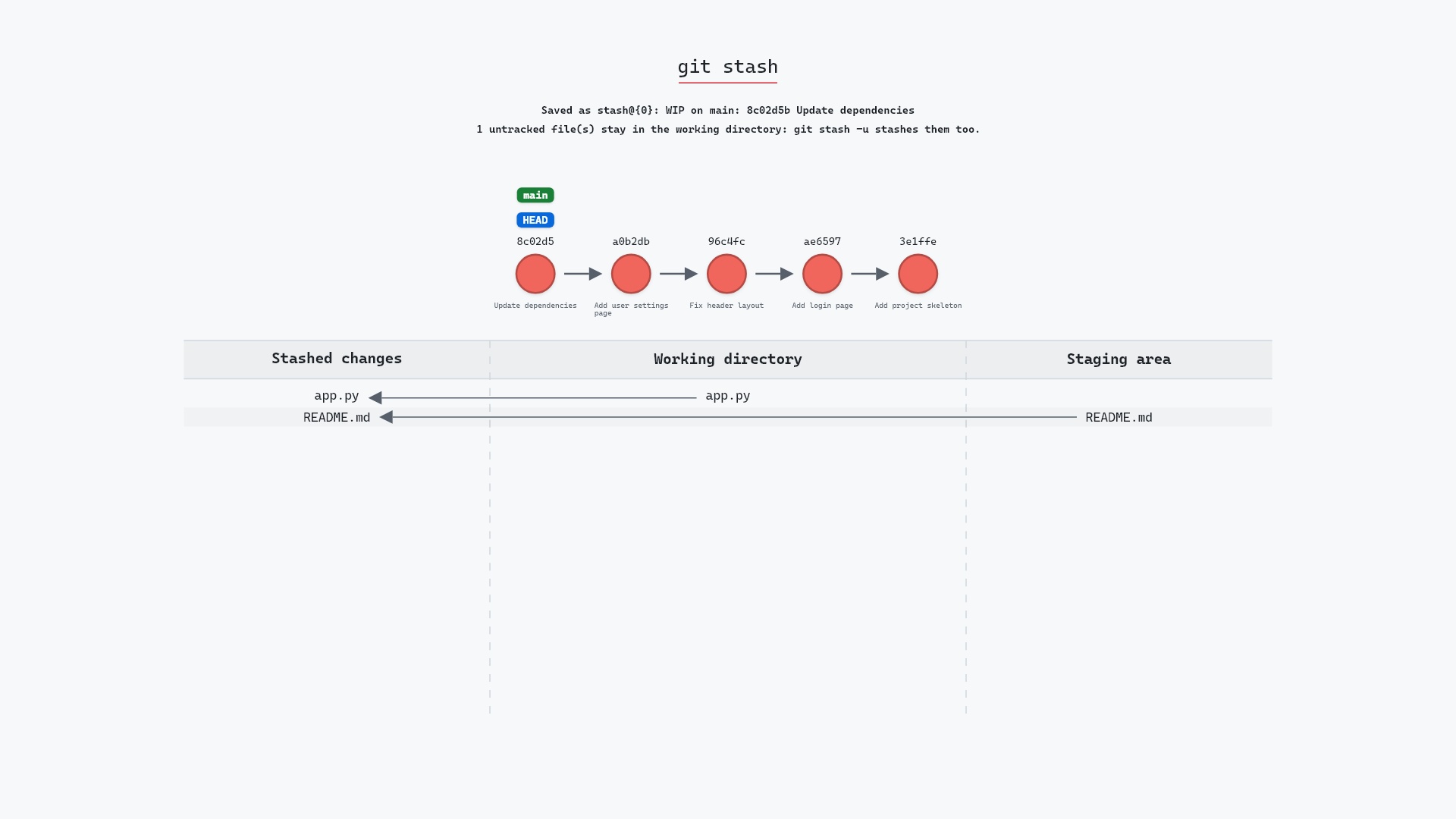
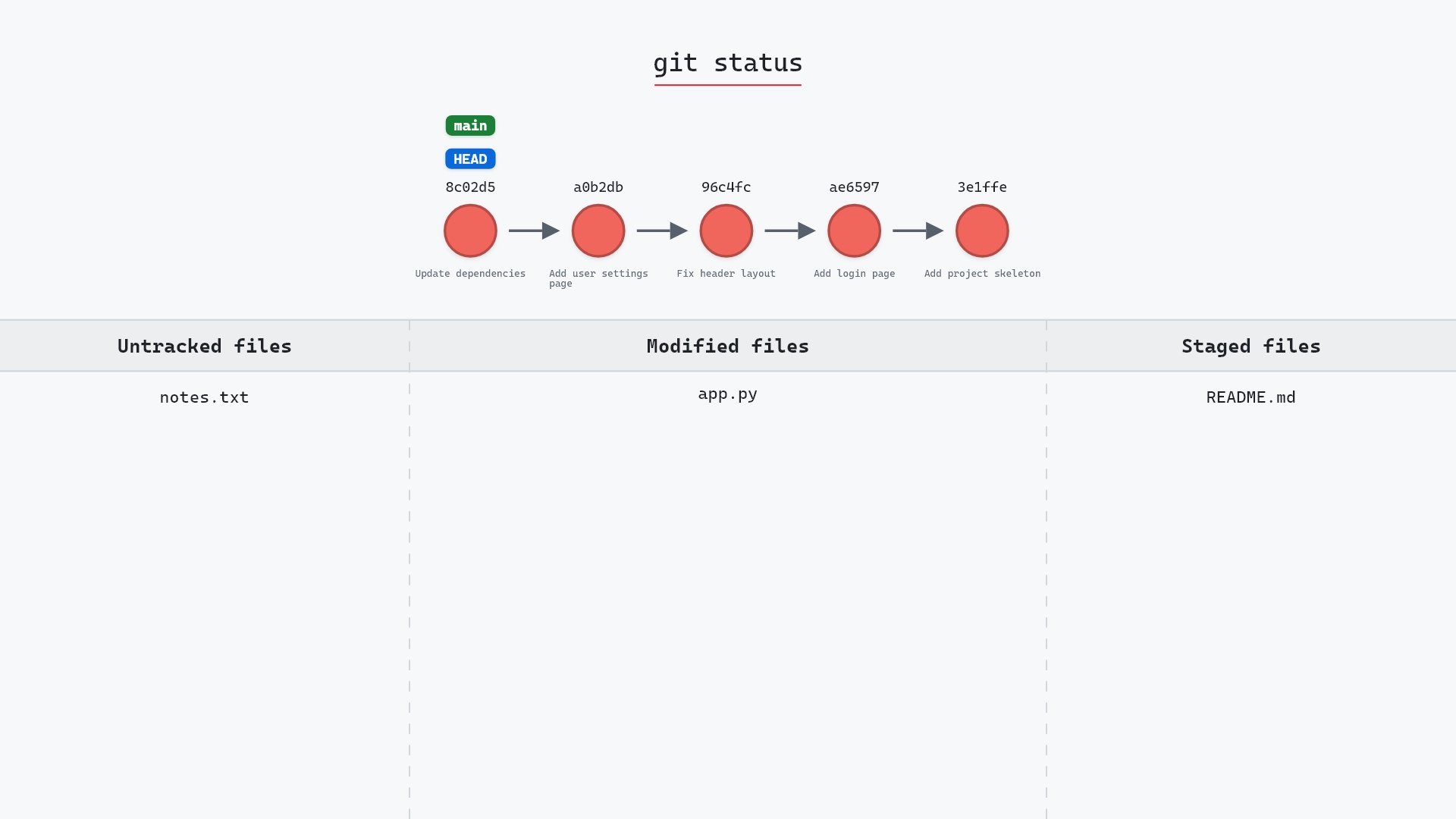
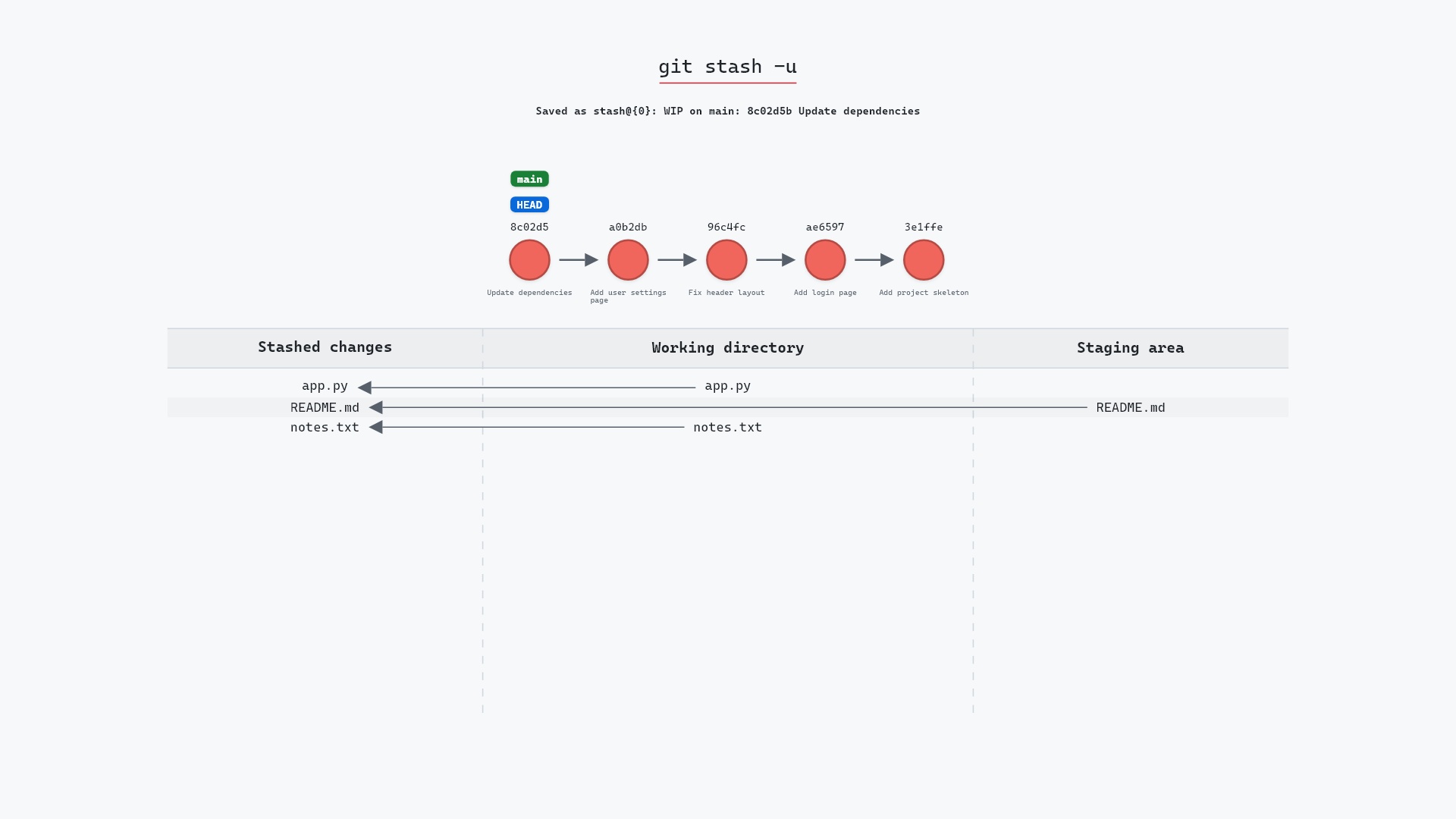
Our sample repo has a modified file, a staged file and a new untracked file, on main at 8c02d5b "Update dependencies". app.py is edited but not staged, README.md is edited and staged, and notes.txt is new. Here's git stash -u:
- Before:
app.pyis modified andnotes.txtis untracked in the working directory (notes.txt has never been added), andREADME.mdhas a staged change. - Git saves all three in a new stash entry,
stash@{0}: WIP on main: 8c02d5b Update dependencies:app.pyfrom the working directory,README.mdfrom the staging area and the untrackednotes.txt. The working directory and staging area are left clean, andmainandHEADstay on8c02d5b.
Leave off the -u and git-sim says so in a note: notes.txt stays behind in the working directory, and only app.py and README.md go into the stash.
Before and after
git status --short before:
M  README.md
 M app.py
?? notes.txt
After, it's empty. All three files are gone from the list, including the untracked one, and git stash list has one entry:
stash@{0}: WIP on main: 8c02d5b Update dependencies
The raw git output, if you want to read along in text
git log --oneline --graph --all
before
* 1117a34 (feature) Add search tests
* e5869f0 Fix typo in search box
* fc19889 Add search box
| * 8c02d5b (HEAD -> main) Update dependencies
| * a0b2db3 Add user settings page
|/
* 96c4fc2 Fix header layout
* ae65976 Add login page
* 3e1ffe4 Add project skeleton
* 4114b2c Initial commit
after
*-.   1e248dd (refs/stash) WIP on main: 8c02d5b Update dependencies
|\ \
| | * e199402 untracked files on main: 8c02d5b Update dependencies
| * e6cd7fc index on main: 8c02d5b Update dependencies
|/
* 8c02d5b (HEAD -> main) Update dependencies
* a0b2db3 Add user settings page
| * 1117a34 (feature) Add search tests
| * e5869f0 Fix typo in search box
| * fc19889 Add search box
|/
* 96c4fc2 Fix header layout
* ae65976 Add login page
* 3e1ffe4 Add project skeleton
* 4114b2c Initial commit
what git printed
Saved working directory and index state WIP on main: 8c02d5b Update dependenciesThe after log shows how the stash is stored. A normal stash is a commit with two parents: HEAD and an "index on main" commit holding the staging area. With -u, the stash commit 1e248dd has a third parent, e199402 "untracked files on main", which holds notes.txt. The "index on main" commit is e6cd7fc. That third commit is also why git log --graph draws the stash with that extra line.
Is it safe?
Safe git-sim pre-flight
Stashes current changes; recoverable via git stash pop.
Yes. Everything is saved in commits before anything is removed from your working directory, and git stash pop puts it all back, with notes.txt returning as an untracked file.
One thing can trip up the pop. If a file called notes.txt exists again when you pop (say you created a fresh one in the meantime), Git refuses to overwrite it and stops with a message that the file already exists. Move the new one out of the way and pop again. The stash entry stays on the list until the pop succeeds.
git stash -u by default, and only drop the -u when I specifically want new files to stay put.
How to undo it
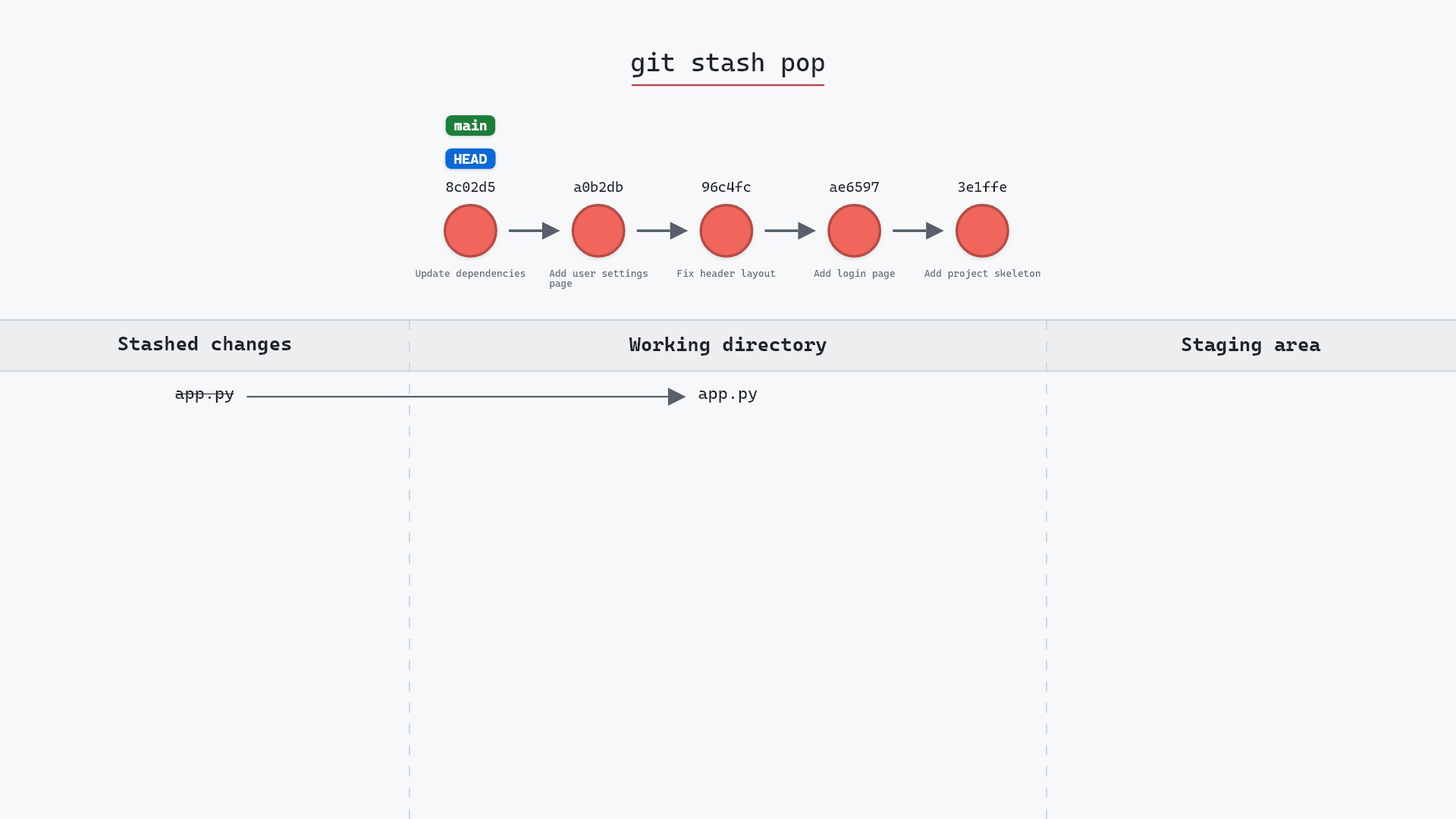
git stash pop brings back all three files and removes the entry:
git stash pop
app.py comes back modified, notes.txt comes back untracked, and README.md comes back modified but unstaged. Add --index if you want README.md staged again as it was:
git stash pop --index
Useful forms
git stash -u -m "search page draft"names the entry, so it's easy to find ingit stash listlater.git stash -a(or--all) stashes ignored files too, such as.env,node_modules/or build output, and deletes them from the working directory like git clean -x would. That can be a very big stash, so it's rarely what you want.git stash push -u -- notes.txtstashes only the paths you name, untracked ones included.git stash show -u stash@{0}includes the untracked files in the summary. Plaingit stash showlists only tracked changes, so a-ustash can look smaller than it is.git config stash.showIncludeUntracked truemakesgit stash showinclude them every time.
The --include-untracked entry in the git stash documentation has the exact rules, and Pro Git's Stashing and Cleaning chapter shows -u alongside the other stash options.
Try it on your repository
pip install git-sim
git-sim stash -u
git-sim shows which files would go into the stash, untracked ones included, without stashing anything.
Common questions
Does git stash include untracked files?
Not by default. Plain git stash leaves untracked files in your working directory. git stash -u includes them, and git stash -a includes ignored files as well.
What is the difference between git stash -u and git stash -a?
-u adds untracked files. -a adds untracked and ignored files. Both remove what they stash from the working directory.
How do I see the untracked files in a stash?
git stash show -u (Git 2.32 and later) includes them. On older versions, git show stash@{0}^3 shows the commit that holds them.
Why won't git stash pop restore my untracked file?
Usually because a file with the same name exists in the working directory again. Git won't overwrite it. Move or delete that file and run git stash pop again.
Summary
In this article, we watched git stash -u take a modified, a staged and an untracked file into one stash, saw the third "untracked files" commit it adds, and compared it with plain git stash and with -a.
Next steps
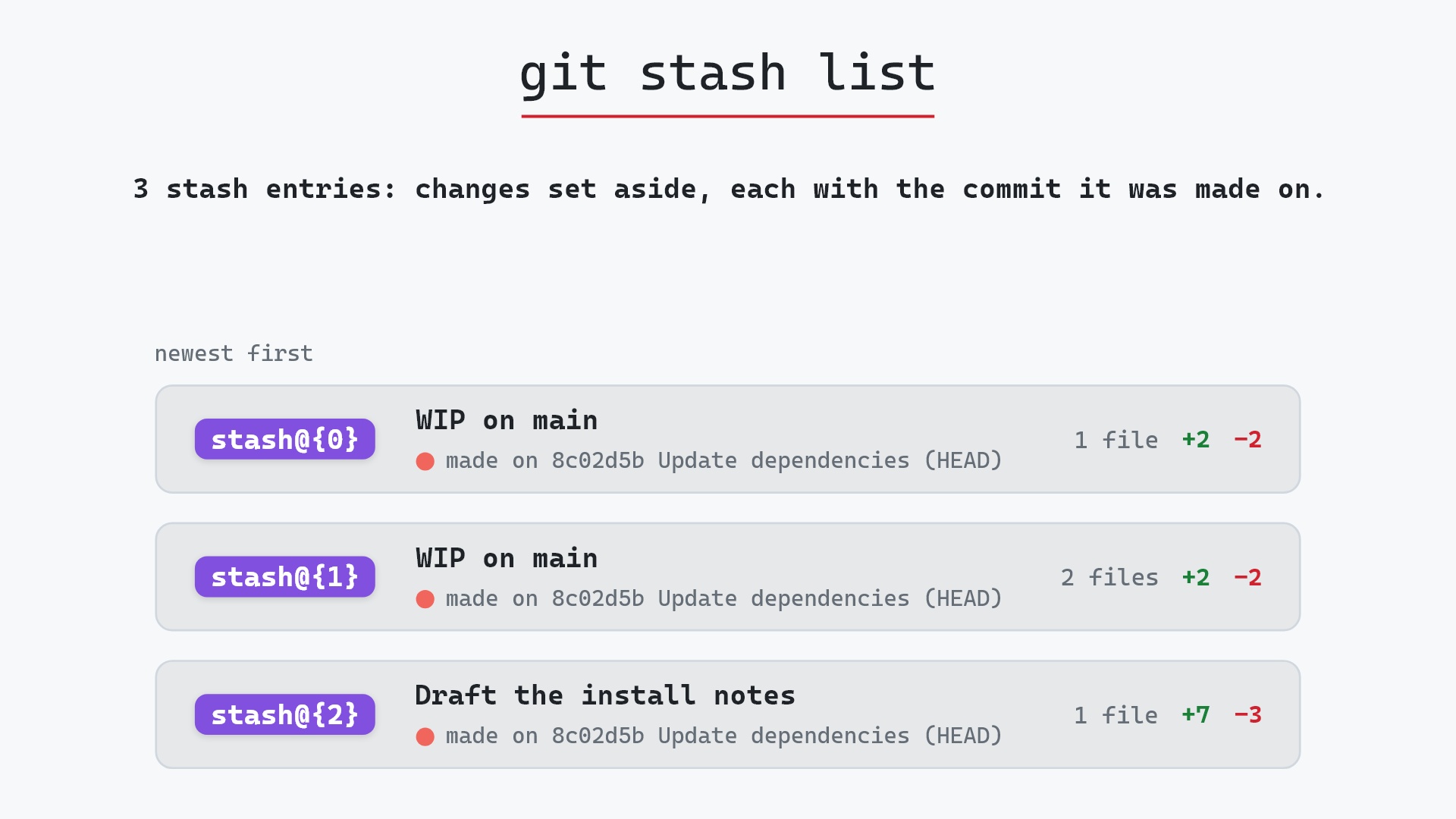
git stash pop is how the files come back. git stash list shows every entry you've saved.
Related commands
- git stash, the plain form that leaves untracked files behind
- git stash pop, to bring the files back and drop the entry
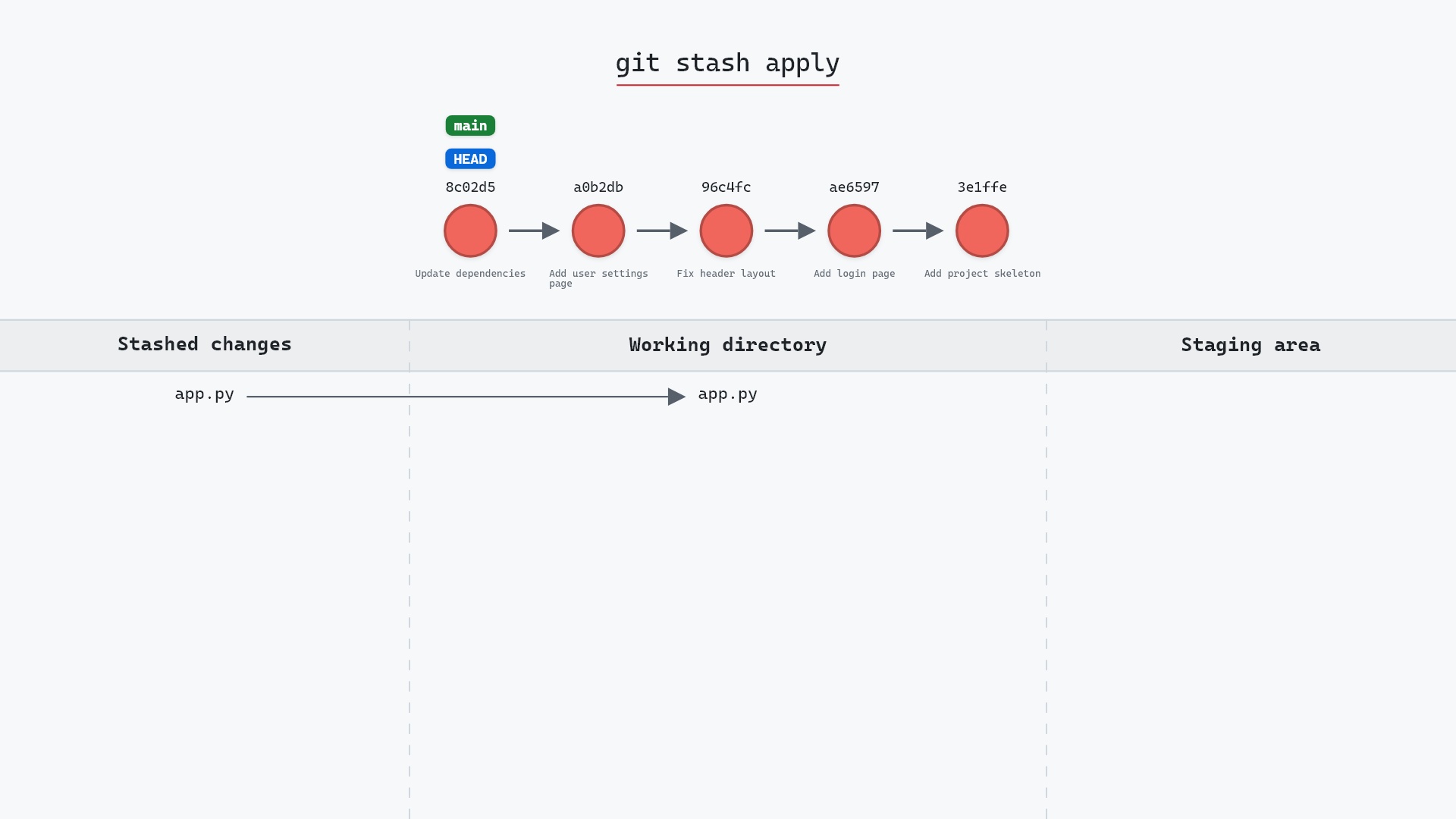
- git stash apply, to bring them back and keep the entry
- git stash list, to find the entry later
- git clean, which deletes untracked files instead of saving them
- git status, to check what counts as untracked before you stash