Git commands
What each line of git stash list means
git stash list: reading the shelf
How to use this page
- slider / ▶Drag the slider, or press play, to watch the command happen. Before and After jump to either end.
- ← → · spaceStep through a multi-step command; space toggles Before / After.
- APlay or pause the loop (the page opens playing). Any manual input takes over.
- hoverA commit shows its message, author, date and parents, with its history highlighted.
- clickCopies the commit sha.
- ctrl + wheelZoom around the cursor (pinch on a trackpad). Double-click resets the view.
- EscStop playback, reset the view, close this menu.
- shareThe Share button copies a link to this graph, copies it as an image, downloads PNG/SVG/page, or posts it. #before, #after or #step=N in the link pins the state.
git-sim visually simulates any Git command in your own repos - from your terminal, IDE, or AI.
Table of Contents
- Introduction
- What is git stash list?
- Watch it happen
- Before and after
- Where the numbers come from
- Is it safe?
- Useful forms
- Try it on your repository
- Common questions
- Summary
- Next steps
- Related commands
Introduction
After a few git stash commands you'll want to know what's actually in there. git stash list answers that. It only reads, and it's the command to run before any apply, pop or drop, since those all pick an entry by its number.
In this article, we'll:
- Run
git stash liston a repository with three stashes - Take one line of its output apart
- Cover the options that make a long list easier to search
What is git stash list?
git stash list prints one line per stash entry, newest first. Each line starts with the entry's name, stash@{0} for the most recent, stash@{1} for the one before it, and so on, followed by the message the stash was saved with.
It changes nothing: no files, no branches and no stash entries.
Watch it happen
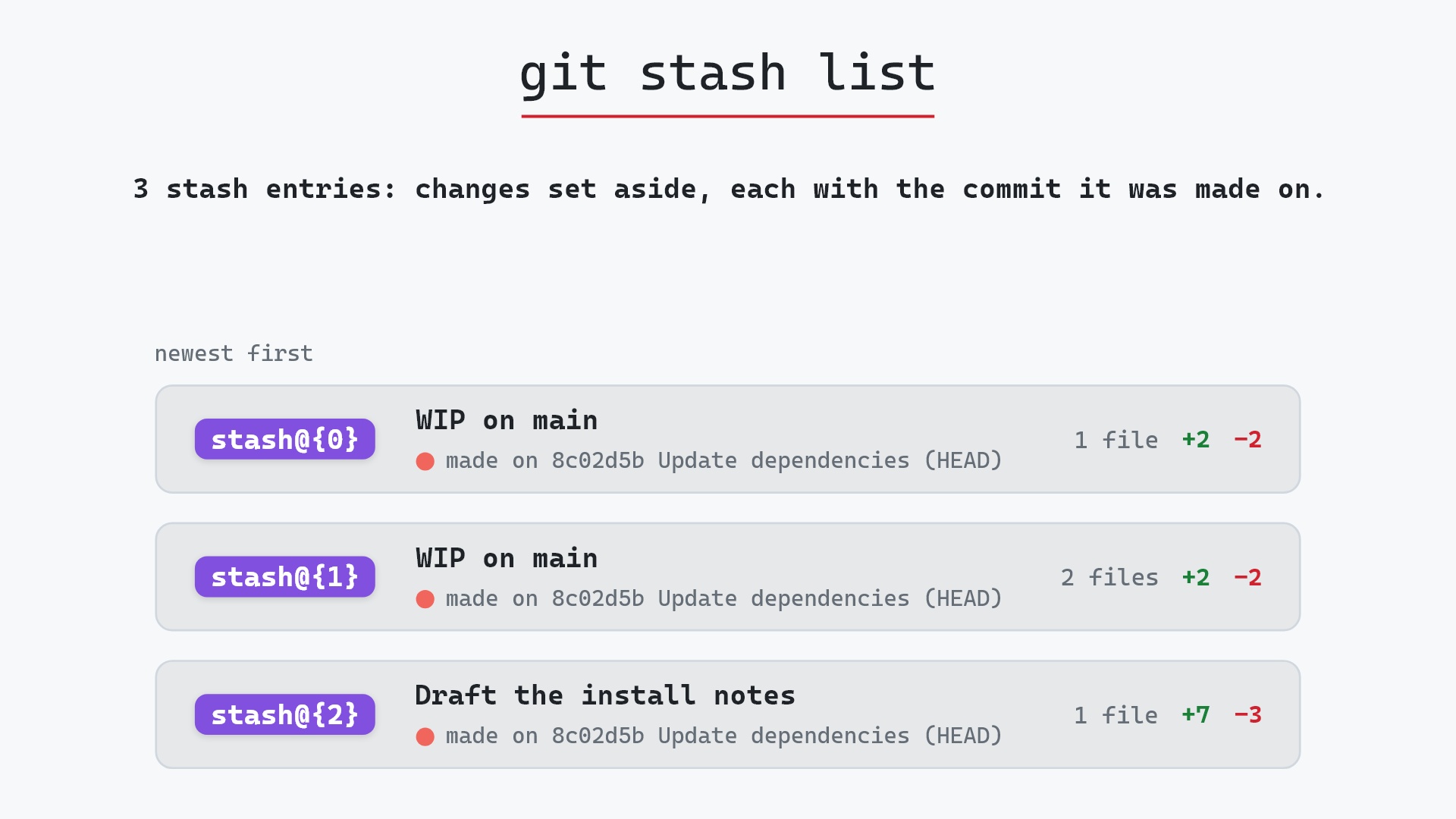
Our sample repo has three entries in the stash, all made on main while HEAD was on 8c02d5b, "Update dependencies". Here's git stash list:
- Before: the stash holds three entries, newest first.
stash@{0}andstash@{1}are plain "WIP on main" entries, with one and two changed files, andstash@{2}, the oldest, was saved with a message, "Draft the install notes". Each one was made on8c02d5b"Update dependencies". git stash listprints those three entries and nothing else. No files, branches or stash entries change, because listing is only a look.
Before and after
The repository is identical before and after. Git printed three lines, newest first:
The raw git output, if you want to read along in text
git log --oneline --graph --all
before
*   593bc97 (refs/stash) WIP on main: 8c02d5b Update dependencies
|\
| * 3267e96 index on main: 8c02d5b Update dependencies
|/
* 8c02d5b (HEAD -> main) Update dependencies
* a0b2db3 Add user settings page
| * 1117a34 (feature) Add search tests
| * e5869f0 Fix typo in search box
| * fc19889 Add search box
|/
* 96c4fc2 Fix header layout
* ae65976 Add login page
* 3e1ffe4 Add project skeleton
* 4114b2c Initial commit
after
*   593bc97 (refs/stash) WIP on main: 8c02d5b Update dependencies
|\
| * 3267e96 index on main: 8c02d5b Update dependencies
|/
* 8c02d5b (HEAD -> main) Update dependencies
* a0b2db3 Add user settings page
| * 1117a34 (feature) Add search tests
| * e5869f0 Fix typo in search box
| * fc19889 Add search box
|/
* 96c4fc2 Fix header layout
* ae65976 Add login page
* 3e1ffe4 Add project skeleton
* 4114b2c Initial commit
what git printed
stash@{0}: WIP on main: 8c02d5b Update dependencies
stash@{1}: WIP on main: 8c02d5b Update dependencies
stash@{2}: On main: Draft the install notes
Here's the first line taken apart:
stash@{0}: WIP on main: 8c02d5b Update dependencies
stash@{0}is the entry's name.0is always the newest. This is the name you pass toapply,pop,dropandshow.WIP on mainsays which branch you were on when you stashed. "WIP" is the default message. If you stash withgit stash push -m "Draft the install notes", as the oldest entry here was, the line readsOn main: Draft the install notesinstead.8c02d5b Update dependenciesis the commitHEADpointed at when you stashed. The changes in the stash are relative to that commit.
In the raw log you can also see what the newest entry is under the hood: 593bc97 "WIP on main: 8c02d5b Update dependencies", a commit whose parents are 8c02d5b and 3267e96 ("index on main", which holds whatever was staged). refs/stash points at 593bc97. The two older entries don't show in the log, and the next section explains where they are.
Where the numbers come from
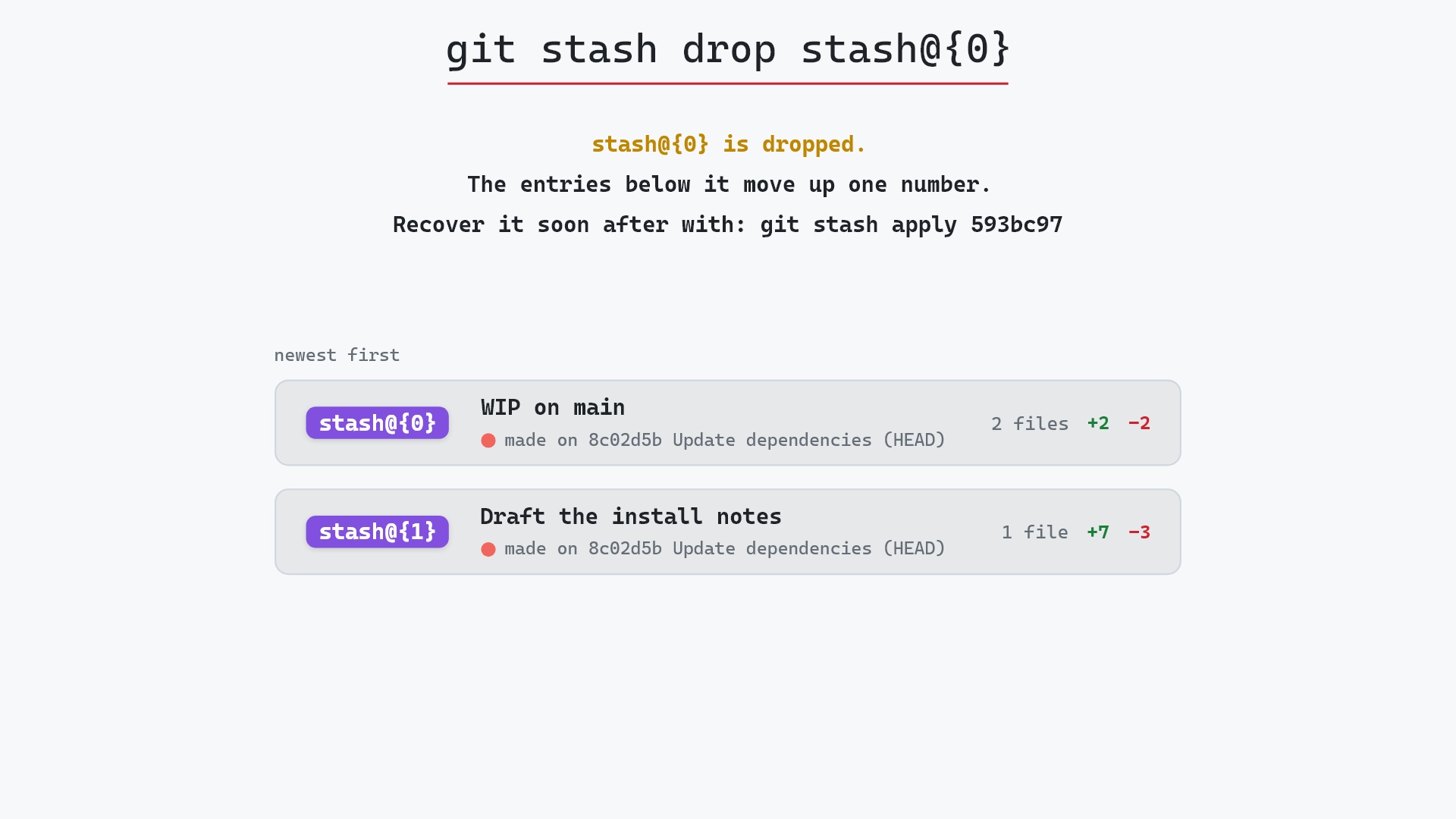
The stash@{n} syntax isn't special to stashing. It's the same reflog syntax as HEAD@{1} or main@{2}. refs/stash only ever points at the newest stash, and each older entry is an older value of that ref, kept in its reflog. That's why the numbers shift: stash something new and every existing entry moves down one. Drop stash@{0} and every entry moves up one.
Here's git stash drop on our three entries. Git deletes stash@{0} (the stash commit 593bc97), refs/stash now points at the entry that used to be stash@{1}, and the two that are left are renumbered stash@{0} and stash@{1}:
You can see this for yourself with git log -g refs/stash, which walks the same reflog. git reflog covers reflogs in general.
stash@{0} as its own little syntax. It was only while digging into how the reflog works that I noticed it's exactly the HEAD@{1} notation, pointed at a different ref. After that the renumbering stopped surprising me.
Is it safe?
Completely. git stash list only reads. It's the thing to run before the stash commands that do change something, pop and drop in particular.
Useful forms
git stash list accepts the same formatting options as git log, which helps once the list gets long:
git stash list --statshows which files each entry touches.git stash list -pshows each entry's full diff.git stash list --date=relativereplaces the numbers with ages, likestash@{2 hours ago}.git stash show -p stash@{1}shows the diff for a single entry.
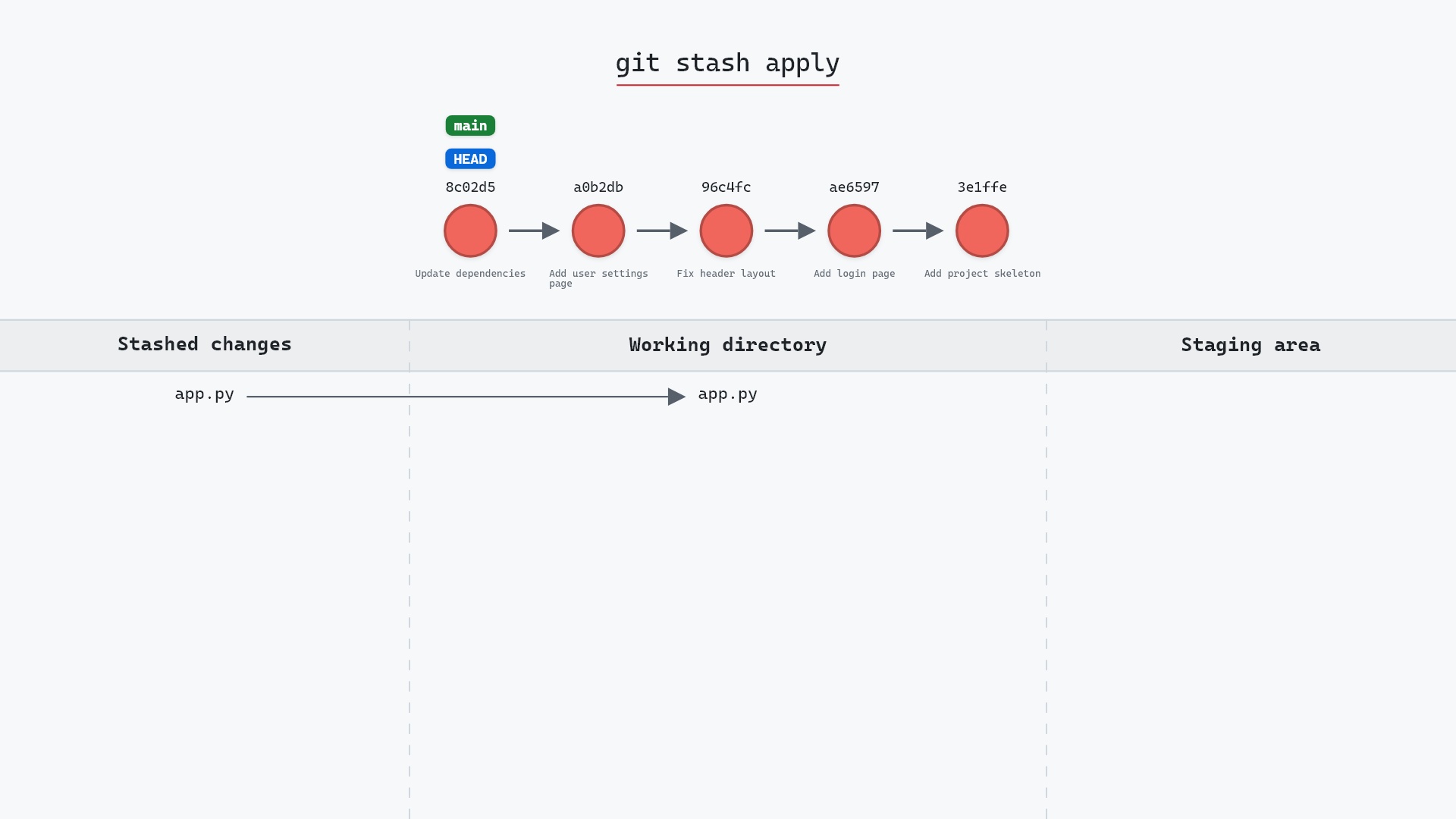
And here's what happens once you've picked one and applied it:
Try it on your repository
pip install git-sim
git-sim stash list
git-sim draws your stash as a stack of cards, newest first: each entry's stash@{n} label, its message, the commit it was made on and how many files it changes. Like the real command, it doesn't change anything.
Common questions
What does git stash list show?
One line per stash entry, newest first: the entry's name (stash@{0}, stash@{1}, ...), the branch you stashed on, and either the default "WIP" message with the commit you were on, or the message you gave with -m.
Is stash@{0} the newest or the oldest stash?
The newest. Every new stash becomes stash@{0}, and the others move down one number.
How do I see what is inside a stash?
git stash show stash@{1} lists the files, and git stash show -p stash@{1} shows the full diff.
Why is git stash list empty?
Either there are no stashes, or they have all been popped, dropped or cleared. Stashes belong to the repository, not a branch, so switching branches doesn't hide them.
Summary
In this article, we ran git stash list on a repository with three stashes, took one of the lines it printed apart, and saw that stash@{n} is reflog syntax for refs/stash.
Next steps
git stash apply restores an entry while keeping it, and git stash drop deletes the ones you no longer need.
Related commands
- git stash, to add an entry
- git stash apply, to restore one and keep it
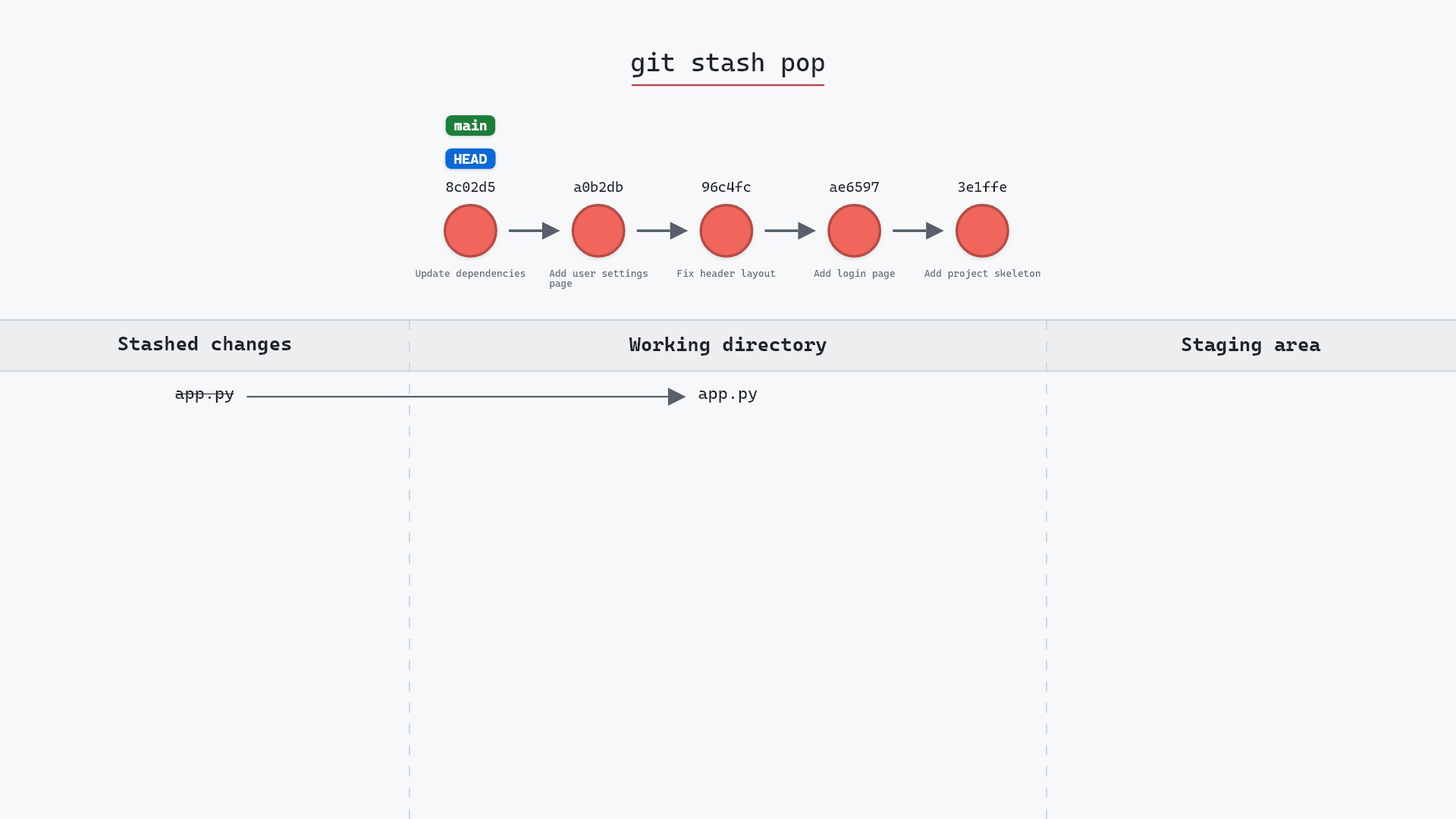
- git stash pop, to restore one and remove it
- git stash drop, to delete one
- git reflog, where the
stash@{n}numbering comes from - git show, to inspect a stash commit directly