Git commands
What git show prints for a commit, a tag, a tree and a file
git show: open any object Git has stored
How to use this page
- slider / ▶Drag the slider, or press play, to watch the command happen. Before and After jump to either end.
- ← → · spaceStep through a multi-step command; space toggles Before / After.
- APlay or pause the loop (the page opens playing). Any manual input takes over.
- hoverA commit shows its message, author, date and parents, with its history highlighted.
- clickCopies the commit sha.
- ctrl + wheelZoom around the cursor (pinch on a trackpad). Double-click resets the view.
- EscStop playback, reset the view, close this menu.
- shareThe Share button copies a link to this graph, copies it as an image, downloads PNG/SVG/page, or posts it. #before, #after or #step=N in the link pins the state.
git-sim visually simulates any Git command in your own repos - from your terminal, IDE, or AI.
Table of Contents
- Introduction
- What is git show?
- Watch it happen
- The default: the last commit and its diff
- Showing older commits
- Showing a tag
- Showing a tree
- Showing a file from any commit
- Trimming the output
- Merge commits
- git show or git log?
- Is it safe?
- Common questions
- Summary
- Next steps
- Related commands
Introduction
If you've used git log to find a commit, the next thing you usually want is a closer look at it: what the change actually was, who made it, or what a file looked like at that point. That's the job of git show. It takes the name of anything Git has stored and prints it in a readable form.
In this article, we'll:
- Look at what
git showprints with no arguments - Point it at the four kinds of Git object: commits, tags, trees and blobs
- Use the
<rev>:<path>form to read a file from any commit - Go over the flags that trim the output down, and how
showdiffers fromlog
What is git show?
Everything Git records ends up as an object in its object database under .git/objects. There are four kinds: a commit (author, message, parents and a pointer to a tree), a tree (a directory listing), a blob (the contents of one file) and an annotated tag (a named, signed-off pointer to another object).
git show <object> prints one of these in a way that suits its type:
- a commit as its header plus the diff it introduced
- a tag as the tag message, followed by the commit it points to
- a tree as a list of the names in it
- a blob as the file contents, unchanged
With no argument it shows HEAD, which is the commit you have checked out. (If HEAD is new to you, see What is Git HEAD?.)
Watch it happen
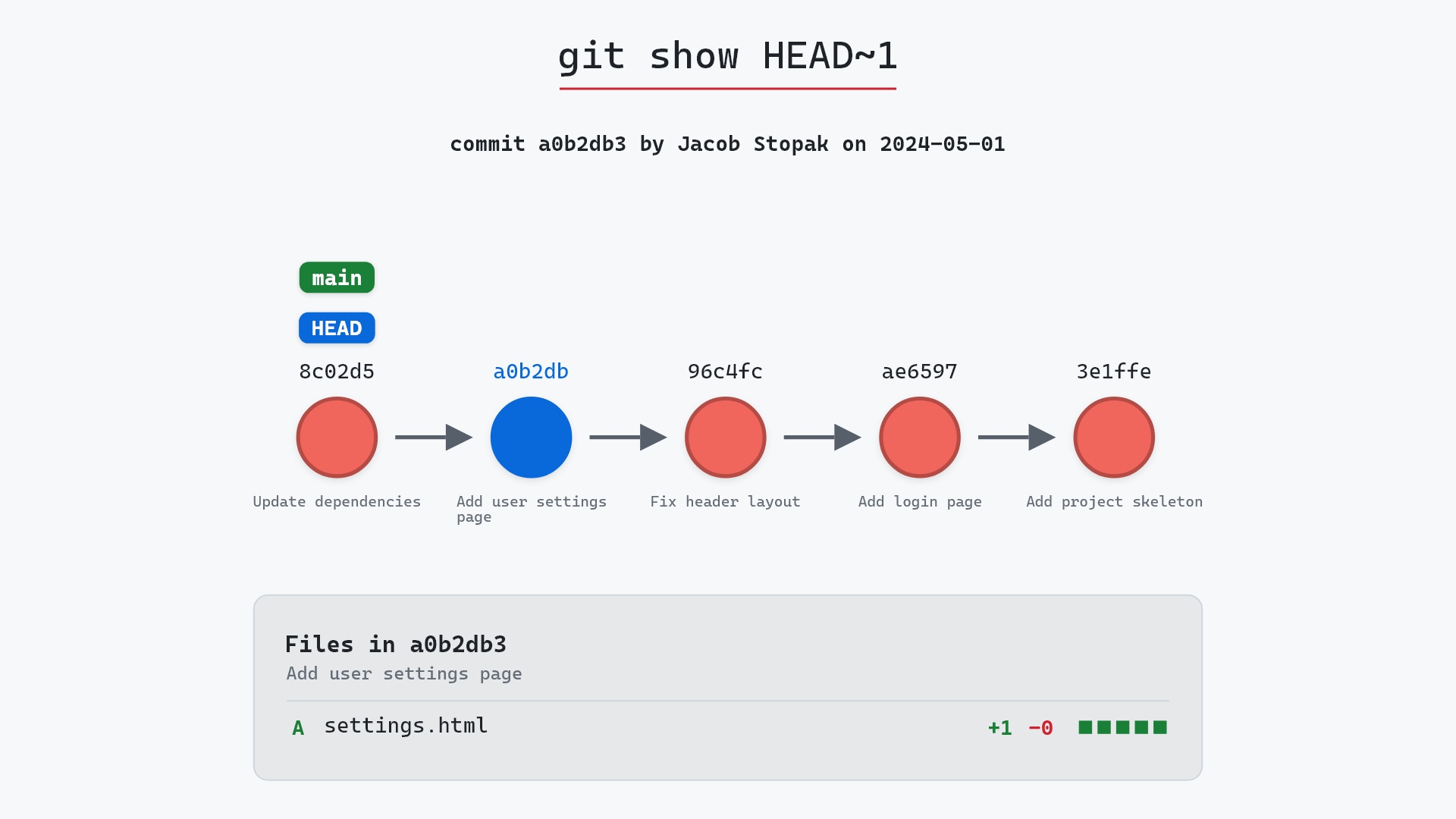
Here's git show HEAD~1 on a small sample repository, where main is checked out, and the commit before its tip added a settings page:
- Before:
HEADis attached tomainat8c02d5b"Update dependencies". Its parent isa0b2db3"Add user settings page", which is the commitHEAD~1names. - Git resolves
HEAD~1toa0b2db3and prints it: the author, the date and the message, then what the commit changed compared to its parent. Asgit show --statwould put it, that's a single new file,settings.html, marked A for added, with one line added.
main and HEAD stay on 8c02d5b the whole time, because git show only reads.
The raw git output, if you want to read along in text
git log --oneline --graph --all
before
* 1117a34 (feature) Add search tests
* e5869f0 Fix typo in search box
* fc19889 Add search box
| * 8c02d5b (HEAD -> main) Update dependencies
| * a0b2db3 Add user settings page
|/
* 96c4fc2 Fix header layout
* ae65976 Add login page
* 3e1ffe4 Add project skeleton
* 4114b2c Initial commit
after
* 1117a34 (feature) Add search tests
* e5869f0 Fix typo in search box
* fc19889 Add search box
| * 8c02d5b (HEAD -> main) Update dependencies
| * a0b2db3 Add user settings page
|/
* 96c4fc2 Fix header layout
* ae65976 Add login page
* 3e1ffe4 Add project skeleton
* 4114b2c Initial commit
what git printed
commit a0b2db3dedeca24bef9ee2c16e2cb1167ccc448a
Author: Jacob Stopak <jacob@initialcommit.io>
Date:   Wed May 1 13:00:00 2024 +0000
Add user settings page

settings.html | 1 +
1 file changed, 1 insertion(+)
The default: the last commit and its diff
Our example is a small weather command-line tool with a main branch. Running git show on it prints the latest commit:
$ git show
commit 3f9a2c1e8b7d4a6f0c5e2d9b1a8f7e6d5c4b3a21 (HEAD -> main, tag: v1.2.0)
Author: Maya Chen <maya@example.com>
Date:   Tue Mar 12 14:08:31 2024 -0400

    Round temperatures to one decimal place

diff --git a/weather.py b/weather.py
index 8d41c07..b2e9f5a 100644
--- a/weather.py
+++ b/weather.py
@@ -12,7 +12,7 @@ def fetch_forecast(city):

 def format_temp(celsius):
     """Return a temperature string for display."""
-    return f"{celsius} °C"
+    return f"{celsius:.1f} °C"


 def main():
The top half is the same header git log prints. The bottom half is the change this commit made compared to its parent, in the same unified format git diff uses: the - line is what was there before, the + line is what replaced it, and the unmarked lines around them are context. The index 8d41c07..b2e9f5a line holds the hashes of the file's blob before and after the change, which will come in handy in a moment.
git show 3f9a2c1, git show main and git show v1.2.0^{commit} all print exactly this, since they name the same commit. Any unambiguous prefix of a hash works, so you rarely need to type more than seven characters.
Showing older commits
Any revision expression works. git show HEAD~2 is the commit two steps back, git show main@{yesterday} is where main pointed yesterday according to your reflog, and git show feature is the tip of the feature branch.
To limit the diff to certain files, put them after --:
git show HEAD~2 -- tests/
A range shows each commit in it, newest first:
git show v1.1.0..v1.2.0
If you get the ends of a range the wrong way round, it simply prints nothing, since no commit is reachable from the older one that isn't also reachable from the newer one. For more than a couple of commits, git log -p with the same range reads better.
Showing a tag
An annotated tag is an object of its own, with a tagger, a date and a message. git show prints that first and then the commit it points to. The -s flag (short for --no-patch) leaves the diff off:
$ git show -s v1.2.0
tag v1.2.0
Tagger: Maya Chen <maya@example.com>
Date:   Tue Mar 12 14:20:05 2024 -0400

Rounded temperatures and city search

commit 3f9a2c1e8b7d4a6f0c5e2d9b1a8f7e6d5c4b3a21 (HEAD -> main, tag: v1.2.0)
Author: Maya Chen <maya@example.com>
Date:   Tue Mar 12 14:08:31 2024 -0400

    Round temperatures to one decimal place
A lightweight tag (one made with plain git tag v1.2.0, no -a or -m) is only a name for a commit, with no object of its own. Showing it prints the commit and nothing else. See git tag for the difference.
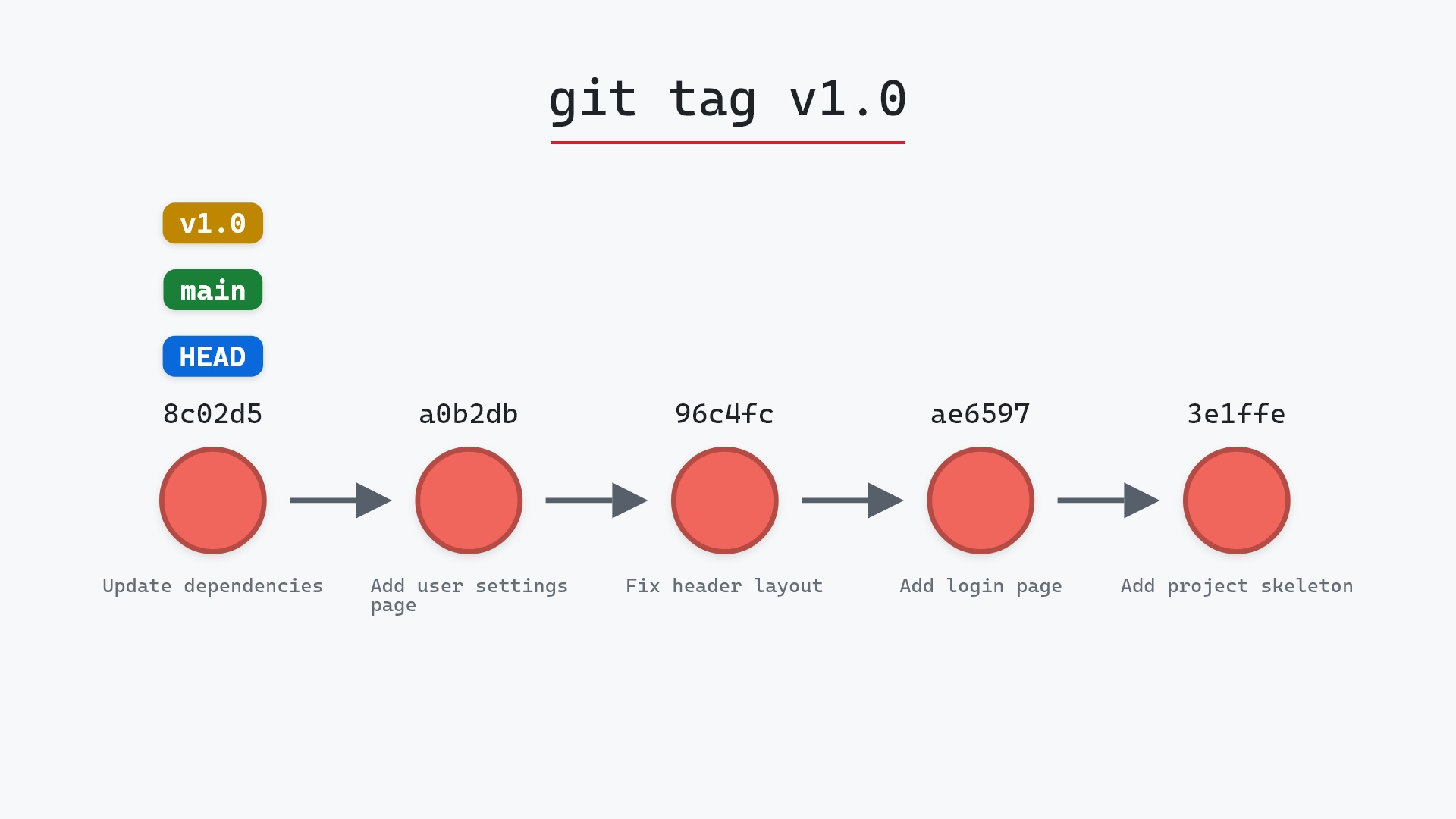
Our sample repository has a lightweight tag, v1.0, on a0b2db3 "Add user settings page", one commit behind main. git show v1.0 follows the tag to that commit and prints it with the file it added, settings.html, while HEAD and main stay on 8c02d5b:
Showing a tree
A tree is a directory. HEAD^{tree} means "the tree of the HEAD commit", which is the root folder of the project as committed:
$ git show HEAD^{tree}
tree HEAD^{tree}

.gitignore
README.md
search.py
tests/
weather.py
Subdirectories have a trailing slash. The <rev>:<path> form names a tree inside a commit directly:
$ git show HEAD:tests
tree HEAD:tests

test_search.py
test_weather.py
For hashes, modes and object types alongside the names, git ls-tree HEAD is the more detailed tool.
Showing a file from any commit
This is the form of git show we reach for most. <rev>:<path> names the version of a file stored in that commit, and git show prints it:
$ git show v1.1.0:README.md
# weather

A small command-line forecast tool.

    python weather.py <city>
Your working copy of README.md doesn't change. Git reads the blob straight out of the object database. The path is relative to the top of the repository, unless you start it with ./, which makes it relative to the directory you're in.
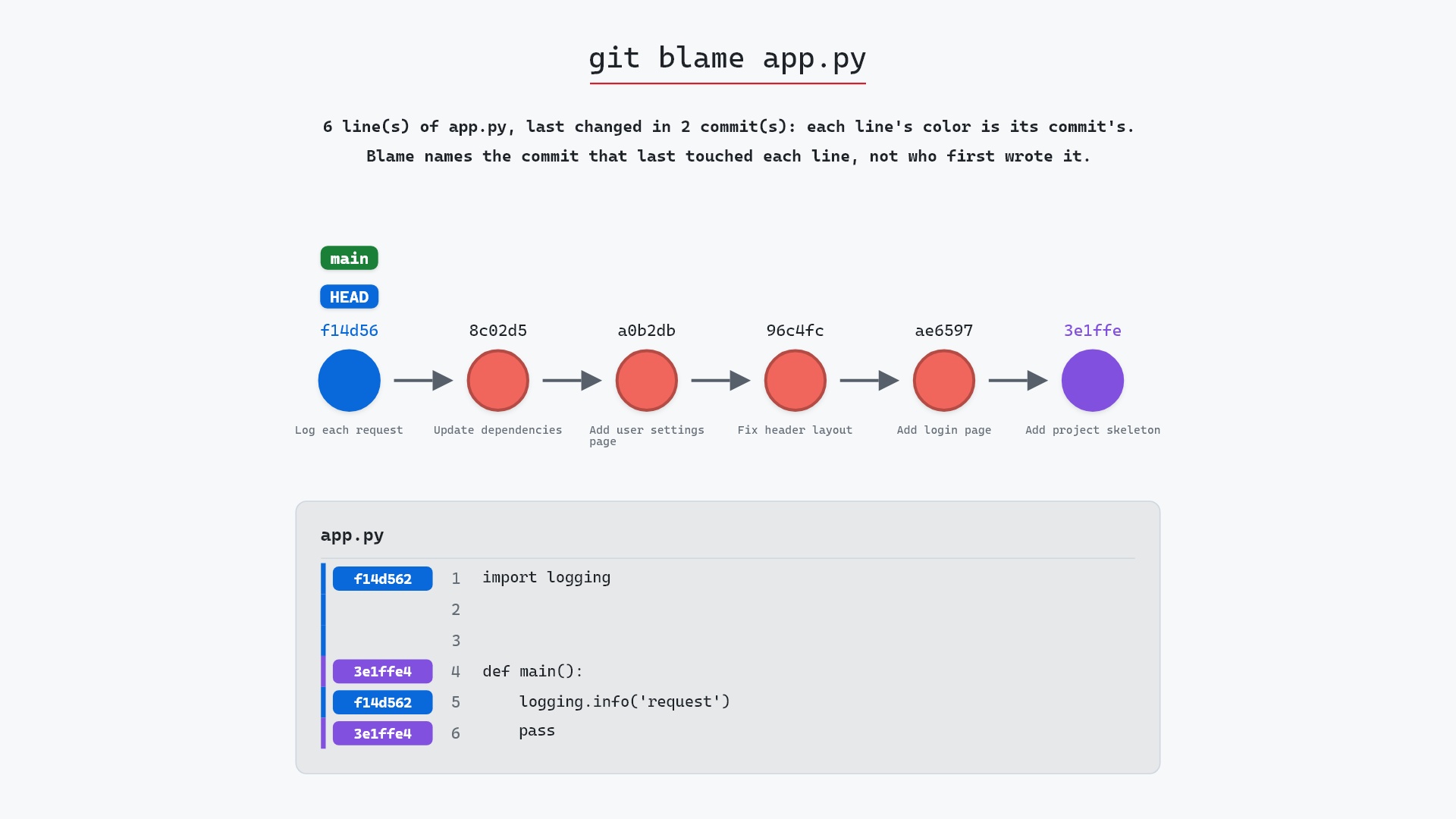
Here's the same form on the sample repository, where main is at f14d562 "Log each request". git show HEAD~1:app.py prints app.py as it was in 8c02d5b, the commit before request logging was added, which is just the two lines def main(): and pass. The app.py in the working tree keeps its request logging:
Every file in a commit is a blob, so this is a blob being printed. If you already have a blob's hash, git show accepts that too. The diff earlier told us the new version of weather.py is blob b2e9f5a, so git show b2e9f5a prints the whole file as it is in 3f9a2c1. There's more on this object type in What is a blob in Git?.
To save an old version to disk, redirect the output:
git show v1.1.0:weather.py > weather-1.1.0.py
Trimming the output
The diff isn't always what you want. These flags change how much git show prints, and the git show documentation has the full list:
-sor--no-patchdrops the diff and keeps the header.--statreplaces the diff with a per-file summary.--name-onlylists the changed file names, and--name-statusadds a letter for added, modified, deleted or renamed.--onelinesqueezes the header to hash and subject.--format=<format>builds your own header from placeholders like%h(short hash),%an(author name),%ad(author date) and%s(subject).-wignores whitespace changes in the diff, and--word-diffmarks changed words rather than whole lines.
Here are a few of them on the same commit:
$ git show --stat --oneline
3f9a2c1 (HEAD -> main, tag: v1.2.0) Round temperatures to one decimal place
 weather.py | 2 +-
 1 file changed, 1 insertion(+), 1 deletion(-)

$ git show --name-only --oneline
3f9a2c1 (HEAD -> main, tag: v1.2.0) Round temperatures to one decimal place
weather.py

$ git show -s --format='%h %an %ad %s' --date=short
3f9a2c1 Maya Chen 2024-03-12 Round temperatures to one decimal place
Merge commits
The commit before 3f9a2c1 merged a city-search branch. Showing it prints the header, with a Merge: line naming both parents, and then often no diff at all:
$ git show HEAD~1
commit 8c7e1f02b9d4a6e3f1c05b8d7a29e4c6f3b1d0a8
Merge: 6a0d3b2 e5f9c14
Author: Maya Chen <maya@example.com>
Date:   Mon Mar 11 17:52:40 2024 -0400

    Merge branch 'city-search'
That's because for a merge, git show prints a combined diff, which only includes lines that differ from both parents. A merge that went through cleanly has none. To see what the merge brought into main, compare it to its first parent:
$ git show --diff-merges=first-parent --stat HEAD~1
commit 8c7e1f02b9d4a6e3f1c05b8d7a29e4c6f3b1d0a8
Merge: 6a0d3b2 e5f9c14
Author: Maya Chen <maya@example.com>
Date:   Mon Mar 11 17:52:40 2024 -0400

    Merge branch 'city-search'

 search.py            | 41 +++++++++++++++++++++++++++++++++++++++++
 tests/test_search.py | 22 ++++++++++++++++++++++
 weather.py           |  9 ++++++---
 3 files changed, 69 insertions(+), 3 deletions(-)
The sample repository has a merge like this at the tip of main: ee672dd "Merge branch 'feature'", with the parents 8c02d5b and 1117a34. Its file list is compared with the first parent, 8c02d5b, so it holds what feature brought into main: search.html and test_search.py, both added:
When a merge had conflicts, the plain combined diff is where the conflict resolution shows up, which makes it a good way to review how someone resolved one.
git show or git log?
They share most of their options, and the difference is in the defaults. git log walks back through history and leaves diffs off unless you add -p. git show prints only the objects you name, with the diff on. So git show 3f9a2c1 prints much the same as git log -p -1 3f9a2c1. Going the other way, git show can print trees, blobs and tags, which git log has no use for.
In practice we use log to find the commit and show to read it.
Is it safe?
Completely. git show reads objects and prints them. It doesn't touch your working directory, the staging area or any branch, even when you show a file from an old commit.
Safe git-sim pre-flight
'show' only reads; nothing in the repository changes.
Common questions
How do I see a file as it was in an older commit?
git show <commit>:<path>, for example git show HEAD~3:src/app.py. The path is relative to the repository root. Redirect it with > to save it as a separate file.
How do I see just the commit message?
git show -s --format=%B <commit> prints the full message and nothing else. %s gives only the subject line.
Why does git show print no diff for a merge commit?
For a merge it shows a combined diff, which only has lines that differ from every parent, and a clean merge has none. Add --diff-merges=first-parent to see the merge's changes relative to the branch it was merged into.
What is the difference between git show and git diff?
git show <commit> shows one commit's own change, compared to its parent, along with its message. git diff compares any two states you choose, including your uncommitted work, and prints only the diff.
Summary
In this article, we used git show to print a commit with its diff, an annotated tag, a tree and a file from an older commit, and went over the flags that trim its output and the reason merges often show no diff.
Next steps
git log is how you find the commit to show in the first place. git diff compares any two versions, not just a commit and its parent. And when you want to know which commit last touched a particular line, git blame points you at the hash to hand to git show.
Related commands
- git log, to find the commit you want to show
- git diff, to compare any two versions
- git blame, which commit last changed each line
- git tag, the tags
git showcan open - git reflog, to find commits no branch points at