Git commands
When to force a merge commit, and what it records
git merge --no-ff: the merge commit you asked for
How to use this page
- slider / ▶Drag the slider, or press play, to watch the command happen. Before and After jump to either end.
- ← → · spaceStep through a multi-step command; space toggles Before / After.
- APlay or pause the loop (the page opens playing). Any manual input takes over.
- hoverA commit shows its message, author, date and parents, with its history highlighted.
- clickCopies the commit sha.
- ctrl + wheelZoom around the cursor (pinch on a trackpad). Double-click resets the view.
- EscStop playback, reset the view, close this menu.
- shareThe Share button copies a link to this graph, copies it as an image, downloads PNG/SVG/page, or posts it. #before, #after or #step=N in the link pins the state.
git-sim visually simulates any Git command in your own repos - from your terminal, IDE, or AI.
Table of Contents
- Introduction
- What is git merge --no-ff?
- Watch it happen
- Before and after
- What the extra commit buys you
- Is it safe?
- How to undo it
- Try it on your repository
- Common questions
- Summary
- Next steps
- Related commands
Introduction
By default Git avoids making a merge commit when it doesn't have to. --no-ff tells it to make one anyway. That sounds like asking for clutter, and for a solo repository it usually is. On a team repository it's how you get a history where each feature shows up as one merge, and where undoing a feature is one revert.
In this article, we'll:
- Watch
git merge --no-ff maincreate a merge commit that a plain merge would have skipped - Compare the result with the fast-forward version of the same merge
- Cover when the extra commit is worth it
What is git merge --no-ff?
git merge --no-ff <branch> performs a merge and always records a merge commit, with your previous tip as the first parent and <branch>'s tip as the second, even if your branch had nothing of its own and Git could have just moved the pointer. ff is short for fast-forward, and --no-ff turns that shortcut off.
Watch it happen
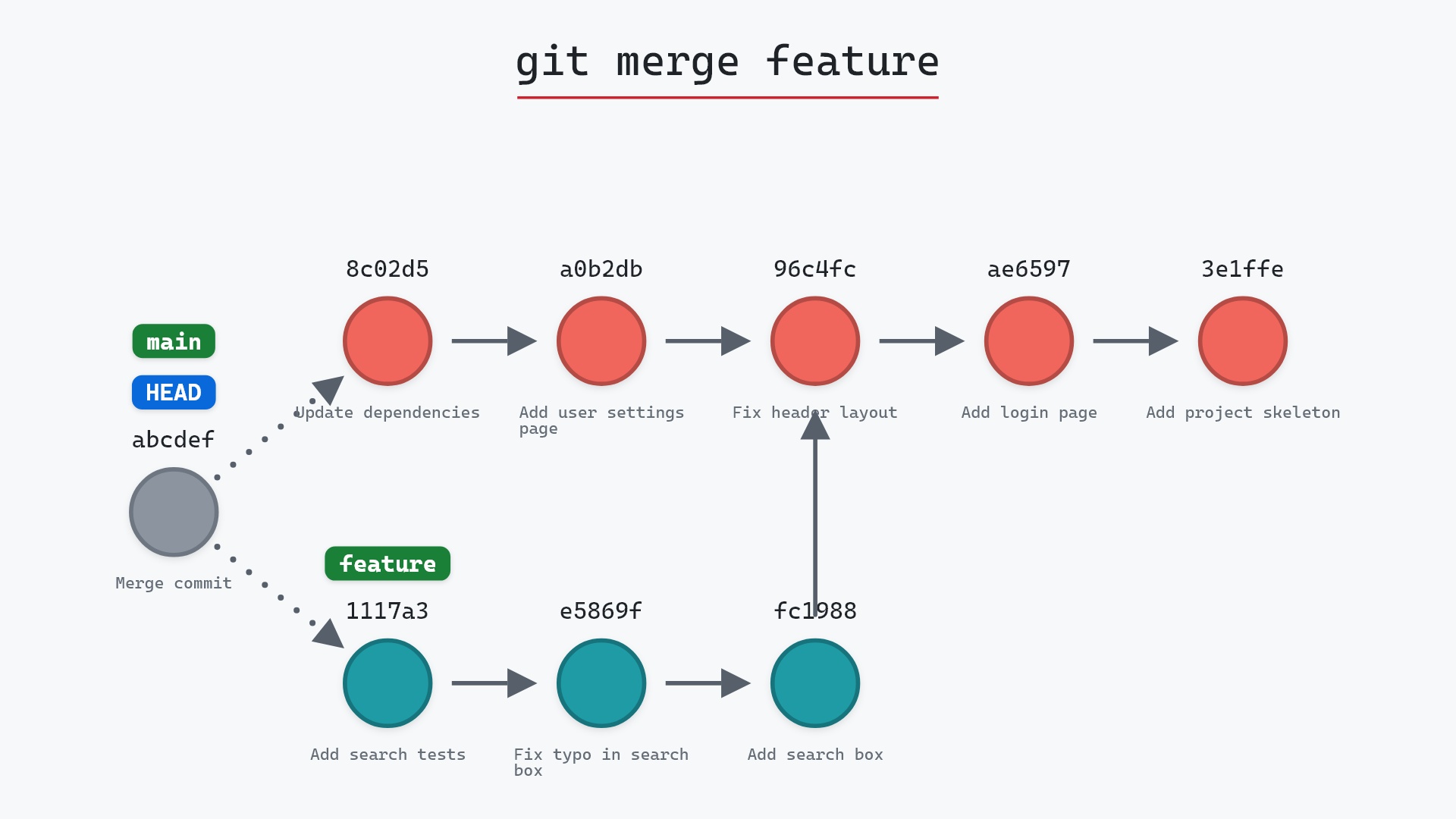
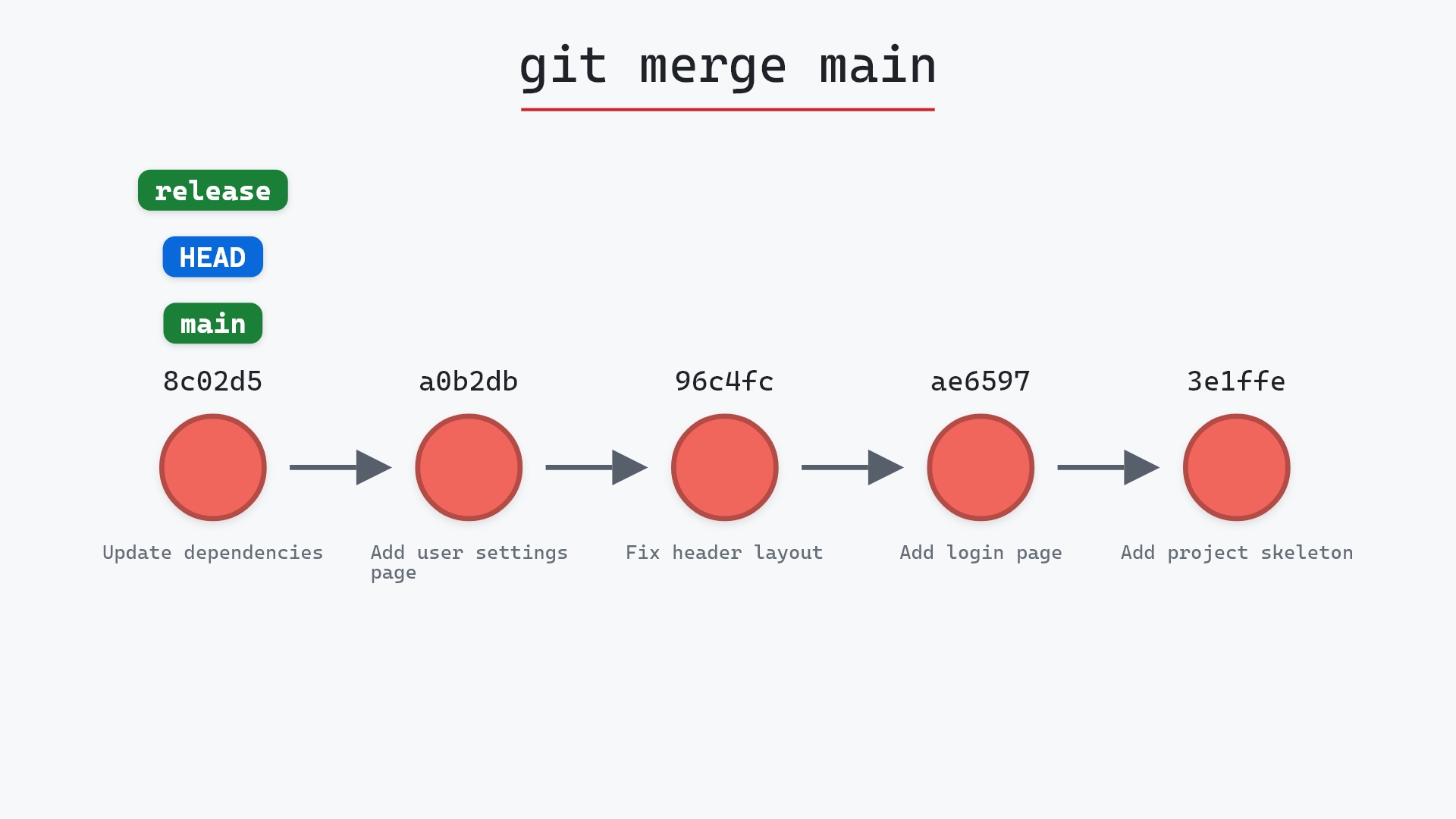
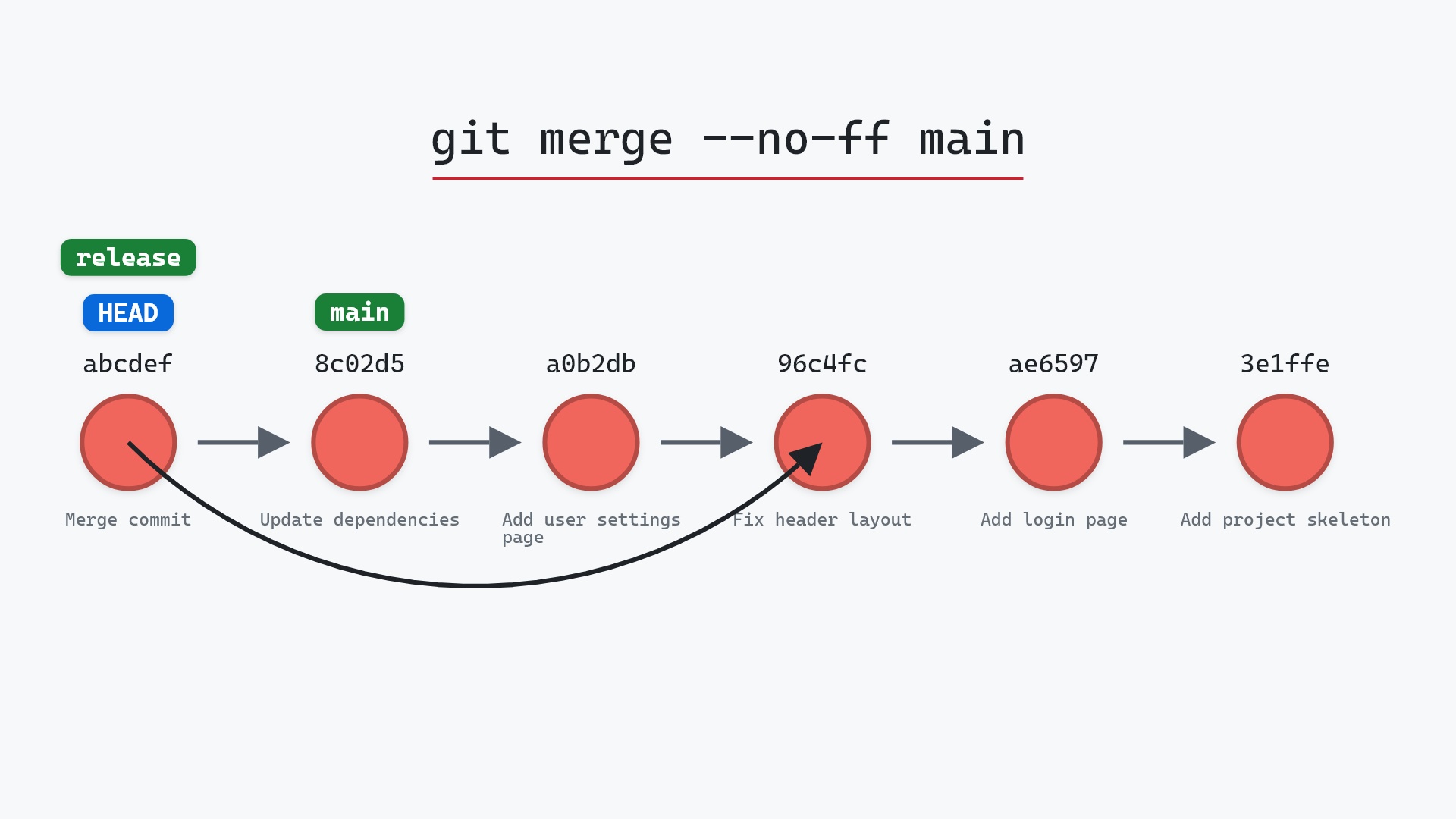
Our sample repo has the same release branch, forcing a merge commit, so a plain git merge main would fast-forward. Here's git merge --no-ff main with release checked out:
- Before:
releaseandHEADon96c4fc2, withmaintwo commits ahead of it. A plain merge here would fast-forward. - Git creates a merge commit, "Merge branch 'main' into release", with parents
96c4fc2and8c02d5b. releaseandHEADmove to the merge commit.mainstays where it is.
Before and after
Compare this with the fast-forward page, where the same starting point ends with release simply sitting on 8c02d5b. Here release is one commit ahead of main, and that commit's tree is identical to 8c02d5b's. Its only content is the fact that a merge happened.
The raw git output, if you want to read along in text
git log --oneline --graph --all
before
* 1117a34 (feature) Add search tests
* e5869f0 Fix typo in search box
* fc19889 Add search box
| * 8c02d5b (main) Update dependencies
| * a0b2db3 Add user settings page
|/
* 96c4fc2 (HEAD -> release) Fix header layout
* ae65976 Add login page
* 3e1ffe4 Add project skeleton
* 4114b2c Initial commit
after
*   e6fb7cf (HEAD -> release) Merge branch 'main' into release
|\
| * 8c02d5b (main) Update dependencies
| * a0b2db3 Add user settings page
|/
| * 1117a34 (feature) Add search tests
| * e5869f0 Fix typo in search box
| * fc19889 Add search box
|/
* 96c4fc2 Fix header layout
* ae65976 Add login page
* 3e1ffe4 Add project skeleton
* 4114b2c Initial commit
what git printed
Merge made by the 'ort' strategy.
 requirements.txt | 1 +
 settings.html    | 1 +
 2 files changed, 2 insertions(+)
 create mode 100644 requirements.txt
 create mode 100644 settings.html
What the extra commit buys you
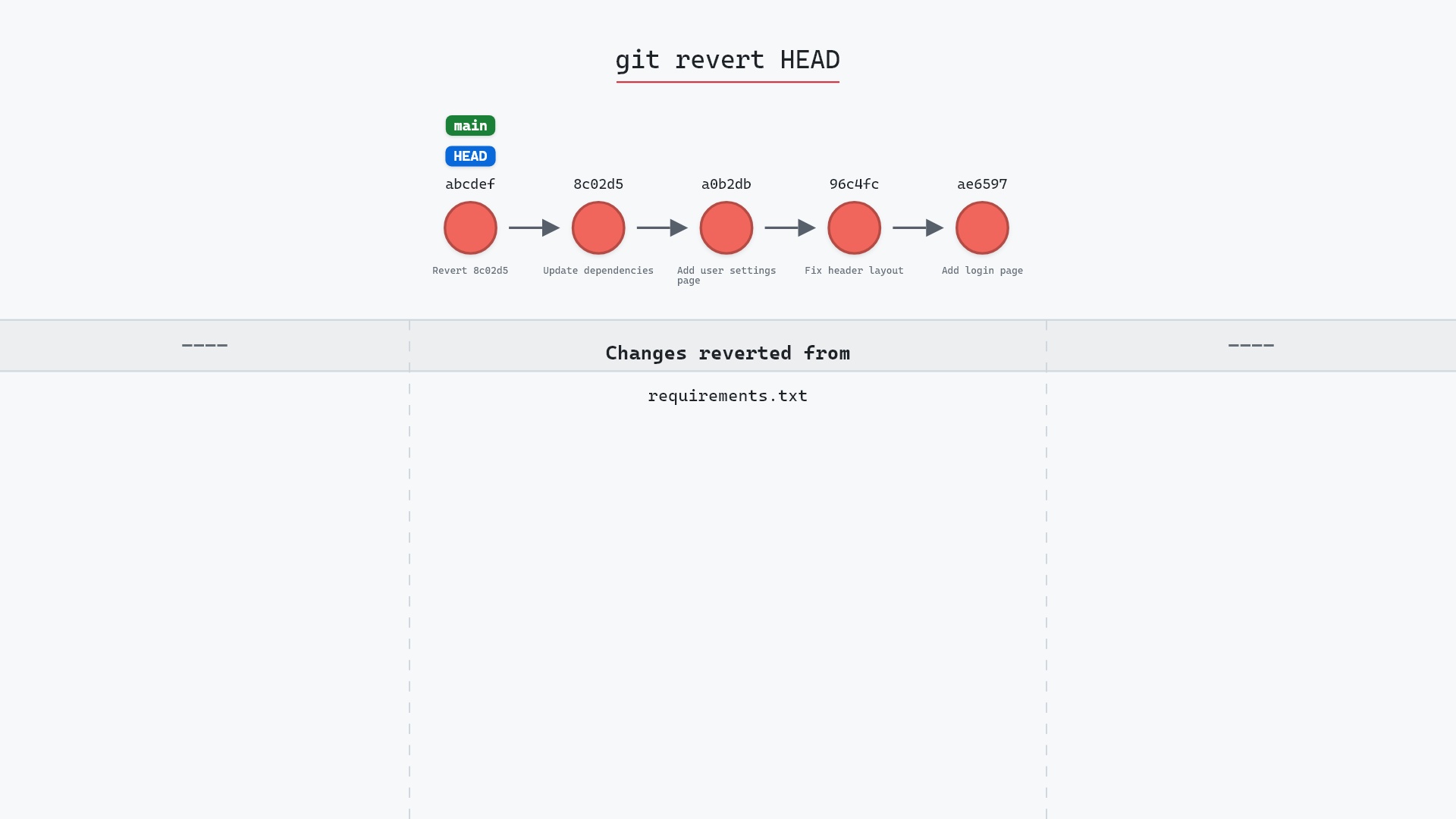
git log --first-parent releaseshows one entry per merged branch, which reads like a changelog.git revert -m 1 <merge-sha>undoes an entire feature in one commit, no matter how many commits the branch had.- The branch name survives in the default merge message, "Merge branch 'main' into release", so you can tell later where a group of commits came from.
The cost is one commit per merge and a history graph with more lines in it. Teams that prefer a straight line use rebase and fast-forward instead. There isn't a wrong answer, but it's worth picking one and sticking to it.
--no-ff and have merge.ff = false set so I don't have to remember. When something breaks after a deploy, git log --first-parent shows me the handful of merges since the last good one, and reverting the culprit is a single command.
Is it safe?
Safe git-sim pre-flight
Brings in 2 commit(s) from main (merge commit).
The way back
Undo the merge commit with: git reset --hard ORIG_HEAD (back to 96c4fc2)
The merge commit is an addition. Nothing on either branch is rewritten.
How to undo it
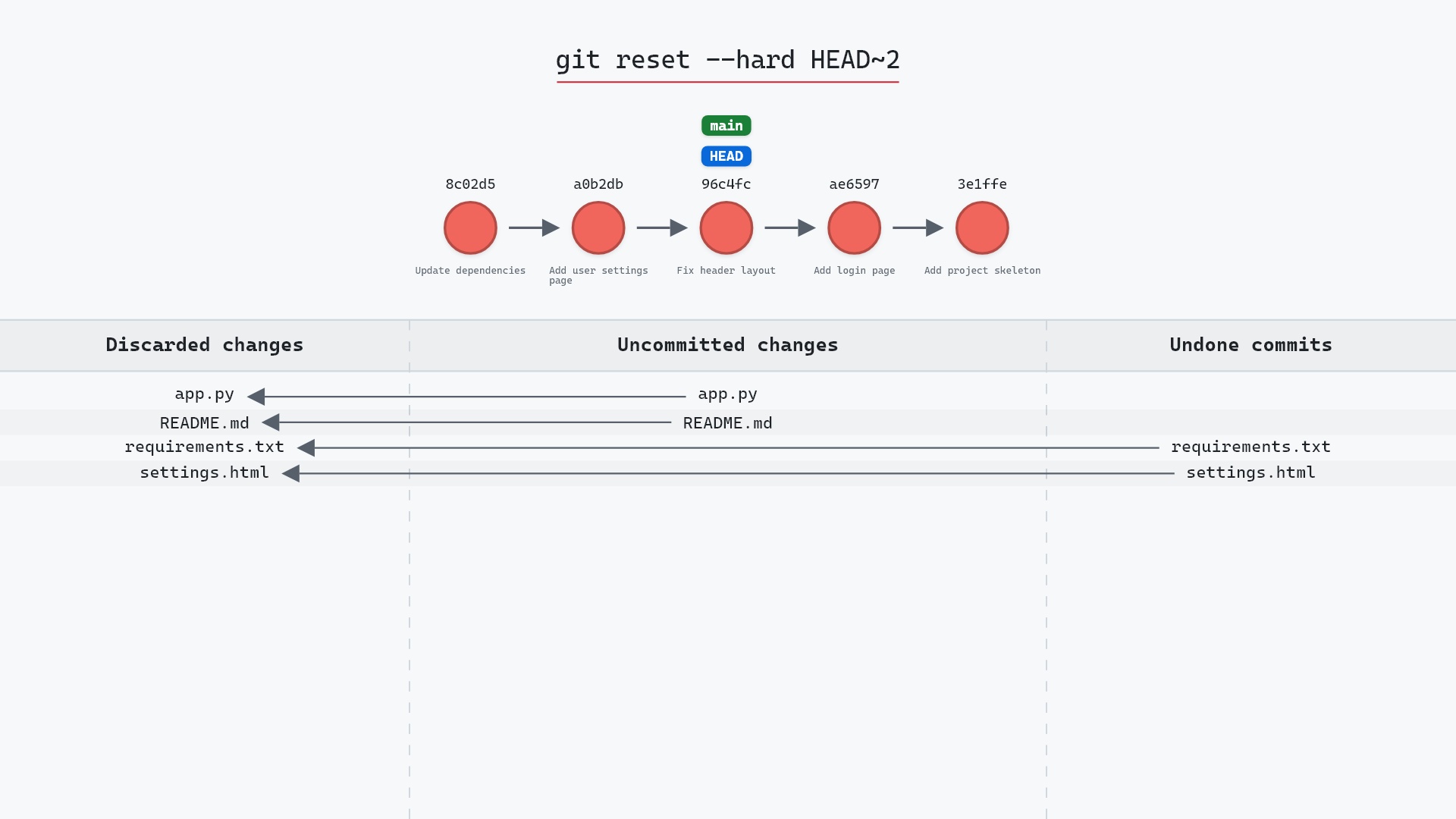
git reset --hard HEAD~1
takes release back to 96c4fc2. Note that after a --no-ff merge, HEAD~1 is the first parent (your previous tip), which is what you want.
Try it on your repository
pip install git-sim
git-sim merge --no-ff main
git-sim shows the merge commit that would be created and both of its parents, so you can see the shape the history will take before committing to it.
Common questions
What does --no-ff mean in git merge?
No fast-forward. Git creates a merge commit even when it could have just moved your branch pointer forward.
When should I use git merge --no-ff?
When you want each merged branch to be visible as a single commit in the history, for readable --first-parent logs and one-command reverts of a whole feature. GitHub's "Create a merge commit" button does the same thing, as its pull request merge docs explain.
How do I make --no-ff the default?
git config merge.ff false. Then plain git merge behaves like --no-ff, and you can still fast-forward explicitly with --ff-only.
What is the difference between --no-ff and --ff-only?
--no-ff always creates a merge commit. --ff-only never does, and refuses to merge if a merge commit would be needed. The git merge documentation lists both alongside the rest of the merge options.
Summary
In this article, we watched git merge --no-ff create a merge commit where a plain merge would have fast-forwarded, compared the two histories, and looked at what the extra commit is for.
Next steps
Fast-forward merges is the other half of this comparison. git revert covers the one-command undo that --no-ff makes possible.
Related commands
- git merge, the general case
- Fast-forward merge, what --no-ff prevents
- git revert, to undo a whole merged feature
- git reset --hard, to undo an unpushed merge
- git log,
--first-parentreads merges as a list - git rebase, the straight-line alternative