Git commands
How git bisect finds the first bad commit in a handful of steps
git bisect: binary search for the commit that broke it
How to use this page
- slider / ▶Drag the slider, or press play, to watch the command happen. Before and After jump to either end.
- ← → · spaceStep through a multi-step command; space toggles Before / After.
- APlay or pause the loop (the page opens playing). Any manual input takes over.
- hoverA commit shows its message, author, date and parents, with its history highlighted.
- clickCopies the commit sha.
- ctrl + wheelZoom around the cursor (pinch on a trackpad). Double-click resets the view.
- EscStop playback, reset the view, close this menu.
- shareThe Share button copies a link to this graph, copies it as an image, downloads PNG/SVG/page, or posts it. #before, #after or #step=N in the link pins the state.
git-sim visually simulates any Git command in your own repos - from your terminal, IDE, or AI.
Table of Contents
- Introduction
- What is git bisect?
- Watch it happen
- Why so few steps?
- A bisect session, step by step
- Checking your progress
- Finishing up
- Let a script do the testing
- When a commit can't be tested
- When "good" and "bad" don't fit
- Is it safe?
- Common questions
- Summary
- Next steps
- Related commands
Introduction
If you've ever had something that worked in the last release and doesn't work now, with a few dozen commits in between and no obvious suspect, git bisect is the tool for it. You tell Git one commit where things were fine and one where they're broken, and it checks out commits in between for you to test, halving the suspects each time, until it names the exact commit that introduced the problem.
In this article, we'll:
- See why a binary search needs so few tests
- Walk through a full bisect session on a small project
- Let
git bisect rundo the testing with a script - Cover skipping untestable commits, custom terms, and getting back to where you started
What is git bisect?
git bisect is a binary search over your history. It needs two starting points: a bad commit where the problem exists (usually your current HEAD) and a good commit where it didn't (often the last release tag). Every commit between them is a suspect.
Git checks out the commit halfway between the two. You test it and report good or bad. Whichever half the answer rules out is dropped, and Git checks out the middle of what's left. When only one suspect remains, that's the first bad commit: the earliest commit that has the problem while its parent doesn't.
Bisect doesn't fix anything, and it doesn't know what your bug is. It only tells you which commit to look at.
Watch it happen
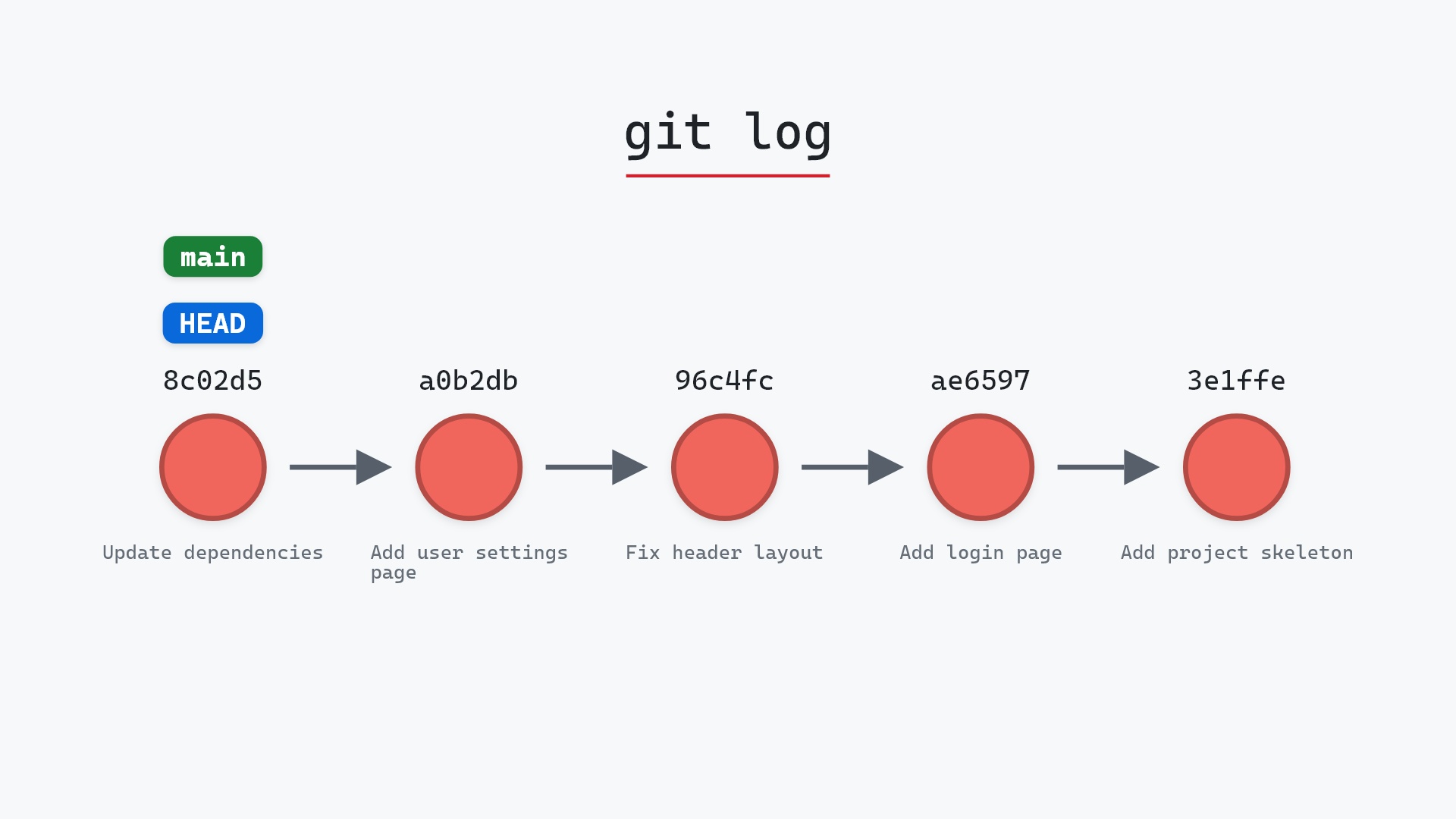
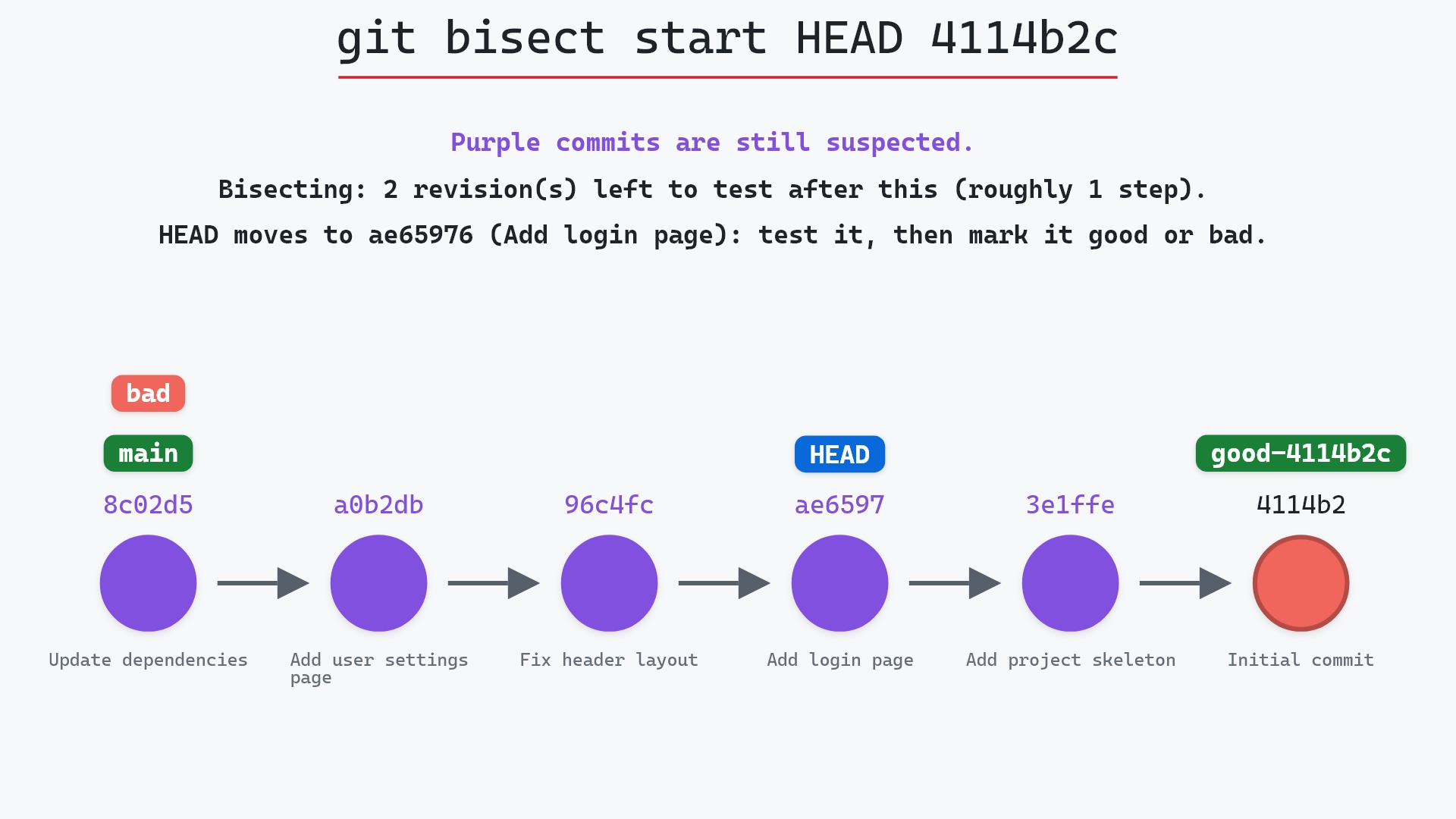
Here's git bisect start HEAD 4114b2c on a small sample repository: main is checked out, its tip is bad and its first commit was good. The command marks main's tip, 8c02d5b "Update dependencies", as bad and the first commit, 4114b2c, as good:
- Before:
HEADis attached tomainat8c02d5b"Update dependencies", the newest of six commits that go back to the initial commit,4114b2c. - Git marks
8c02d5bas bad and4114b2cas good, by writing the refrefs/bisect/badand arefs/bisect/good-ref named after4114b2c. - That leaves five commits, from
8c02d5bback to3e1ffe4, and any one of them could be the first bad commit. Git checks outae65976"Add login page", the commit it picks to test first, which detachesHEAD.mainstays where it was.
That's exactly what git printed when we ran the same command: "Bisecting: 2 revisions left to test after this (roughly 1 step)", with ae65976 checked out. git-sim doesn't guess the midpoint. It asks git for the same pick that git bisect makes.
The raw git output, if you want to read along in text
git log --oneline --graph --all
before
* 1117a34 (feature) Add search tests
* e5869f0 Fix typo in search box
* fc19889 Add search box
| * 8c02d5b (HEAD -> main) Update dependencies
| * a0b2db3 Add user settings page
|/
* 96c4fc2 Fix header layout
* ae65976 Add login page
* 3e1ffe4 Add project skeleton
* 4114b2c Initial commit
after
* 1117a34 (feature) Add search tests
* e5869f0 Fix typo in search box
* fc19889 Add search box
| * 8c02d5b (main) Update dependencies
| * a0b2db3 Add user settings page
|/
* 96c4fc2 Fix header layout
* ae65976 (HEAD) Add login page
* 3e1ffe4 Add project skeleton
* 4114b2c Initial commit
what git printed
Bisecting: 2 revisions left to test after this (roughly 1 step)
[ae659769a722a27864fa205a7b49c646eacfe18e] Add login page
Why so few steps?
Each test cuts the suspects roughly in half, so the number of tests grows with the logarithm of the number of commits, not with the commits themselves. Nine suspects take about three tests. A hundred take about seven, and a thousand about ten. Checking commits one at a time from the newest backwards could take all thousand.
That efficiency depends on one thing: the bug must be absent before some commit and present in every commit after it. If a bug comes and goes, bisect will still give you an answer, but it may not be the one you want.
A bisect session, step by step
Our example is an invoicing app. Release v2.3.0 produced correct PDF totals, and on main today the totals on PDF invoices are wrong. Nine commits have landed since the release:
$ git log --oneline v2.3.0..main
e41c9a7 (HEAD -> main) Update footer copy
b83d0f2 Add dark mode toggle
7a2e6c1 Cache currency rates
c90f14d Refactor invoice totals
5d3b8e9 Bump pdfkit to 0.9
2f6a0b4 Add CSV export
9e1d7c3 Fix date picker on Safari
a07f5e2 Add discount codes
3c8b91d Tidy invoice template
"Refactor invoice totals" looks suspicious, but so does "Bump pdfkit to 0.9", and "Cache currency rates" could plausibly do it too. Rather than guess, we bisect. Start the session, mark the current commit bad and the release good:
$ git bisect start
$ git bisect bad
$ git bisect good v2.3.0
Bisecting: 4 revisions left to test after this (roughly 2 steps)
[2f6a0b4c8e1d97f3a5b20e6d4c9f8a71b3e0d5c2] Add CSV export
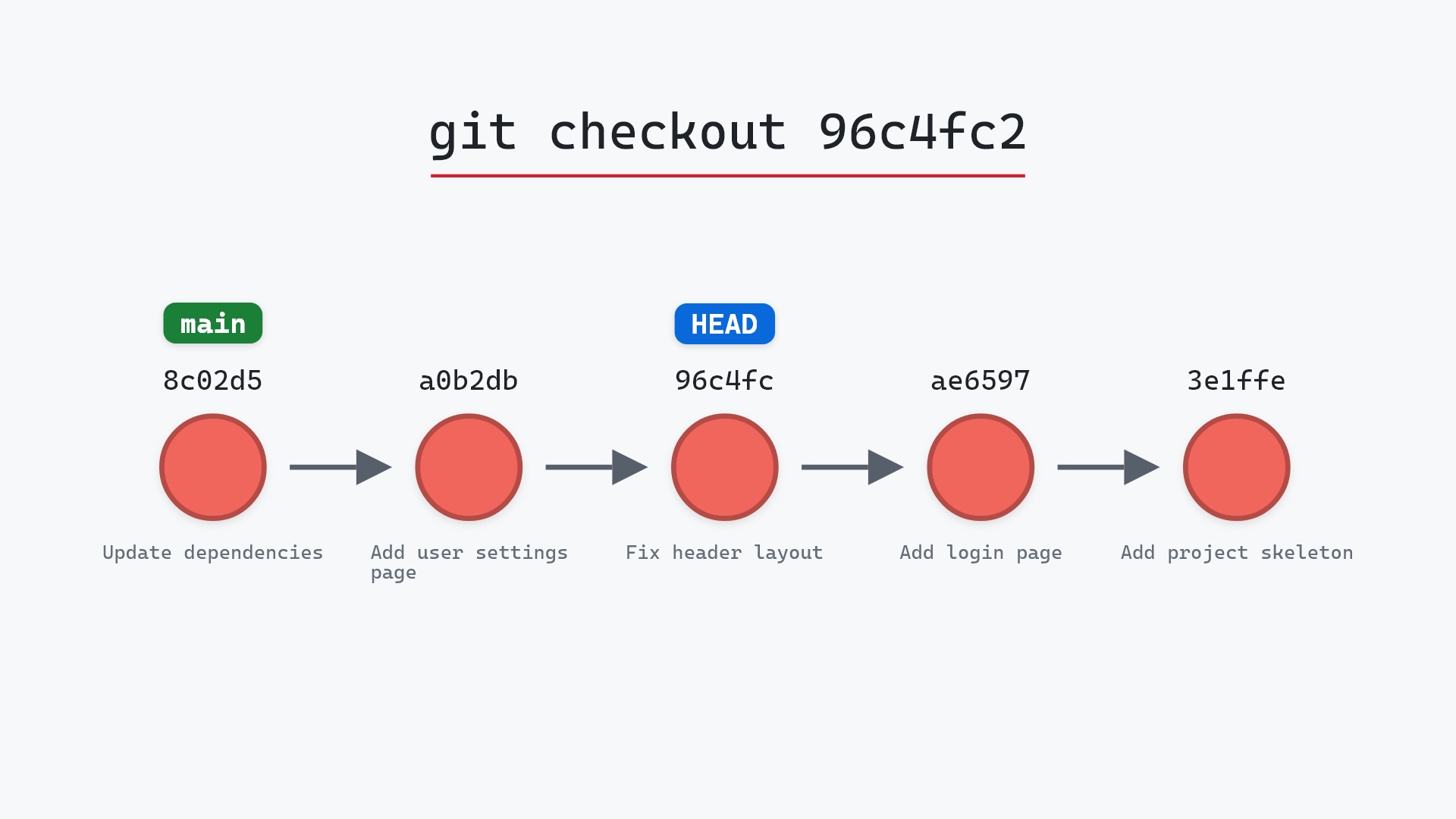
Git has checked out 2f6a0b4, the middle of the nine. You're now in a detached HEAD state, which is expected: bisect moves HEAD straight to commits, not to branches. The "4 revisions left" is how many would remain if this commit turns out good.
We build the app, generate a PDF invoice, and the total is right. So:
$ git bisect good
Bisecting: 2 revisions left to test after this (roughly 1 step)
[c90f14d8a3b25e7f19d04c6a2b7e5f8d31c0a9e4] Refactor invoice totals
Everything up to and including 2f6a0b4 is cleared. Here's the same answer given on the sample repository from the top of the page, where ae65976 "Add login page" tested fine. git bisect good records ae65976 as good, which clears it and every commit before it, leaving 96c4fc2, a0b2db3 and 8c02d5b as suspects. Git checks out a0b2db3 "Add user settings page" next and prints "Bisecting: 0 revisions left to test after this (roughly 1 step)":
Back in the invoicing app, Git jumps to c90f14d. This time the PDF total is wrong:
$ git bisect bad
Bisecting: 0 revisions left to test after this (roughly 0 steps)
[5d3b8e97f1a04c62d9e8b35a0f7c1d24e6b9a830] Bump pdfkit to 0.9
Only 5d3b8e9 and c90f14d are left as suspects. The pdfkit bump produces a correct total:
$ git bisect good
c90f14d8a3b25e7f19d04c6a2b7e5f8d31c0a9e4 is the first bad commit
commit c90f14d8a3b25e7f19d04c6a2b7e5f8d31c0a9e4
Author: Priya Nair <priya@example.com>
Date:   Thu Feb 8 11:42:17 2024 +0000

    Refactor invoice totals

 invoices/totals.py | 14 +++++++-------
 1 file changed, 7 insertions(+), 7 deletions(-)
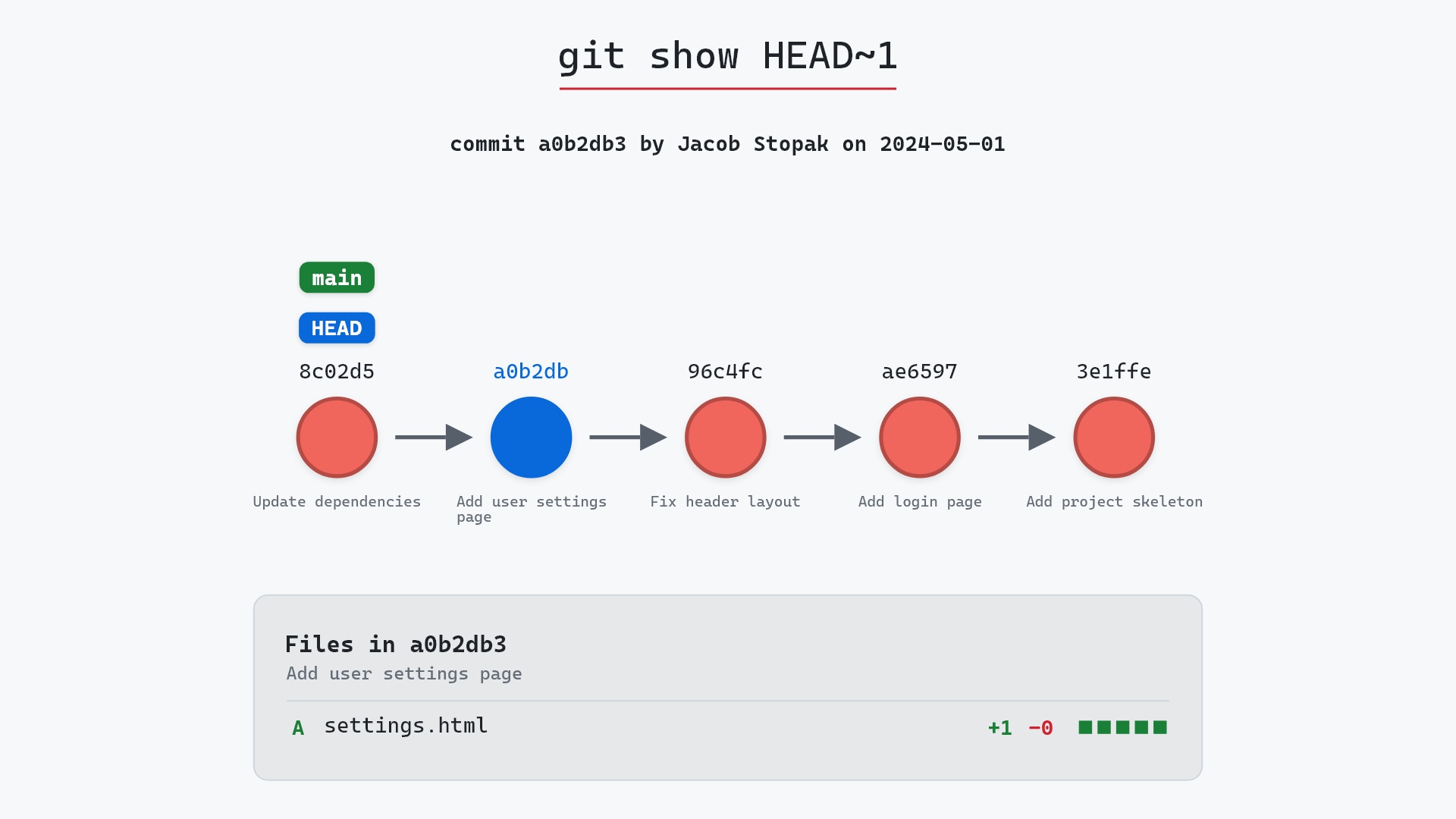
Three tests for nine commits. The problem arrived with "Refactor invoice totals", and the change is small enough to read in one sitting with git show c90f14d.
Checking your progress
git bisect log prints every answer you've given so far, in a form you could replay:
$ git bisect log
git bisect start
# status: waiting for both good and bad commits
# bad: [e41c9a7b20d5f83a6c1e9d4072b8f5a3c6d10e2f] Update footer copy
git bisect bad e41c9a7b20d5f83a6c1e9d4072b8f5a3c6d10e2f
# status: waiting for good commit(s), bad commit known
# good: [61b4fa8e0c3d25b9f7a16e4d8c0b3f92a5e7d1c4] Release v2.3.0
git bisect good 61b4fa8e0c3d25b9f7a16e4d8c0b3f92a5e7d1c4
# good: [2f6a0b4c8e1d97f3a5b20e6d4c9f8a71b3e0d5c2] Add CSV export
git bisect good 2f6a0b4c8e1d97f3a5b20e6d4c9f8a71b3e0d5c2
# bad: [c90f14d8a3b25e7f19d04c6a2b7e5f8d31c0a9e4] Refactor invoice totals
git bisect bad c90f14d8a3b25e7f19d04c6a2b7e5f8d31c0a9e4
# good: [5d3b8e97f1a04c62d9e8b35a0f7c1d24e6b9a830] Bump pdfkit to 0.9
git bisect good 5d3b8e97f1a04c62d9e8b35a0f7c1d24e6b9a830
# first bad commit: [c90f14d8a3b25e7f19d04c6a2b7e5f8d31c0a9e4] Refactor invoice totals
That's useful when you mark a commit wrong by mistake. Save the log to a file, delete the bad line, then git bisect reset and git bisect replay <file> to pick up from the corrected state.
git bisect visualize (or git bisect view) shows the commits still under suspicion. Depending on your setup it opens gitk or prints a git log, and it accepts log options, so git bisect visualize --oneline gives a compact list.
Finishing up
When you're done, go back to where you started:
$ git bisect reset
Previous HEAD position was 5d3b8e9 Bump pdfkit to 0.9
Switched to branch 'main'
That puts you back on main and clears the bisect state. It's easy to forget, and until you run it, Git still considers you mid-bisect. git bisect reset <commit> ends the session somewhere else, for example git bisect reset c90f14d to stay on the culprit and look around.
Here's git bisect reset on the sample repository, run while HEAD is detached on ae65976 "Add login page". Git deletes the refs/bisect/ refs and switches back to main at 8c02d5b, printing "Previous HEAD position was ae65976 Add login page" and "Switched to branch 'main'":
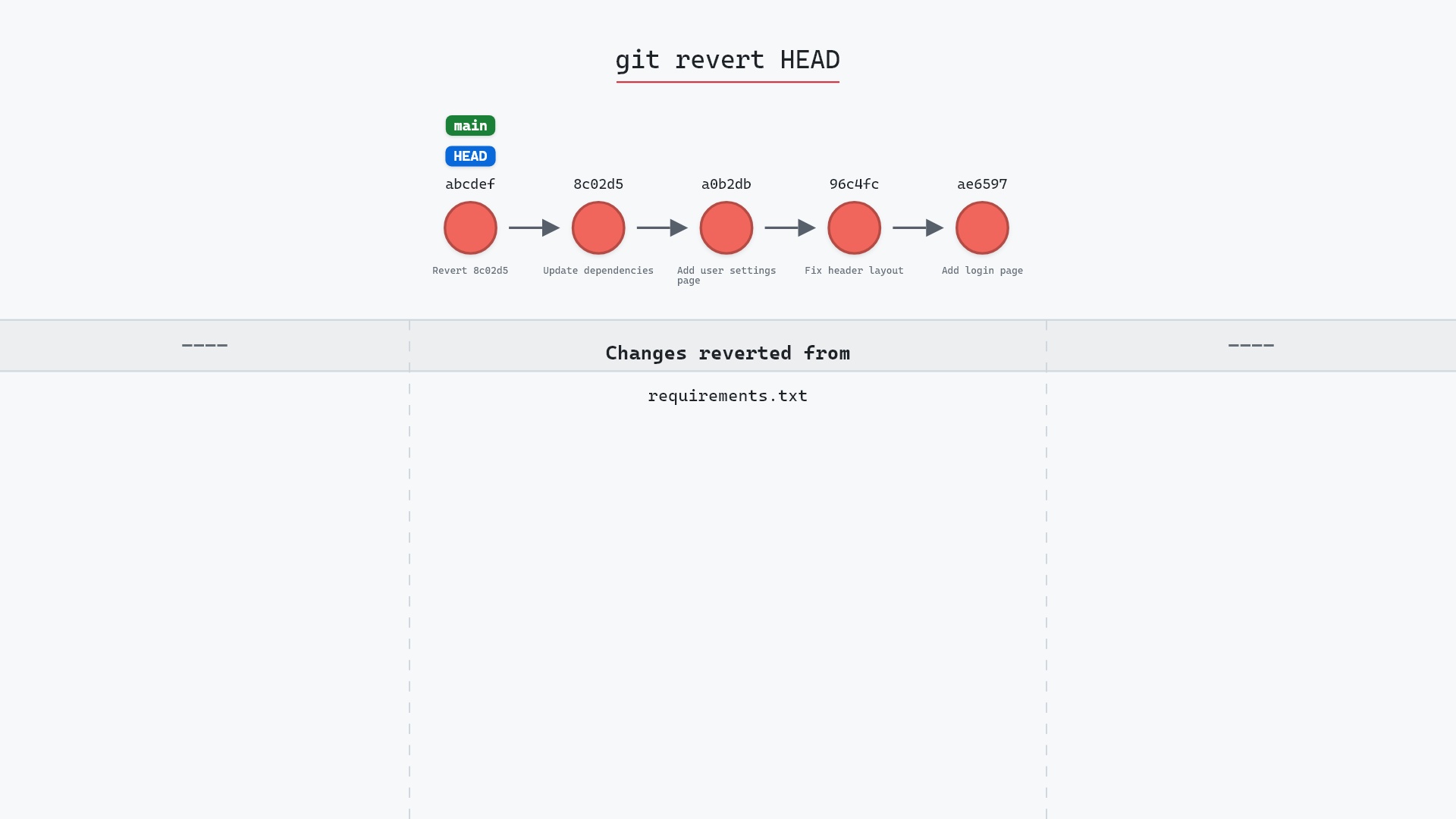
What to do with the culprit is a separate decision. For a pushed commit, git revert adds a new commit that undoes it without rewriting history. Often, though, the commit did something useful and only part of it is wrong, so a small fix on main is the better answer.
Let a script do the testing
Testing by hand is fine for three rounds. For longer searches, git bisect run takes a command and runs it on each commit Git checks out, reading the exit code as the answer:
0means good125means this commit can't be tested, so skip it- any other code from 1 to 127 means bad
- 128 or above aborts the whole bisect
A test suite already works that way. Here we run a single test for the PDF totals:
$ git bisect start main v2.3.0
Bisecting: 4 revisions left to test after this (roughly 2 steps)
[2f6a0b4c8e1d97f3a5b20e6d4c9f8a71b3e0d5c2] Add CSV export
$ git bisect run pytest -q tests/test_pdf_totals.py
running  'pytest' '-q' 'tests/test_pdf_totals.py'
.                                                                    [100%]
1 passed in 0.41s
Bisecting: 2 revisions left to test after this (roughly 1 step)
[c90f14d8a3b25e7f19d04c6a2b7e5f8d31c0a9e4] Refactor invoice totals
running  'pytest' '-q' 'tests/test_pdf_totals.py'
F                                                                    [100%]
...
1 failed in 0.44s
Bisecting: 0 revisions left to test after this (roughly 0 steps)
[5d3b8e97f1a04c62d9e8b35a0f7c1d24e6b9a830] Bump pdfkit to 0.9
running  'pytest' '-q' 'tests/test_pdf_totals.py'
.                                                                    [100%]
1 passed in 0.39s
c90f14d8a3b25e7f19d04c6a2b7e5f8d31c0a9e4 is the first bad commit
...
bisect found first bad commit
git bisect start <bad> <good> is the shorthand for the three commands we typed earlier. (We trimmed pytest's failure report to ....)
One catch: the test has to exist in the commits being tested. If you wrote it just now to catch this bug, keep it as an untracked file, or copy it outside the repository and point run at that copy. Untracked files stay put while bisect checks out older commits.
When a commit can't be tested
Sometimes the commit Git picks doesn't build, for reasons that have nothing to do with your bug. Don't guess. Run:
git bisect skip
Git picks a nearby commit instead. If the skipped commits end up next to the culprit, bisect may finish with a short list of "possible first bad commits" instead of one, which is still a lot narrower than where you started.
When "good" and "bad" don't fit
Bisect finds any change, not only bugs. Maybe you want the commit that made the test suite faster, or the one that first added a feature. Calling the faster, newer state "bad" gets confusing, so Git accepts old and new as alternatives:
git bisect start
git bisect new main
git bisect old v2.3.0
You can also pick your own words:
git bisect start --term-old=slow --term-new=fast
git bisect fast main
git bisect slow v2.3.0
Stick to one pair of terms within a session. git bisect terms reminds you which ones are in use, and the git bisect documentation lists every subcommand and option.
Is it safe?
Bisect only checks out existing commits, so it can't lose history. It does move HEAD and rewrite the files in your working directory, so commit or stash any uncommitted work before you start. Anything you commit while in the middle of a bisect is left on a detached HEAD, where it's easy to lose track of, so save fixes for after git bisect reset.
Safe git-sim pre-flight
'bisect' moves HEAD between existing commits; nothing is discarded.
Common questions
How do I cancel a git bisect?
git bisect reset. It returns HEAD to the branch you were on before git bisect start and removes the bisect state. It works at any point, including halfway through.
What if I marked a commit good or bad by mistake?
Save git bisect log to a file, remove the wrong entry and everything after it, then run git bisect reset and git bisect replay <file>. Git rebuilds the session from the corrected answers.
Can git bisect run my tests automatically?
Yes. git bisect run <command> runs the command on every commit it checks out. Exit code 0 means good, 125 means skip, and other codes up to 127 mean bad.
Does git bisect work with merge commits?
Yes. It searches the whole graph between the good and bad commits, including commits that arrived through merges. Add --first-parent to git bisect start if you only want to test the merge commits on your main line, which is handy when each merge is one pull request.
Summary
In this article, we used git bisect to find the commit behind a broken invoice total in three tests, looked at the session log, handed the testing to git bisect run, and covered skip, custom terms and git bisect reset.
Next steps
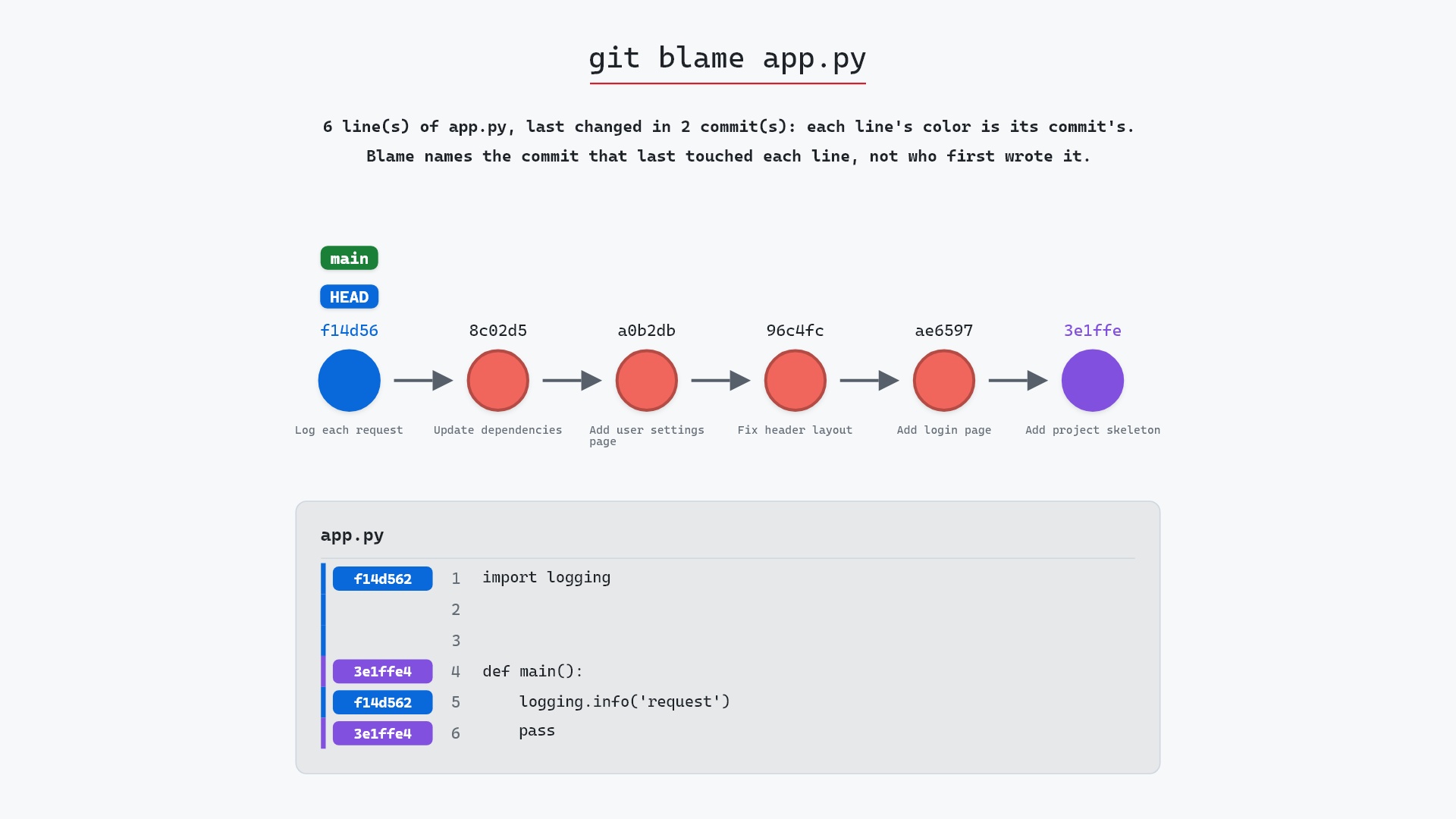
Once bisect names a commit, git show is how you read it, and git blame tells you which commit last touched a specific line. If the culprit is already shared, git revert undoes it safely. For more on the detached HEAD state bisect leaves you in, see git checkout on a commit.
Related commands
- git log, to pick the good and bad starting points
- git show, to read the commit bisect finds
- git revert, to undo that commit safely
- git checkout on a commit, the detached HEAD bisect leaves you in
- git blame, which commit last changed a line
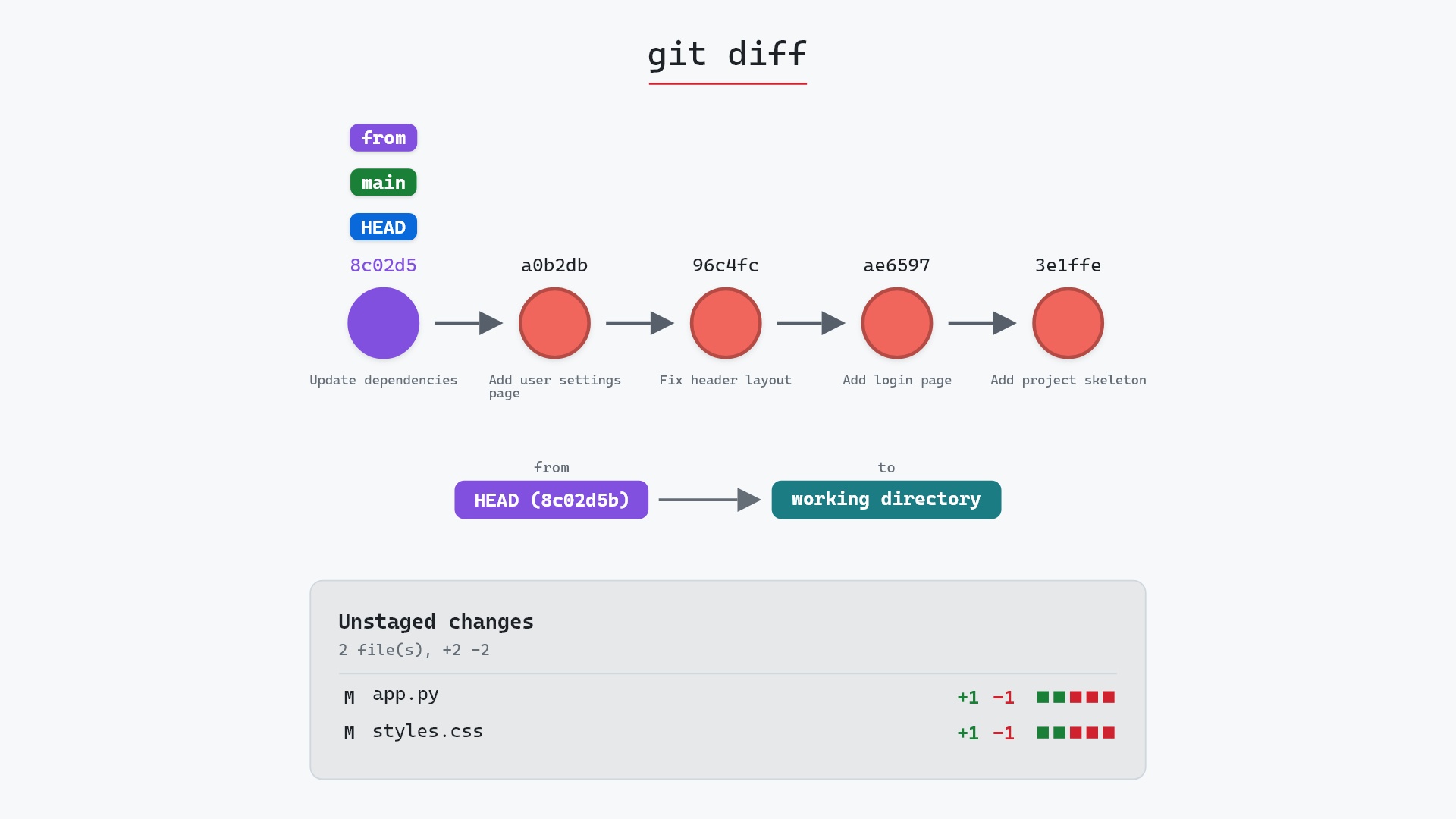
- git diff, to compare the good and bad commits